 \n
\n
Web The Innovation of Modern Web Development: The Emergence of React Design Systems
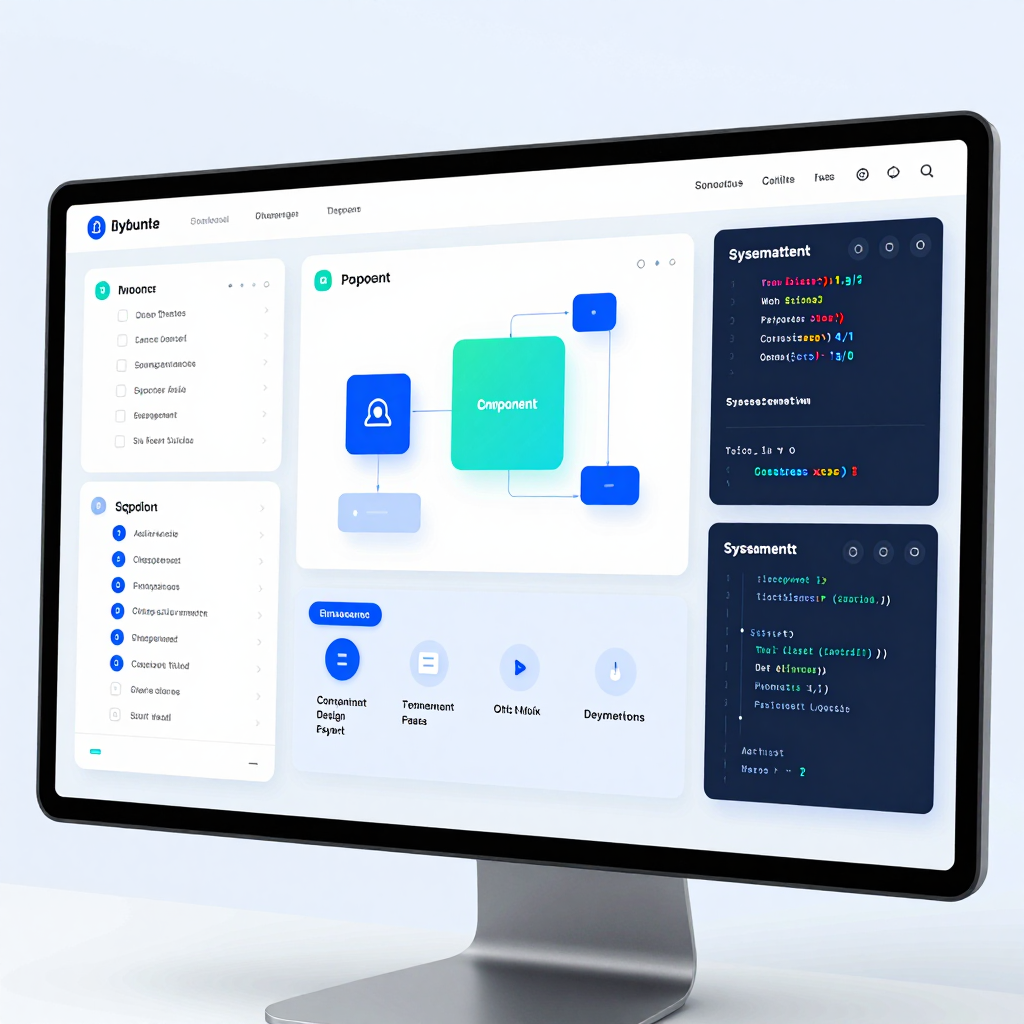
Why are today’s web developers so passionate about design systems that combine React with Radix UI, Tailwind CSS, and Storybook? The answer is simple. This combo goes beyond just “making things look pretty” — it offers a way to build scalable products quickly and reliably. In other words, coding the UI is no longer just about drawing screens; it’s about designing reusable component architectures.
Why React Design Systems Have Become Essential in Web Development
Modern web services feature rapidly growing numbers of screens, frequently evolving functionalities, and must satisfy diverse user environments (mobile/desktop, keyboard/mouse, screen readers, etc.) simultaneously. In this context, a design system becomes the “language of the product,” enabling teams to produce UI under common rules.
React is especially suited as the foundation for implementing design systems because of its strong architecture for breaking down and composing UIs into components.
The Fourfold Formula That Sets Web Apart: React + Radix UI + Tailwind CSS + Storybook
This stack is powerful because each tool fills gaps left by the others, forming the core pillars of design system construction.
- React (Structure): Standardizes UI elements like buttons, inputs, and modals into “components.” As products scale, screen development essentially becomes the assembly of components, dramatically boosting productivity.
- Radix UI (Accessibility & Behavior): Provides unstyled (headless) components that come with built-in accessibility standards like keyboard navigation, focus management, and ARIA attributes by default. This ensures the often-overlooked “details of behavior” are reliably handled.
- Tailwind CSS (Consistent Styling): Applies design tokens (colors, spacing, typography, etc.) immediately through utility classes in code. This significantly reduces common inconsistencies like “Why does this page look different from others?” and lowers review and revision costs.
- Storybook (Documentation & Validation): Separates components from pages to enable independent development and visualization of UI states. With component APIs and examples documented, collaboration becomes easier, and regression impacts are quickly identified.
Real-World Impact: Speed, Quality, and Collaboration All Rise Together
The advantage this combination brings is not just “faster development.”
- Development speed increases through reusability
- Accessibility is baked in by default
- Product quality stabilizes with consistent style rules
- Collaboration overhead drops with living documentation (Storybook)
Ultimately, React design systems transform web development from a cycle of “feature additions” into a structure that “accumulates component assets,” laying the foundation that widens the gap as services grow larger.
Web React-Based Architecture: The Secret to Component Reusability
The key principle that transforms components from simple pieces of code into scalable architecture is “Composition + Clear Separation of Concerns + Contract-Based Design.” In other words, rather than merely copying and pasting components here and there, the point is to design the structure so the entire product’s UI can be consistently and expansively developed. So, how exactly is the accessibility emphasized by Radix UI implemented?
Three Principles for Creating Reusable Components on the Web
1) Decompose Components Based on “UI Assembly”
Highly reusable React components typically aren’t “one big chunk” but rather small units combined to form larger UIs. For example, when creating a modal, instead of having just one Modal component, roles are divided like this:
- Trigger: The button/element that opens the modal
- Content: The modal’s body (layout, panel)
- Overlay: Background dimming effect
- Close: The element responsible for closing
- Title/Description: Provides meaning for accessibility and documentation
By splitting it this way, you can swap or add parts wherever a modal is needed without breaking the overall structure. This is the first step in elevating components to an architectural level.
2) Separate Style and Behavior to Easily Customize the Product
In design systems, it’s crucial to separate behavior from presentation. This is why Radix UI provides “unstyled” components.
- Behavior: Focus movement, open/close state, keyboard handling, ARIA attributes, etc.
- Presentation: Applying the team’s design tokens (color, spacing, border radius) using tools like Tailwind CSS
As a result, even as the web service grows, you can flexibly change the design while maintaining consistent behavioral rules.
3) Design APIs with the View That “Props Are a Contract”
The quality of reusable components is judged more by the external API exposed (Props) than internal implementation. A good API guarantees:
- Consistent Naming: Standardized options like
variant,size,tone - Intent Restriction: Clearly defined allowable values (both type- and runtime-level)
- Extension Points: Support for points like
asChild,className,slots
The clearer this “contract” is, the more predictably teammates can use components and the lower the maintenance cost becomes.
The Core of Web Accessibility: What Does Radix UI Solve as “Defaults”?
Radix UI’s strength lies in making accessibility a default behavior rather than an “effort.” Notably, the following elements are provided automatically or according to standard patterns.
Keyboard Navigation
Keyboard interaction is one of the most frequently overlooked accessibility aspects. Radix UI implements patterns tailored to each component type, considering:
- Managing tab order flow
- Closing with ESC (e.g., Dialog, Popover)
- Navigating items with arrow keys (e.g., Menu, Select, Tabs)
- Protecting against focus loss (especially in overlay UIs)
Focus Management and Focus Trap
A crucial rule for modal/dialog component families is that “when open, focus must stay inside.”
- On open: Move focus to the meaningful first element
- On close: Return focus to the original trigger
- Cycle inside only: Trap focus so it doesn’t escape to the background page
Getting this flow right ensures the component is reliable not only for screen reader users but also for keyboard users.
ARIA Attributes and Semantic Structure
Radix UI applies necessary ARIA roles and attribute patterns to components.
- Patterns like
role="dialog"andaria-modal - State communication with
aria-expanded,aria-controls - Linking title and description with
aria-labelledby,aria-describedby
The critical point is not just “adding ARIA” but that attributes update correctly in sync with state changes—the most error-prone spot when implemented manually.
When “Reusability” Truly Shows Its Power in Web Projects
Reusability in React-based architecture goes beyond just using components multiple times. Real efficiency explodes in these scenarios:
- Rapidly assembling screens by combining existing patterns when building new features
- Reducing risk and QA overhead as accessibility requirements grow through Radix UI foundations
- Cutting communication costs as designers and developers share the same component units
- Maintaining consistency even as the product grows, with stable UI rules
In conclusion, the moment you regard components not as “copy-and-paste code” but as “design units that expand the product,” React transforms from a simple library into a full-fledged architecture for building Web UI.
Bridging Design and Development with Web Tailwind CSS and Storybook
In UI development, a recurring question arises: “If we speed up, will consistency break? And if we keep consistency, will speed slow down?”
Here, Tailwind CSS’s utility classes and Storybook’s component-driven workflow provide a powerful answer. Using them together allows you to build quickly while enabling the entire team to expand the Web UI under the same rules.
Tailwind CSS’s Key to Achieving Both Web UI Development Speed and Consistency
Tailwind CSS is not just a tool to “write less CSS,” but rather a way to standardize design decisions in code. By combining utility classes, you build screens instantly, while naturally ensuring that those combinations adhere to the design system’s rules.
- Boost speed with utility-first implementation: Quickly complete layouts and styles using clear, meaningful class combinations like
flex,gap-2,px-4,text-sm. This reduces time spent toggling between CSS files and pondering naming conventions. - Theme (Design tokens) at the core of consistency: Lock colors, typography, and spacing scales in
tailwind.config, minimizing team members guessing values intuitively. Consequently, even as the UI grows, the style remains stable. - Favorable for component extension: Managing styles inside React components clarifies reuse units and makes modification scopes predictable. Especially effective for components with many variants like buttons and input fields.
The technical key lies in the variant composition strategy. For example, as a button’s size, tone, and state increase, classes become complex. In this case, fixing combination rules in code using class merging tools (e.g., clsx + tailwind-merge) or variant management utilities aids maintainability.
Storybook’s Role in Transforming Web Component Testing and Documentation
Storybook is more than a “component gallery” — it’s a development environment for validating and sharing components at a product level. Before page-level integration, components render independently, and state-specific cases are clearly documented.
- State-focused visual testing: Fix stories for UI states like default/hover/disabled/loading/error to catch regression bugs early.
- Documentation as specification: Providing props, usage examples, and cautions alongside stories turns “verbalized rules” into “reproducible screens.”
- Common language for designers, planners, and QA: Sharing the ‘correct screen’ of a specific component via Storybook URLs drastically reduces communication costs. Frequent “environment discrepancy” debates in Web products are quickly resolved.
In practice, many extend Storybook workflows with Controls (dynamic props manipulation), Docs (auto-generated documentation pages), and visual regression testing tools to create “component-level CI.” Thus, Storybook evolves beyond a mere development tool into a pillar of the quality system.
Best Practices When Using Tailwind CSS and Storybook Together in a Web Design System
While the synergy of these two tools multiplies benefits, mixing them without principles often results in a “fast but messy UI.” Applying these guidelines creates smooth integration:
- Fix Tailwind scales as design tokens, minimize exceptions: Unrestrained use of arbitrary pixel values breaks consistency. Upgrading needed exceptions into tokens is ideal.
- Use Storybook not as a ‘component showcase’ but a ‘development starting point’: Writing stories first when building components clarifies state definitions and API design.
- Specify component APIs and style rules via stories: Showing “which tones a button can have, what states exist, and which combinations are forbidden” in stories naturally propagates team rules.
Ultimately, Tailwind CSS acts as an engine for producing consistent UIs rapidly, while Storybook serves as the stage for validating and sharing that UI. Once this combo is established, Web product development naturally shifts from “building pages” to “accumulating components and growing a system.”
Proven Value of Design Systems in Web Practice and the Evolution of Collaboration
How have companies and individual projects actually increased productivity, ensured accessibility standards, and enabled clear communication across teams? The key lies in managing a bundle built on React component architecture combined with Radix UI (accessibility), Tailwind CSS (consistent styling), and Storybook (documentation/verification). This combination isn’t about “making things look pretty,” but rather about creating a repeatable development, review, and collaboration process.
The Structure That Truly Boosts Web Productivity: Leveraging Reusability and Speed
The productivity boost in practice comes when the workflow shifts to “build a component well once, then just assemble it next time.”
- Standardization at the React component level: Fixing frequently used UI elements like buttons, input fields, and modals as components transforms new feature development into assembling existing blocks.
- Encoding design rules with Tailwind CSS: Enforcing spacing, colors, and typography scales through utility classes reduces “CSS differences from person to person.” This leads to shorter review times and fewer style breakages.
- Independent development based on Storybook: Components are completed in their various states before attaching to pages. For example,
default / hover / disabled / loadingstates can be reviewed and adjusted on one screen, largely minimizing trial and error during integration.
In sum, the improvement in productivity doesn’t just come from faster coding but from creating a system where change costs drop and regression bugs decrease.
Making Accessibility Compliance the “Default”: The Radix UI Advantage
Accessibility is often treated as an “afterthought,” but with Radix UI, many standards come built into the component level by default.
- Keyboard navigation: Focus management, ESC to close, and focus traps are neatly organized by patterns, enabling the entire team to maintain consistent interactions.
- Screen reader-friendly structure: Essential elements like roles and aria attributes are designed to fit each pattern, saving developers from having to figure these out from scratch every time.
- Headless (unstyled) approach: While styling is controlled via Tailwind, Radix owns functionality and accessibility, balancing “design freedom” and “standards compliance” seamlessly.
In this way, accessibility stops being just a checklist and instead becomes the baseline quality of components. This benefit is especially pronounced in enterprise web services with broad user bases.
Changing Web Collaboration from “Explaining by Words” to “Component Specifications”
Once a design system is established, the unit of communication shifts from screens to components. This transition delivers the biggest practical wins.
- Storybook as the common language: Designers, planners, and developers look at the same link and precisely agree on questions like “When does this toast disappear in this state?” The documentation becomes the product’s behavioral specification.
- State-centric planning and design: Instead of simply “there’s a modal,” states like
open/closed,error/success, andloadingbecome standard specs. This clarity leads to more precise QA and fewer omissions. - Review focus shifts from code style to spec compliance: Instead of debating button padding every time, the team energy focuses on verifying “Were the established tokens and variants used?”
In other words, the secret to success lies less in the toolsets themselves and more in documenting component specifications and making everyone actively reference them. This structure delivers greater efficiency as projects grow — whether corporate or personal web endeavors.
The Leap in Future Web Development: The Perfect Harmony of CSS and JavaScript
Smooth theme transitions are no longer just a "nice-to-have" feature; they have become a key criterion by which users judge a product’s polish. With the essential participation of UX/UI designers, the frontend ecosystem is rapidly shifting from developers who just write good code to Web development that designs the end-to-end experience. So, what direction is this change taking, and what blueprint should we draw?
The Core of Web Theme Transitions: CSS Expresses, JavaScript Controls State
Themes (light/dark, brand colors, high contrast modes) are not merely about swapping a few color variables. For users to feel that the transition is “natural,” the state management (when it changes) and presentation (how it changes) must be clearly separated.
- JavaScript (or React): Determines and stores the theme state.
- Examples: reflecting system settings (
prefers-color-scheme), user toggles, syncing with localStorage/cookies
- Examples: reflecting system settings (
- CSS: Ensures visual consistency through transition animations and tokens (colors, spacing, shadows).
- Examples: CSS variable–based color tokens, smooth changes using
transition
- Examples: CSS variable–based color tokens, smooth changes using
In practice, the easiest way to manage this is by assigning attributes like data-theme="dark" to the html or body tag and switching CSS variable sets per theme. React handles the “toggle events and storage,” while CSS manages the “quality of the moment the change happens.” This structure is stable and maintainable.
Creating Smoothness on the Web: Scope and Exception Handling in Transitions
Using a global transition: all for theme switches might seem simple, but it often causes performance and readability issues. Instead, specify which CSS properties to transition and respect user preferences that disable animations.
- Target properties: focus on those with noticeable effects like
background-color,color,border-color,box-shadow - Performance: exclude layout-shifting properties such as
widthandheightfrom transitions - Accessibility: detect
prefers-reduced-motionand minimize transitions accordingly
Leveraging accessibility-first components like those from Radix UI means toggle switches, menus, and dialogs work seamlessly with keyboard navigation and screen readers, raising the baseline quality of “theme transition UX.”
Redefining Web Collaboration: Why UX/UI Designers Become ‘Essential’
Theme transitions involve visual changes, but users perceive them as cognitive load and brand trust signals. Thus, a designer’s role goes far beyond “picking colors” to:
- Token design: defining colors, typography, shadows, and spacing independently from specific components
- State definitions: assigning contrast and meaning to states like hover, focus, disabled, pressed
- Motion guidance: deciding transition timing, easing, and screen priority (what should change first to feel natural)
Using tools like Storybook enables designers and developers to review and discuss component results across themes and states on the same screen, transforming meetings from abstract impressions into specification-based consensus.
The Next Standard in Web Development: Design Systems as the ‘Operating System of Experience’
Design systems combining React components, Tailwind CSS utilities, Radix UI accessibility, and Storybook documentation are no longer just UI libraries—they are evolving into operating systems that consistently deliver product experiences. The trajectory of future Web development will likely sharpen around these principles:
- Themes and styles standardized around CSS tokens (variables)
- State and user settings managed primarily by JavaScript/React
- Accessibility, motion, and contrast embedded as shared responsibilities between design and development
- Documentation becomes not optional but an infrastructure for team productivity
Ultimately, the "harmony between CSS and JavaScript" is not just a technical blend; it is a way to separate and connect expression, state, and collaboration. Teams that establish this architecture first will lead the charge in shaping the standards for next-generation Web experiences.
Comments
Post a Comment