 \n
\n
The Beginning of Low-code Innovation: An Integrated Mobile Development Platform Based on RMAD
What if mobile application development that used to take months could be reduced to just a few days? This is precisely where the RMAD (Rapid Mobile Application Development)-based integrated mobile development platform steps in. RMAD goes beyond simply “building fast” — it visualizes and standardizes the entire development process, structurally boosting organizational productivity. Especially, the Low-code approach drastically cuts bottlenecks between planning, development, and deployment even in teams lacking sufficient developers, becoming a key driver accelerating digital transformation.
How Low-code-based RMAD Transforms Development Speed
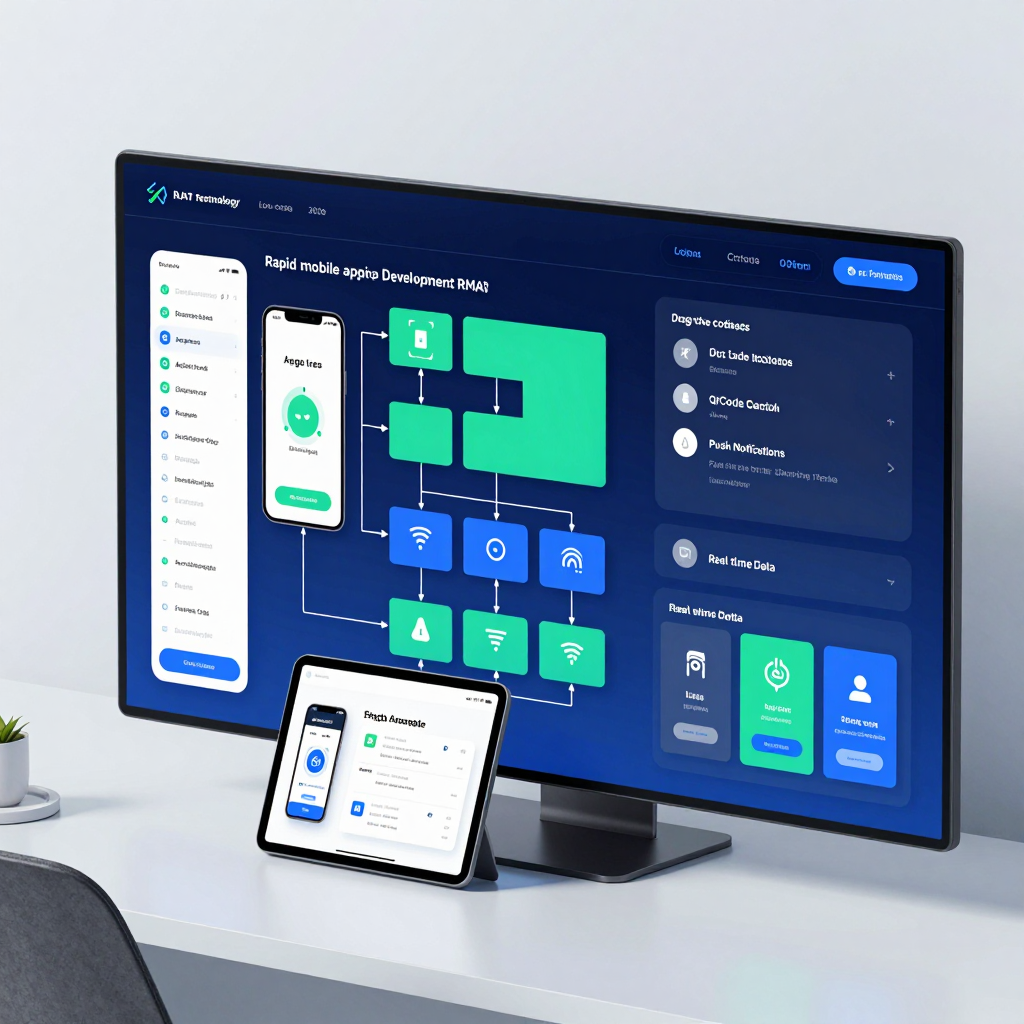
The core of RMAD low-code platforms lies in visual programming combined with drag-and-drop UI. Instead of coding each screen manually, apps are built by placing components and setting their properties.
The speed improvement isn’t limited to “simple UI creation” because data integration and event handling are also managed within a consistent platform model.
- Rapidly assemble screens/workflows: Quickly build standard screens using templates and components
- Visually link business logic: Immediately reflect event-driven actions during design
- Shorten deployment cycles: Faster development–testing–deployment loops enable quick market response
As a result, what used to be a “long lead time for mobile app development” transforms into short iterations and rapid deployment with RMAD-powered Low-code.
Low-code Platform’s Action Tree: Visualizing Event Logic as a Flow
A frequently highlighted feature in RMAD integrated platforms is the Action Tree, a visual method for handling events. It organizes “what actions to perform and in what order” — for events like button clicks, input changes, or screen transitions — into a tree structure.
For example, consider the flow when pressing a “Save” button:
1) Validate required inputs
2) Cleanse/transform data
3) Call API or save to database
4) Display success/failure message
5) Navigate to next screen or refresh list
Traditionally, these steps scattered across code, but the Action Tree locks them into a unified visual flow that makes logic easy to follow. This structure lowers the entry barrier for non-experts and reduces maintenance costs for seasoned developers.
Multi-backend Connectivity in Low-code RMAD: REST, SOAP, Databases All in One
The most complex aspect of enterprise mobile apps isn’t just the “screens” — it’s the “data.” The RMAD low-code platform offers broad connectivity to REST, SOAP web services as well as XML, JSON, and HTML-based data sources — plus direct integration with relational databases.
Leveraging query/navigation tools like XQuery and XPath enables:
- Reconstructing multiple API responses into a single screen model
- Transforming complex nested data into the required format
- Including data validation and preprocessing within the low-code workflow
In short, the old idea that “integration is a developer-only domain” is overturned, allowing a significant portion of the data pipeline to be structurally handled inside the platform.
Built-in Enterprise Features in Low-code: Everything Needed for Field Apps Already There
The RMAD-based integrated platform goes beyond simple CRUD apps and provides commonly required business features out of the box, such as:
- Charts, graphs, and dashboards
- Barcode scanning, QR code recognition, NFC communication
- Location-based functions (GPS)
- Push notifications
- Digital signature capture
While traditional development requires extra work for library evaluation, native integration, and permission handling, Low-code environments let you combine these functions through configuration, boosting both implementation speed and reliability.
Real-world Value of Low-code Cross-Platform: Build Once, Deploy Everywhere
One major advantage of RMAD is cross-platform deployment. Designing an app once that can be extended to iOS, Android, Windows, HTML5 browsers, and more brings immediate benefits to enterprises:
- Reduces overall development costs by eliminating platform-specific duplication
- Eases simultaneous updates, increasing maintenance efficiency
- Standardized UI/logic lowers quality variance
Ultimately, RMAD-based Low-code is more than just a “fast building tool” — it becomes the foundation for standardizing and scaling enterprise mobile development.
Low-code Visual Programming and Action Tree: The Secret Weapon for Accelerating Development
Is it really possible to implement complex application logic using just drag and drop? The key lies in the concept of “designing logic as flows rather than code.” Low-code-based RMAD integrated platforms drastically boost development speed by enabling visual modeling not only of the UI layout but also of event handling and business rules.
The Principle of Visual Programming: Designing “Connections” Instead of “Commands”
In traditional development, logic exists as text within code files. In contrast, visual programming breaks logic down into components that can be assembled like blocks:
- Event: When does it execute? (e.g., button click, screen load, data reception, timer)
- Condition: Under what circumstances does it execute? (e.g., login status, input validation, user role)
- Action: What does it execute? (e.g., API call, DB query, value calculation, screen navigation, sending notifications)
- Data Binding: What data is displayed or sent? (connecting UI components with data sources like REST/DB/XML/JSON)
Thanks to this structure, developers can implement business processes by literally drawing them on the screen, rather than memorizing coding syntax. This approach is especially powerful in enterprise environments where requirements change frequently, dramatically shortening the “modify → verify → deploy” cycle.
What is an Action Tree? The Execution Engine Expressing Logic as a ‘Tree Structure’
The Action Tree is the key mechanism that turns visual programming into real execution. Literally, it stacks actions in a tree form, adds conditions and branches, and links data flows. It mostly operates as follows:
- The tree’s starting point is set by a specific event (e.g., button click).
- Action nodes are arranged sequentially under the event to create an execution flow.
- Conditional branches (if/else) are added in the middle to visually separate logic based on different scenarios.
- Each node passes the result of the previous node (e.g., API response, DB query result) as input to the next node.
- On failure, exception handling (displaying error messages, rollback, retry, etc.) is handled in separate branches to ensure stability.
For instance, a flow like “login button click → authenticate via REST API → on success save token → navigate screen according to user role → on failure show warning” might take multiple files and error handlers in code. With an Action Tree, it can be validated at a glance in a single screen’s tree.
Why Does It Speed Things Up? Because Repetitive Tasks Are Absorbed as ‘Built-in Features’
The speed advantage of low-code platforms goes far beyond quickly assembling UIs. Action Tree and visual programming automate repetitive tasks that usually consume development time.
- Built-in standard actions: Frequent tasks like API calls, parameter mapping, response parsing (XML/JSON), screen transition, and notifications are ready-made—just assemble them.
- Simplified multi-backend connections: Diverse sources like REST/SOAP, databases, XML/JSON are handled uniformly, reducing integration costs.
- Improved logic visibility: The tree structure exposes the “path” of logic, accelerating reviews, debugging, and knowledge transfer.
- Enhanced adaptability: Requirement changes often only require node swaps or additions in the tree, greatly lowering the burden of code refactoring.
Understanding the Limits: Complexity Isn’t ‘Eliminated’ but ‘Managed’
Visual methods are not a magic cure-all. If logic grows too large, trees can become unwieldy, and complex algorithms may still require code-level optimization. Thus, successful adoption relies on these principles:
- Modularize Action Trees by business units to split trees and improve reusability
- Define data models and permission schemes upfront to keep flows stable
- Separate “visually simple implementation” from “operationally safe implementation (exceptions/logging/retries)” in design
In short, Action Tree-based visual programming isn’t about eliminating complexity—it’s about making complexity visible and composable. The result is faster development, lower collaboration and maintenance costs, and a very realistic reason why low-code is expanding as the development approach in enterprises.
From Low-code Multi-backend Connections to Advanced Enterprise Features
From REST and SOAP to barcode scanning and digital signatures—the strength of an RMAD-based integrated platform lies not in the sheer number of features, but in the simplicity of weaving together different systems and device functions into a single seamless flow. In other words, backend integration and on-site functionality aren’t split into complex coding projects; instead, they can be designed, connected, and deployed all at once within a low-code environment.
Connect Various Protocols and Data Sources on One Screen
Enterprise apps often spend more time on “data integration” than on “screen development.” The integrated platform tackles this challenge head-on.
- Web service integration: Connect REST and SOAP-based APIs directly to set up data retrieval, registration, and updates.
- Handling diverse formats: Broadly supports real-world formats such as XML, JSON, and HTML.
- Direct relational database connection: Supports connecting to databases without the need to implement an intermediate layer each time, greatly accelerating internal business app development.
- XQuery/XPath-based data manipulation: Go beyond simple mapping to powerfully filter, combine, and transform response data. For example, merging multiple API responses into one screen model or extracting only the nodes matching specific criteria to create a list.
The key is not just “connected,” but structured so that connected data can be immediately reused across the UI and logic. This structure prevents ripple effects during maintenance, so changing a data source doesn’t mean rewriting the entire screen.
Visually Assemble Events and Business Logic with Action Tree
Field apps constantly trigger events like button clicks, scan completions, location changes, and signature saves. When logic is scattered across code, debugging and changes become difficult. The integrated platform solves this with a visual flow called an Action Tree.
- Capture events (e.g., “save button clicked”) as triggers,
- Drag and drop actions (e.g., “REST call → response parsing → DB update → success notification”) in sequence,
- Manage conditional branching, loops, and exception handling all in one flow.
This method goes beyond convenience—it keeps business rules in a visually verifiable form. Consequently, not only developers but also planners and business stakeholders can understand the logic and specify change requests, reducing collaboration costs.
Built-in Field Features from Barcode and QR to NFC, Location, Push, and Signatures
Enterprise mobile apps frequently require features that are complex to implement and vary significantly across platforms (iOS/Android). An RMAD-based platform offers these as built-in components, lowering reliance on complicated native code.
- Barcode scanning/QR recognition: Automates key input processes essential for logistics, inventory, and asset management.
- NFC communication: Supports proximity-based use cases like entry, authentication, and tagging inspections.
- Location-based features: Integrate location info into workflows for field dispatch, branch inspections, and delivery tracking.
- Push notifications: Support time-sensitive tasks like approval requests, urgent announcements, and work assignments.
- Digital signature capture: Collect contract confirmations, handovers, and work completion proofs directly on mobile and send them to the backend.
- Charts/graphs/dashboards: Transform data from mere listings into decision-making screens, enhancing usability for both managers and field workers.
The vital point is not just listing features but that they are combined within the same low-code design flow as backend connections (REST/SOAP/DB). For example, you can naturally build an app workflow from “barcode scan → product info REST query → inventory DB update → signature capture → completion push notification.”
Cross-platform Deployment Structures That Reduce Maintenance Costs
The strength of the integrated platform extends beyond development speed to optimized operational costs. Once designed, screens and logic can be deployed on iOS, Android, Windows, browsers (HTML5), and more, which means:
- Reduced redundancy in implementing features separately for each platform,
- Single-point logic adjustments despite policy changes (e.g., API updates, additional approval steps),
- Simplified QA scope and release cycles.
The conclusion of this section is clear. An RMAD-based integrated platform is not just a simple “app building tool” but a low-code execution system that bundles multi-backend connections and enterprise field features into executable business apps all at once.
Accelerating Digital Transformation by Empowering Non-Professional Developers with Low-Code
What if anyone could become an application developer—how would that change digital transformation within companies? The key lies in the speed at which the person who knows the work best can directly solve problems. Low-code transforms development from an "expert’s domain" into an "organizational capability," allowing ideas to swiftly convert into service and process improvements.
The Tangible Shift Brought by Low-Code’s ‘Citizen Developers’
In traditional development, the flow—from requirements gathering to development, testing, and deployment—is lengthy, causing even minor improvement requests from frontline staff to get buried in the queue. In contrast, RMAD (Rapid Mobile Application Development)-based integrated mobile development platforms enable:
- Visual UI Design: Build screens primarily through drag-and-drop, dramatically reducing repetitive screen coding.
- Action Tree-Based Event/Logic Composition: Connect event-handling logic—like button clicks, data entry, and screen transitions—in a tree structure, so you can visually track the flow. This is especially powerful for non-experts because it represents “what happens and when” through the order of actions rather than code.
- Rapid Prototyping and Instant Deployment: Compress app development timelines from months to mere days, transforming the organization into one that iterates through experiments and improvements rapidly.
The Technical Backbone of Low-Code: ‘Data Connectivity’ Completes the Innovation
For an app to bring real value in the enterprise environment, it ultimately must be connected to data. RMAD-based platforms offer broad backend support, allowing non-professional developers to build apps tightly integrated with actual business systems.
- REST, SOAP web service integration
- XML, JSON, HTML data handling
- Direct connection to relational databases
- Data querying/transformation using XQuery and XPath
This architecture enables the rapid creation of practical apps that read and write ERP, CRM, groupware, and field system data—not just apps with pretty screens. Query and path-based tools like XQuery and XPath are especially powerful for transforming complex data structures into needed formats, meeting business requirements such as aggregation, filtering, and validation instantly.
Low-Code Features Ready for Enterprise Deployment
Low-code accelerates corporate innovation because it comes with “essential business app features” embedded from the start:
- KPI visualization through charts, graphs, and dashboards
- Fieldwork digitalization via barcode/QR scanning, NFC, and location-based functionality
- Automated approval, inspection, and task requests with push notifications
- Paperless workflows enabled by digital signature capture
Developing each feature traditionally would exponentially increase schedules and costs, but with integrated platforms, they can be quickly implemented by combining standard components—dramatically reducing friction in process improvement.
“Build Once, Deploy Anywhere” Boosts Innovation Speed
One of the biggest burdens when adopting apps enterprise-wide is platform fragmentation. Supporting iOS, Android, Windows, and browsers (HTML5) separately vastly increases development, testing, and maintenance.
RMAD-based low-code is designed for cross-platform deployment, allowing the same logic and UI to be deployed across multiple environments. As a result, organizations spend more time on expanding business value rather than extending platform support.
Conclusion: Low-Code Expands IT from a ‘Development Department’ to an ‘Organizational Capability’
The greatest transformation low-code brings isn’t the technology itself but the shortening of the distance between decision-making and execution. Business units can quickly build the apps they need while IT strengthens standards, security, and data governance to focus on broader architectural challenges.
In other words, non-professional developer involvement—when combined with the right platform and policies—is not “uncontrollable chaotic development” but the accelerator that drives corporate digital transformation into reality.
The Low-code Cross-Platform Era: How Will the Future of Software Development Change?
What if the code you write once could run seamlessly on iOS, Android, Windows, and HTML5 browsers? Since 2026, Low-code has evolved beyond being just a “rapid development tool” into a technology reshaping development standards and organizational structures. In particular, RMAD (Rapid Mobile Application Development)-based integrated mobile development platforms combine visual design with automated deployment, revolutionizing the cost, time, and maintenance formula of cross-platform development.
Three Key Changes Driven by Low-code Cross-Platform Development
1) The Unit of Development Shifts from ‘Platform’ to ‘Business Scenario’
Traditionally, teams optimized separately for iOS, Android, and web, splitting schedules and resources by platform. However, RMAD-style Low-code designs apps around UI composition (drag and drop) + events/logic (visual workflows), deploying the same output across multiple platforms.
As a result, team goals shift from “building three apps” to digitizing one business process faster.
2) Visual Logic like ‘Action Tree’ Transforms Collaboration
The hardest part of cross-platform development is less the UI and more event handling, state changes, and edge cases. RMAD platforms’ Action Tree—connecting actions to events via drag and drop—expresses logic not as lines of code but as business process flowcharts, creating the following effects:
- Planners and business users can understand and review logic visually, providing feedback
- Developers reduce repetitive UI/event boilerplate and focus on core rule design
- When change requests arise, the visual representation clearly shows “where to fix,” driving down modification costs
In other words, Low-code boosts productivity not only through speed but by directly lowering communication costs.
3) Multi-Backend Integration Sparks Demand for ‘Unified Apps’
In the field, data is never centralized. REST/SOAP, XML/JSON, HTML, relational databases—all coexist and must be combined into a single screen and flow. RMAD Low-code platforms are designed with multi-backend integration as a given, strongly supporting data transformation and manipulation via technologies like XQuery/XPath.
This is crucial. The ability to “quickly connect and deploy from one platform” means scattered departmental apps converge into unified enterprise applications.
Why Low-code Becomes the ‘Default’ for Enterprise Apps
By 2026, enterprise apps go beyond simple form entry to require features like charts/dashboards, barcode and QR scanning, NFC, location-based functions, push notifications, and digital signatures as standard. RMAD integrated platforms provide these features as built-in components, making the competitive edge not “can you implement this?” but “how fast and stably can you deploy it?”
Ultimately, Low-code offers enterprises a realistic strategy:
- Solve standard functionality within the platform
- Focus development resources on differentiated rules and data flows
- Expand and deploy a single result across multiple channels to reduce maintenance costs
The Future Outlook: The Development Ecosystem Will Shift from ‘Coding vs. No-code’ to a ‘Redesign of Division of Labor’
The rise of Low-code doesn’t replace developers but redefines their role. Citizen developers quickly prototype and build internal tools based on business knowledge, while professional developers take charge of scalability and governance aspects like security, architecture, data quality, and performance—strengthening division of labor.
In an era grounded in cross-platform development, responding swiftly to business changes will matter more than platform-specific implementation. At the heart of this transformation lies the RMAD-based integrated Low-code platform.
Comments
Post a Comment