 \n
\n
On the Frontlines of Low-code Innovation: The Rise of ‘Vibe Coding’
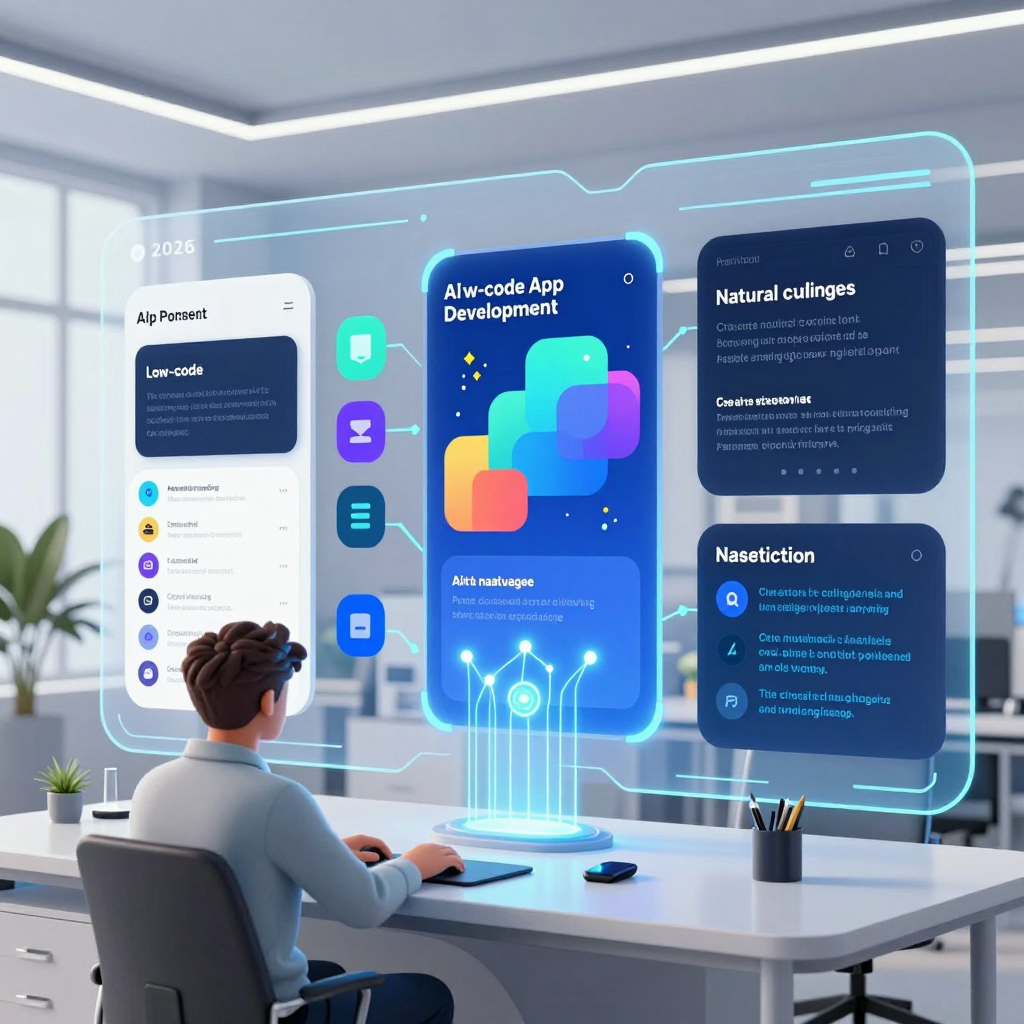
Imagine this: in 2026, AI generates an entire app automatically from just a single prompt. Not just whipping up a few screens, but seamlessly elevating everything from data modeling → UI assembly → core logic → deployment flow in one shot. The industry calls this movement ‘Vibe coding’ or Prompt‑to‑App, carving out a fresh axis distinct from traditional Low-code approaches—and it’s gaining traction fast.
Beyond Low-code: The Essence of ‘Vibe Coding’ Is “Generation,” Not “Building”
While traditional Low-code typically revolves around users visually placing and linking components in builders, Vibe coding flips that on its head.
- Traditional Low-code: Human-led design
- Drag-and-drop screen assembly
- Manually stringing workflows together
- Stepwise setup of data tables/permissions/integrations
- Vibe coding (Prompt‑to‑App): AI-led design from the start
- “Create a commute management app with employee/department/attendance tables and a manager dashboard showing monthly stats.”
- From this natural language request, an initial full-version app is generated in one go
- Humans then refine details (UX, rules, integrations)
In short, Vibe coding layers an LLM-powered ‘app auto-design/generation’ capability on top of Low-code. It’s not just about “easier UI builders”—it’s a paradigm shift moving development’s starting point from ‘assembling’ to ‘generating’.
How Does Low-code Vibe Coding Technically Achieve ‘Automatic App Generation’?
Though implementations vary across platforms, the Prompt‑to‑App family generally follows a clear pipeline.
1) Natural Language Prompt → App Spec Extraction (Requirement Interpretation)
A user submits a prompt, and the LLM structures it into a core app spec skeleton.
- Entity/table candidates:
Product,InventoryMovement,Warehouse - Field candidates:
sku,quantity,movement_type,timestamp - Relationships: Product 1–N InventoryMovement, Warehouse 1–N InventoryMovement
- Screens: Inventory list, detail view, shipment input form, report dashboard
- Rules/workflows: threshold alerts, approval steps
Put simply, the requirement sentence is decomposed into data, screens, and logic in this phase.
2) Automatic Data Model & Schema Generation (or Reverse Engineering)
Based on the spec, the platform immediately creates an internal data model or external DB schema. More advanced flows reverse the process:
- Uploading CSV/Excel, connecting existing DBs
- Inferring columns/relationships
- Suggesting app structures like “this data needs these screens and workflows”
In other words, designing the app backwards from the data.
3) Automatic UI/UX Generation (Pattern-based)
Most business apps follow common patterns, such as:
- List → Detail → Create/Edit form → Stats/Dashboard
Vibe coding leverages these to swiftly generate template-based UIs including role-specific views (admin/user). The crucial point: it’s not the end—generated screens must be editable down to the pixel level in professional editors so they become truly usable apps.
4) Automatic Logic & Workflow Generation (Turning Conditions into Flows)
Rules expressed in natural language convert into triggers/conditions/actions.
- “Send Slack alert if inventory drops below 10”
→IF quantity < 10 THEN send_slack_message(...)
This stage is where Vibe coding gains efficiency but also faces risk. Even if the generated system “looks right,” missing real-world nuances (like exceptions, approval routing, audit logs, transactional consistency) can lead to a system that works but is fundamentally flawed.
5) Interactive Iterative Refinement
The finale determines Vibe coding’s identity. Rather than freezing specs in docs, users interactively run the app and fix issues through conversation.
- “Add warehouse/period filters on inventory movement screen.”
- “Show a card view on mobile.”
This iterative loop accelerates idea evolution from prototype to functioning app far faster than traditional Low-code.
Why Has ‘Vibe Coding’ Emerged as a Distinct Trend in the Low-code Market Now?
Recent 2026 reports on Low-code share a clear insight.
- Whereas the core competition once was “Low-code vs No-code”
- Now the battleground shifts to “How much can you automatically generate from a prompt (Vibe coding)” versus “How finely can you polish post-generation (Builder-first)”
In other words, Vibe coding is no mere Low-code feature—it’s an independent development approach reshaping workflows. Going forward, Low-code platforms will be judged not just on “how smooth is the drag & drop,” but on the combined power of Prompt‑to‑App generation plus maturity of subsequent editing and governance.
The future of app development is here—and it’s vibing.
Vibe Coding from a Low-Code Perspective: What It Is and How It Differs from Traditional Low-Code
Why are we now creating apps with a single line of natural language instead of drag-and-drop? Both monday.com and WeWeb deliver a simple message: the battleground for low-code is no longer “which builder is more convenient,” but rather “how much of the app’s skeleton can be automatically generated from the start, and how finely it can be refined afterward.” At the heart of this shift lies the approach called Vibe Coding / Prompt-to-App.
The New Axis of Low-Code: Defining Vibe Coding
WeWeb’s 2026 guide summarizes Vibe coding clearly:
- “Prompt to app tools that generate working projects from natural language.”
In other words, you input a natural language prompt, and the tool instantly generates a runnable project (app) that you then polish with visual editing or some coding.
The crucial point here isn’t “AI that writes code for you,” but rather an automation that elevates the entire app development process to a design-level workflow. In other words, a prompt isn’t merely a simple instruction but a format connecting requirements → design → initial implementation.
Traditional Low-Code vs. Vibe Coding (Prompt-Based): The Critical Difference
Borrowing the comparison framework from monday.com, the key difference lies in the order of creation.
Traditional Low-Code
- Starting point: Builder interface
- Users directly place components and connect data/workflows one by one.
- Strength: High control and predictability (“it works exactly as much as I build”).
- Limitation: Lays out the initial framework slowly, with frequent back-and-forth between planning and implementation.
Vibe Coding (Prompt-to-App)
- Starting point: Natural language requirements
- Example: “Create a time attendance app. We need tables for employees/departments/attendance, and a manager dashboard with monthly statistics.”
- The platform generates a complete app draft (data model + UI + basic logic) upfront, with users refining it afterward.
- Strength: Super fast from zero to one (automatic ‘generation’ of the initial structure).
- Limitation: Generated results may slightly diverge from real business rules, requiring validation.
In summary, Vibe coding is a “LLM-powered automated design and generation layer” built on top of traditional low-code. Drag-and-drop doesn’t disappear—instead, it’s relegated to “later-stage editing,” while “initial creation” is taken over by prompts.
The Technical Flow Behind Low-Code Apps Made from Prompts (Key Steps)
Vibe coding isn’t just magical talk; there’s a pipeline transforming prompts into actual app components. Though implementations vary by platform, the typical flow is:
Natural Language → Extracting App Specs
- LLMs pull business entities, attributes (fields), relationships, user roles, core screens, and required actions (rules/notifications) from the prompt.
- Example: For an inventory app, it might propose tables like
Product,InventoryMovement,Warehouseand their relationships.
Generating Data Model/Schema
- Automatically create the schema inside the platform’s internal DB or connected external DB based on extracted specs.
- Some systems even infer the schema retroactively after CSV/Excel uploads or existing DB connections, proposing an app structure.
Auto-Generating UI/UX (Template-Based)
- Quickly build screens using proven patterns: list → detail → edit form → dashboard.
- Often includes role-based views like separate layouts for admin and regular users.
Creating Logic/Workflows
- Extract rules in “condition (trigger) → action” form into visual flows or scripts.
- Example: Automatically create a workflow like “Send Slack alert when inventory drops below 10.”
Interactive Iterative Refinement
- Run the generated app and modify it via conversation: “Add a filter to this screen,” “Change to card view on mobile,” etc.
- This iterative interaction embodies the core “Vibe” identity—it prioritizes usage scenarios and intent over rigid spec docs.
The Essence Changing the Low-Code Landscape: From “Build” to “Generate + Edit” Competition
Vibe coding doesn’t replace traditional low-code; it shifts its core focus.
- Old competition: How powerful is the builder? (Builder-first)
- New competition: How precise is the initial draft generation, and how professionally can the output be edited and controlled?
In other words, the future of low-code will no longer be about “how easy drag-and-drop is,” but about the ability to refine a natural language-generated app draft into a production-ready solution that fits real business rules and system environments.
Brain Surgery of Low-code Technology: The Secret Behind How Vibe Coding Works
“Create a commute management app. We need employee/department/attendance tables, and I want to see monthly statistics on the admin dashboard.”
Vibe coding transforms this single sentence into an “app creation pipeline” spanning data models, UI, workflows, and deployment. Whereas traditional low-code requires users to assemble screens and components manually, Vibe coding resembles a structure where AI drafts the blueprint and the low-code editor finalizes it.
Below is a step-by-step dissection of its inner “operating principle.”
Low-code Vibe Coding Step 1: Converting Natural Language into ‘App Specs’
The first hurdle is turning requirements into a structured design document. The large language model extracts the following from the prompt:
- Domain entities (table candidates):
Employee,Department,AttendanceRecord - Key fields:
employee_id,date,check_in,check_out,status - Relationships (ERD skeleton): Department 1–N Employee, Employee 1–N AttendanceRecord
- Main screen scenarios
- Employees: check-in/out input, personal record lookup
- Admins: team status, monthly statistics, exception list (late/absent)
- Draft business rules: “Late if after 09:10,” “Monthly aggregation based on workdays”
The crucial point: AI doesn’t just “understand the sentence,” it reconstructs it into a form that can be made into a CRUD app (schema/screens/rules). If this stage succeeds, the rest becomes dramatically easier to automate.
Low-code Vibe Coding Step 2: Automatic Data Model/Schema Generation
Next is the data layer. Based on the structure extracted in step 1, the platform:
- Creates tables/collections in its internal DB (or connected external DB)
- Assigns types and constraints
- e.g., date fields, required inputs, unique keys, defaults
- Sets relations and referential integrity
- e.g.,
AttendanceRecord.employee_id → Employee.id
- e.g.,
Moreover, modern Vibe coding doesn’t just create from scratch. When uploading CSV/Excel or connecting existing DBs, AI reads columns and infers relationships in reverse, suggesting “this table likely represents employees, that one attendance records.”
In other words, this stage greatly lowers the entry barrier for data modeling within low-code environments.
Low-code Vibe Coding Step 3: Pattern-based UI/UX Generation
With the data structure established, AI immediately produces screens as ‘patterns.’ Most business apps follow repetitive archetypes.
- List → Detail → Edit form (basic CRUD)
- Search/Filter/Sort (essential for operational screens)
- Dashboard (metric cards + charts + drill-down) (admin must-have)
Vibe coding combines these to build initial screens.
- Employee screens: today’s check-in button, personal record list, monthly calendar view
- Admin screens: department attendance rate, top latecomers, CSV export, exception approval page
The key point is that “auto-generated UI” is just the start. The strength of traditional low-code (visual editors) comes alive here, allowing designers/developers to refine layouts, components, responsiveness, and accessibility to production-level quality based on AI-generated screens, unlocking real-world adoption value.
Low-code Vibe Coding Step 4: Translating Workflows/Business Logic into Executable Forms
Apps don’t run on screens alone. You need workflows defining the “when/what/who/how.” Vibe coding translates natural language conditions into triggers/actions, composing low-code workflows (or scripts).
Example requirements:
- “Notify admin if late”
- “Require reason input for absence”
- “Send department reports by email at month-end”
Conceptual converted form:
- Trigger: attendance record create/update
- Condition:
check_in > 09:10 - Action: Slack/email notification, tagging, approval request creation
- Scheduled job: monthly aggregation on last day at 6 PM → report generation → dispatch
Risks grow here. AI can generate plausible rules but if they clash with actual company policies (flexible work, exceptions, holiday calculations, payroll integration), you end up with a “well-functioning but incorrect system.” Hence, this step usually requires human verification and additional test cases.
Low-code Vibe Coding Step 5: Laying the ‘Initial Infrastructure’ for Deployment Pipelines
An intriguing trend in modern Prompt-to-App flows is that generation scope extends beyond the app itself into operational readiness. Depending on platforms, the following are often automated:
- Environment setup: segregation of dev/staging/production (where possible)
- Permission model drafts: admin/employee roles, page access control
- Logging/monitoring hooks: basic audit logs, change history (within platform limits)
- Deploy buttons/pipeline templates: domain binding, build/deploy configurations
In other words, Vibe coding aims not just to “automate a few screens” but to push scaffolding to the point where an app can actually run. At this stage, enterprises must also ensure governance controls around “who prompted what data” and “which AI features are active.”
Low-code Vibe Coding Step 6: Interactive Refinement to Boost Completeness
The final and most ‘Vibe-like’ step is the iterative conversational loop.
- “Add a ‘late rate by department’ chart to the admin dashboard.”
- “Show card view on mobile, table on desktop.”
- “Also add a leave table and exclude it from attendance calculations.”
Here AI reads the existing artifacts (schema/screens/logic) and suggests partial modifications. Instead of a massive design doc, users see outputs and iteratively adjust “feel and intent” by speaking.
Ultimately, the essence of Vibe coding lies in compressing the most costly parts of low-code development: initial design and repeated communication.
Introducing Vibe Coding and Low-code in Enterprises: Promises and Hidden Risks
Breaking down the walls between planning and development so that even non-experts can become “app creators”—this is the biggest promise Vibe coding offers to enterprises. You draft an app with a single natural language prompt and refine screens, data, and workflows when needed using a Low-code editor. But this speed comes at a price. Discovering hidden pitfalls like AI errors, data security issues, and vendor lock-in only after implementation can turn innovation into technical debt.
Anticipated Benefits of Adopting Low-code-Based Vibe Coding
1) Dramatic Reduction in Planning-to-Development Lead Time (0→1 Scaffolding)
Traditional development demands significant time to agree on requirements documents, wireframes, ERDs, and API definitions. Vibe coding compresses this into prompt → app spec extraction → data model/screen/basic logic generation.
- The LLM generates entities (tables), relationships, basic CRUD screens (list/detail/input), and simple workflows (approval/notification) from the prompt.
- Instead of lengthy document consensus on “what to build,” teams can rapidly iterate by reviewing executable prototypes.
2) Realizing Citizen Developers (Domain Experts Leading Creation)
Business experts understand their workflow even if they don’t code. Vibe coding lets them describe the context in natural language, while Low-code tools turn this into operational apps.
- Particularly effective for internal tools like operational dashboards, request/approval systems, partner portals, and field inspection apps.
- Development teams can focus on tougher challenges like security, integration, performance, and data integrity rather than repetitive CRUD creation.
3) Lowering the Barrier to Data Utilization (Linking App Improvement and Querying)
Some platforms support natural language queries and summaries of data, feeding directly into app screens and report enhancements.
- Questions like “Which warehouses had the most inventory threshold alerts this month?”
- Easily translate into product improvement loops like adding dashboard widgets or tuning alert conditions.
Hidden Risks of Low-code + Vibe Coding: Systems That “Work Well But Are Wrong”
1) AI Hallucinations and Business Logic Errors
What Vibe coding generates looks like a plausible app but may not comply with your company’s policies. Errors often occur in:
- Schema Misunderstandings: Incorrect field types, relationships (1:N, N:M), required/unique constraints.
- Rule Omissions: Missing exceptional cases like cancellations, returns, partial approvals, or settlement closures in workflows.
- Oversimplified Permission Models: Role, organization, and data scope permissions (row-level security) are implemented roughly.
This is especially dangerous in accounting, finance, or regulated industries, where “working” automation can completely run on false premises.
2) Data Security and Compliance (Prompts as New Data Leakage Channels)
A frequent pitfall is that “prompt input” leads to external model calls.
- Mixing sensitive info like customer names, contracts, internal policies, or failure causes in prompts risks transmission, storage, and model training leaks.
- From an enterprise perspective, necessary controls are clear:
- Audit logs tracking who prompted what data.
- Role-based access control to activate or deactivate AI functions.
- Data residency, opt-out for training data use, and security certifications (SOC/ISO).
3) Vendor Lock-in (Generated Apps’ ‘Non-portable’ Areas)
Low-code platforms often store screens, workflows, connectors, and permission models in proprietary formats. Vibe coding intensifies this by using platform-specific structures from the generation stage.
- Even with code exports, workflow definitions, integrated connectors, and permission frameworks often require rebuilding.
- What started as a “prototype” can become a “core system,” dramatically increasing migration costs later.
Practical Principles for Balanced Adoption in Low-code Environments
Principle 1) Clearly Limit Vibe Coding’s Role to ‘0→1’
- Vibe coding: a rapid scaffolding tool that shapes requirements and captures user feedback.
- Operational systems: development and security teams must revalidate and reinforce data integrity, transactions, audit logs, and integration architecture.
In other words, avoid “one-prompt-finish” mindsets; quickly create drafts but rely on teams to complete production-grade systems.
Principle 2) Make AI Governance Checklists a Contractual and Deployment Must
At minimum, the following must be manageable from an “admin console”:
- Toggling AI functions on/off with user/group-level restrictions.
- Audit logs for prompt execution and data access.
- Policies for model training participation, data retention, and security certification compliance.
Principle 3) Prepare for Lock-in: Define Export and Backup Units First
Before implementation, define “what must be exportable to be safe.”
- Can you back up/extract at least data schemas, permission structures, and workflow definitions?
- Calculate in advance what can be reused and what must be rebuilt if switching platforms long-term.
Vibe coding can definitely be a game changer for enterprises. But the heart of success lies not in speed alone, but in controllable speed. Leverage Low-code’s rapid development benefits while elevating AI-generated output to production-grade verification, governance, and portability standards from the moment it becomes an operational system.
A Wise Choice for the Future: Low-code Vibe Coding Practical Checklist and Future Outlook
The phrase “One prompt line completes the app” is only half true. Vibe coding is less a tool to ‘finish’ an app and more a tool to explosively speed up 0→1 scaffolding (the framework). Ultimately, quality is determined by the team sport involving business, development, security, and operations working together to raise completeness. The checklist below is based on this reality, establishing criteria for safely “deploying” Vibe coding in a Low-code environment.
Low-code Vibe Coding Practical Checklist Before Adoption
1) Fix the Scope You Entrust to AI in Low-code First (MVP vs. Core Systems)
Vibe coding shines in reducing iterations between planning and development, but the allowable scope of AI-generated automation must vary depending on the system’s criticality.
- MVP/Prototype (Recommended: High AI proportion)
- Generate data models, basic UI, CRUD, and simple workflows via prompts
- Quickly run user tests and iteratively refine requirements interactively
- Core Business Systems (Recommended: Restricted AI + increased human validation)
- AI only generates “first drafts”
- Development teams must redesign/strengthen the following for stable operation:
- Data integrity (keys/constraints/relationships; prevent duplicates or omissions)
- Transactions/Concurrency (domains prone to frequent competing updates like inventory or settlements)
- Audit logs/traceability (who changed what and when)
- Permission models (role-based access control, field/row-level security)
- Performance/Cost (query patterns, caching, call volumes)
The key is to document as policy what grade of apps your organization allows to be built with Vibe coding and to what extent.
2) Low-code AI Governance: Prevent Prompts from Becoming ‘New Data Leakage Paths’
Since Vibe coding treats prompts as specifications, prompts tend to contain sensitive information. Therefore, AI features in Low-code platforms must be evaluated through the lens of a governance console.
Essential checks:
- Function Control: Can AI generation features be enabled or disabled by user/group?
- Prompt & Output Logging: Is it possible to track who generated what content based on which data context?
- Data Boundaries:
- Are prompts/generated outputs sent to an external LLM?
- If so, can you opt out from using the data for training?
- What are the data residency (storage location) and encryption policies?
- Audit & Certification: Are security certifications like SOC2/ISO supported? Are administrator audit functions provided?
Technically, the success hinges less on “LLM calls” and more on controlling what data is sent in prompts, who sent it, and what was generated.
3) Low-code Export/Backup Strategy: Check if There’s a ‘Door Out’
Apps made with Vibe coding often heavily depend on platform-specific components (workflows, permissions, connectors). So, calculate vendor lock-in costs before adoption.
- Ability to export code/configuration
- Can you export the source code?
- At minimum, can you back up schema/workflows/permission definitions as JSON/YAML or similar?
- Distinguish portability difficulty beforehand
- Easier portability: screen layouts, simple CRUD, static reports
- Harder portability: visual workflows, integrated connector settings, permissions/policies, audit log systems
Practically, the key is not “never consider switching vendors,” but rather knowing in advance how much you can take with you if switching becomes necessary.
4) Low-code Team Operating Model: Role Division Equals Quality Control
The most realistic operational pattern is as follows:
- Business/PO: Generate 0→1 drafts with prompts (business flows, screens, data entities)
- Design/Development Team: Enhance from 1→3 (UX details, performance, exception handling, integration, testing)
- Security/Operations Team: Establish deployment, permissions, auditing, monitoring, and release systems
A critical technical point here is that outputs generated by Vibe coding should be treated not as “finished products ready for use” but as “verifiable design deliverables.” In other words, a Low-code operational system with embedded Review and Validation processes is essential.
Low-code Vibe Coding Future Outlook: Key Changes in the Next 1-2 Years
1) Multi-agent Based Low-code App Design Collaboration
Instead of a single LLM churning out an app at once, it’s likely to evolve into a division-of-labor model with agents playing different roles.
- Data Design Agent: Propose entities/relationships/constraints, reverse-engineer from existing DBs
- UX Agent: Suggest user role-specific screen flows, mobile/desktop variations
- Security & Compliance Agent: Detect PII, warn about missing/excessive permissions, check audit requirements
- Integration Agent: Generate drafts for ERP/CRM/email/Slack connector connections and data mappings
As this structure matures, the “one prompt” will become just the starting point, with agent-consensus specs becoming the core output of Low-code projects.
2) The Marriage of Low-code + Automated Testing/Validation
Vibe coding’s biggest risk is “plausible but incorrect logic.” To reduce this, verification assets will increasingly accompany generation from the outset.
- Requirements (natural language) → Automatic test scenario generation
- Examples: approval processes, threshold alerts, exception flows (no permission/duplicate entries, etc.)
- Data rules → Automatic constraint/validation logic suggestions
- Examples: no negative inventory, valid date ranges, state transition rules
- Ultimately, Low-code apps will shift from “generate → deploy” to a standard pipeline of generate → validate → deploy.
3) Domain-specialized Low-code Vibe Coding (The Heyday of Industry-specific Templates)
Generic prompts are fast but lose accuracy in industries with strong domain rules. Hence, “domain prompt templates + embedded best practices” will become a competitive advantage.
- Manufacturing: equipment inspections, defect tracking, work orders, parts history
- Distribution/Retail: inventory turnover, ordering, promotions, store operations dashboards
- Healthcare: appointments, patient intake, record access permissions, audit trails (regulatory compliance)
This path positions Vibe coding not just as a simple generation tool but as a Low-code productivity layer encapsulating business standards.
Summary: “Prompts Are Just the Start; Operation Wins the Game”
Vibe coding is the next step in Low-code, but success is simple: quickly get AI-generated drafts, and ensure your organization implements validation, governance, and operational systems together. Teams that balance this will lead the productivity game beyond 2026.
Comments
Post a Comment