A 7-Step Guide to Implementing ID-Based Cloud Web Filtering with Microsoft Entra Global Secure Access
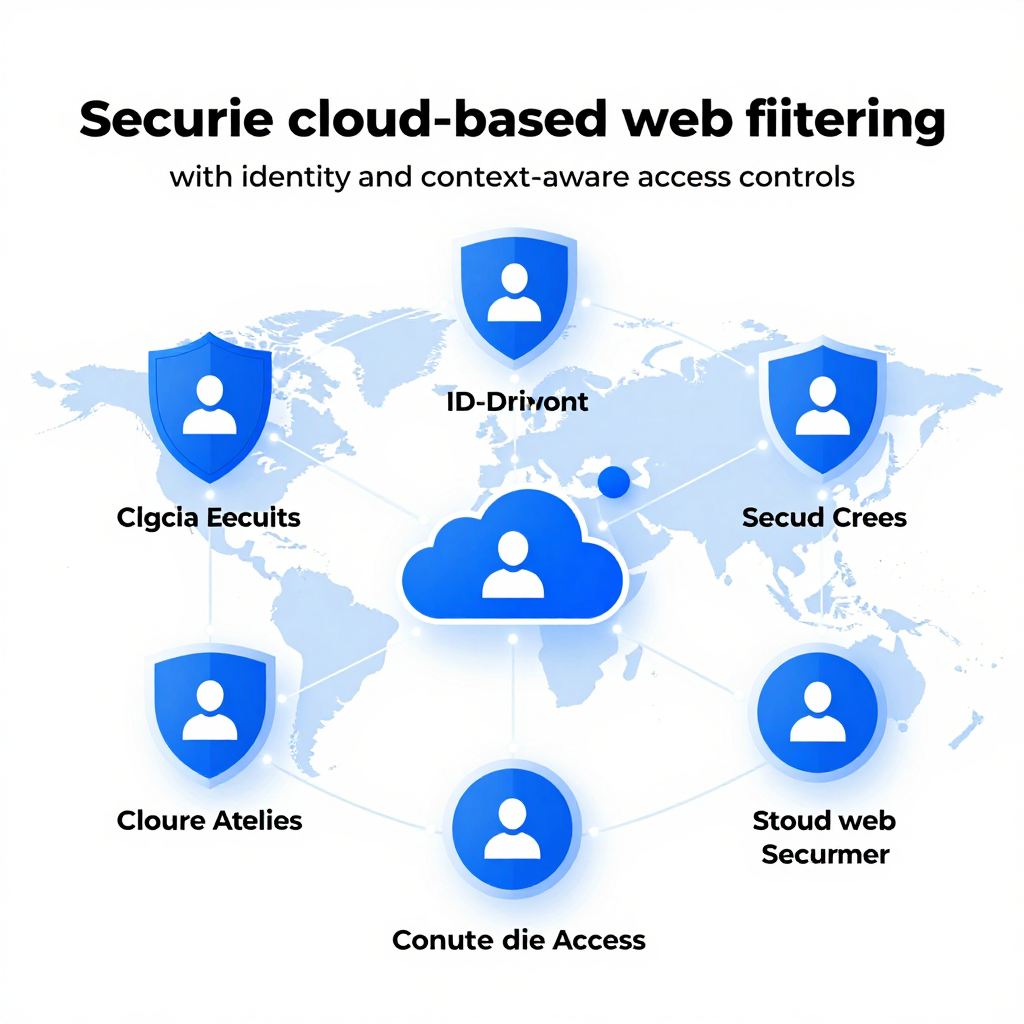 \n
\n
The Evolution of Web Security in the Web Cloud Era
Why is traditional network filtering no longer sufficient? In the past, managing internal firewalls, proxies, and URL blocklists allowed for a certain level of control over internet usage. However, today’s work environment has rapidly transformed into one centered on cloud apps, remote and hybrid work, and the proliferation of personal and mobile devices, blurring the very “boundaries of the internal network.” As a result, network location (IP/range)-based controls reveal fundamental limitations such as:
- It’s challenging to enforce the same policies once users leave the office (working from home or traveling).
- SaaS and Web traffic intermix, leading to increased bypasses and exceptions in traditional device-centric designs, which complicates management.
- Focusing security on “which network traffic came from” rather than “who accessed it” leaves organizations vulnerable to account hijacking and insider threats.
In this context, a spotlight is on the solution offered by Microsoft Entra Global Secure Access’s cloud-based Secure Web Gateway (SWG) + web content filtering. The core idea is simple yet powerful: inspect internet traffic in the cloud, shifting the policy focus away from the network to ‘identity and context.’
The Shift in Web Security Focus: From Network Boundaries to Identity and Context
Entra’s approach doesn’t “pull all users back into the internal network,” but instead embraces a model where consistent web security policies are applied in the cloud regardless of user location. Notably, web content filtering enables:
- User/group-based policies: Apply different allow/block rules for the same site depending on whether the user is an “employee” or a “student.”
- Context-based controls: Tailor policies based on conditions like access location or device status (managed vs. unmanaged).
- Category-based governance: Design policies around web categories such as “Social Networking,” “Gambling,” or “Adult” rather than chasing individual URLs.
In short, web access control ceases to be just an “extension of IP/firewall rules” and becomes an integral part of zero trust policies combined with Conditional Access.
How Does the Secure Web Gateway (SWG) Work? Tunneling + FQDN/Category Matching
Technically, the Global Secure Access SWG operates along these lines:
Client tunneling forwards internet traffic to the cloud
By installing the Global Secure Access client on user devices and applying the Internet Access traffic forwarding profile, all web traffic tunnels securely to Microsoft’s cloud for inspection.Traffic is identified based on FQDN (domain)
Filtering primarily relies on Fully Qualified Domain Names (e.g.,news.example.com). Administrators can allow or block specific domains or use wildcards like*.example.com.Apply policies based on web categories
Instead of registering every domain manually, administrators can enforce controls at once by categories such as “Social Media,” “Adult,” or “Gambling.” This drastically reduces rule complexity and clarifies policy intent from an operational perspective.Incorporate Conditional Access to reflect ‘who and under what conditions’ accesses the web
Even identical web requests can trigger different security profiles (filter policies) based on user, group, location, or device health. Here, identity and session conditions become the policy switch—not network perimeters.
Note: When blocking web content, users may see standard HTTP errors or connection resets (for HTTPS) rather than custom block pages, so helpdesk guidance may be necessary.
What This Technological Shift Means: From “Where Did You Connect From?” to “Who Connected to What?”
To summarize, web security in the cloud era is no longer about “blocking outgoing traffic from the internal network.” As work becomes increasingly distributed, security must be consistently enforced from the cloud. Entra Global Secure Access’s SWG and web content filtering symbolize this fundamental transition:
- Network-centric → Identity-centric (Conditional Access)
- URL blocklists → FQDN/category-driven policies
- On-premises hardware → Cloud-native security enforcement
The question enterprises now ask isn’t “Did they come from this IP range?” but “Is this user allowed to access this web category under these conditions?”
How Web Global Secure Access Works: The Secret Behind Web Content Filtering
How is ID- and context-based Web filtering, which even recognizes the user's location and device status, implemented? The key lies in refining the simple idea of “gathering traffic in the cloud for inspection” into sophisticated methods like client tunneling, FQDN (domain) recognition, and Conditional Access. Understanding the following flow will instantly clarify why Global Secure Access’s web content filtering embodies a ‘zero trust’ approach.
How Web Traffic Moves to the Cloud: Client Tunneling
Global Secure Access tunnels Web traffic to the Microsoft cloud via a dedicated client installed on the user’s device.
- Client Installation and Assignment: Deploy the client on devices and assign users/groups to the organization’s Internet Access Traffic Forwarding Profile.
- Effect: Regardless of whether the user connects from outside the office (home, business trips, cafes), Web requests first pass through the cloud security layer (SWG) instead of the local network.
In other words, the “policy enforcement point” is fixed in the cloud, enabling consistent security regardless of location.
The Core Clue in Web Filtering: FQDN (Domain)-Based Determination
This Web content filtering primarily controls access based on FQDNs (e.g., news.example.com) under the current architecture. The cloud SWG identifies traffic destinations and then applies policies.
- Domain (FQDN) Rules: Allow or block domains broadly using wildcards like
*.socialmedia.com. - Web Category Rules: Group domains into categories such as “Social Networking,” “Gambling,” or “Adult” for policy enforcement.
In summary, rather than blocking URLs one by one, the system classifies and controls targets through domain and category matching.
A Key Cause of Web Filtering Breakdowns: Conflict with DoH (HTTPS DNS)
For FQDN-based control to work, the security gateway must reliably know which domain traffic is destined for. If the browser’s DNS over HTTPS (DoH, Secure DNS) is enabled, problems may arise.
- When the browser encrypts DNS queries externally via DoH,
- The SWG cannot identify the domain (FQDN) information as expected,
- Increasing the chances that Web category/domain-based filtering will fail to function properly.
Therefore, in operational environments, it’s essential to collectively manage DoH settings in Chrome/Edge via policies (GPO/MDM).
Web Policies That Recognize “People and Situations”: Integration with Conditional Access
What sets Global Secure Access apart from traditional SWGs is that filtering is enforced based on ID rather than network (IP/range). This is enabled by the link to Entra ID Conditional Access.
- Who: User/groups (e.g., employees, contractors, students)
- Where: Location (country, network trust level, etc.)
- In What State: Device compliance, management status, risk signals
Based on this context, access results can differ even for the same website. For example, access may be allowed on managed devices but blocked on unmanaged devices.
How Web Blocks Appear to Users: A UX That Looks Like an Error, Not a ‘Block Page’
As of this document, the block UX does not show a traditional “access blocked by policy” custom page but rather appears as browser errors.
- HTTP blocking: Displays a plain-text browser error
- HTTPS blocking: Manifests as a
Connection Resettype error
While simple from a security standpoint, users may mistake this for network issues and increase support inquiries, making advance notification and helpdesk response scenarios critical.
One-Sentence Summary of the Entire Web Content Filtering Flow
Global Secure Access operates by tunneling Web traffic to the cloud via a client, where the cloud classifies targets by FQDN/category, then enforces user- and context-specific policies with Entra ID Conditional Access. The core of this technology is controlling Web usage based on “identity and conditions” rather than traditional “perimeters.”
Web Policy Design and Deployment: The Ultimate Guide for Security Engineers
In real work environments, crafting policies that determine “who can access which websites” and enforcing them through Conditional Access is often the most confusing part. Here, we break down the process into three stages (Traffic Forwarding → Filter Policy → CA Integration) so you can follow along step-by-step and complete your deployment flawlessly.
Web Step 1: Configuring Internet Access Traffic Forwarding (Client Tunneling)
Web content filtering fundamentally requires user traffic to be tunneled to Microsoft Cloud (SWG) to operate effectively. In other words, setting the traffic path comes before creating any policies.
Activate Internet Access Traffic Forwarding Profile
- Enable the Internet Access traffic forwarding profile in the Global Secure Access portal.
- This profile forwards users' web traffic to the cloud (from the user’s perspective, this is where “internet slowdown or blocking” effects start showing up).
Assign Profile (User/Group based)
- Rather than applying company-wide at once, start with a PoC group (e.g., IT or security teams).
- Reason: Early phases often cause false positives or impact business operations, so controlling the scope reduces operational risks.
Deploy Global Secure Access Client
- Install the client on supported devices like Windows.
- After deployment, verify that the “users receiving the policy” precisely match the client deployment targets—check for omissions or overlaps.
Critical: Disable Browser DNS over HTTPS (DoH)
- SWG filtering depends heavily on recognizing FQDNs (domain names).
- If Chrome/Edge Secure DNS (DoH) is enabled, DNS queries bypass filtering through encrypted channels, jeopardizing domain-based filtering.
- Therefore, enforce disabling DoH across the organization via policies (MDM/group policies recommended for standardization).
Web Step 2: Designing and Creating Web Content Filtering Policies (Category/FQDN Rules)
Once traffic reaches the SWG, translate “what to allow or block” into policy language. This involves two key dimensions:
A. Choosing Between Category-Based (Web Category) vs Domain-Based (FQDN) Policies
Category-Based Blocking
- Ideal for quickly controlling broad intent-driven areas like “Social Networking,” “Gambling,” or “Adult.”
- Fits the backbone of enterprise-wide policies (e.g., complete block of gambling/adult content and blocking suspicious categories).
FQDN-Based Allow/Deny
- Use when you need precise control over specific services.
- Wildcards like
*.example.comreduce operational complexity. - Perfect for business SaaS that don’t fit neat categories, and for handling exceptions (white/blacklists).
B. Policy Creation Procedure (Portal-Based)
- Navigate to Global Secure Access → Secure → Web content filtering policy
- Click Create policy, define name/description
- Add rules via Add rule:
- Provide a rule name
- Select either Web Category or FQDN
- Apply wildcards (
*) if needed
- Review and create
C. Operational Tip: Include “Blocking UX” in Your Policy Design
Currently, blocked requests do not show a custom block page to users. Instead:
- HTTP requests show a plain-text browser error.
- HTTPS produces “Connection Reset” errors.
To reduce helpdesk inquiries, prepare user-facing guides or FAQs explaining these blocking behaviors when designing policies.
Web Step 3: Create Security Profile and Enforce via Conditional Access
This functionality’s unique aspect is that instead of “network device policies,” it uses Entra ID’s Conditional Access to decide ‘who’ the policy applies to. Think of the setup as two layers:
A. Link Policy to Security Profile (Create Execution Bundle)
- Go to Global Secure Access → Secure → Security profiles
- Click Create profile and provide name/description
- Under Link a policy → Existing policy, attach the previously created Web content filtering policy
Summary: The Web content filtering policy is your “set of rules,” and the Security profile is the “security execution bundle” invoked by Conditional Access.
B. Define “Targets and Conditions” in Conditional Access
- In Entra ID → Conditional Access, create a new policy
- Select target Users/Groups (recommended to segment by department or role)
- Under Target resources,
- Choose All internet resources with Global Secure Access
- In Session settings,
- Select Use Global Secure Access security profile
- Specify the profile you created
- Enable the policy by turning it On and save
C. Recommended Practical Design Patterns
- Separate Policies
- For example, “Company-wide blocks (gambling/adult)” + “Role-based exceptions (Marketing: social allowed)” to create layered control
- Gradual Scope Expansion
- Roll out from PoC (IT) → Sensitive departments → Entire company, tuning via logs to minimize false positives and operational impact
- Check for Conflicts with Existing CA Policies
- Since MFA, device compliance, and location conditions interact, prepare test scenarios to confirm “session controls” apply as intended.
Post-Deployment Validation: Confirm Policies Take Effect Using Logs
Once configured, don’t rely only on perceived experiences (blocked/accessed sites). Instead, verify via Monitor → Traffic logs:
- Are users/groups matching as intended (no missing targets)?
- Which rules (Web Category/FQDN) allowed or blocked traffic (identify false positives)?
- Are any sites repeatedly blocked, potentially impacting business?
- Do you need to add exceptions (establish whitelist criteria)?
By following the order Traffic path → Rules → CA enforcement → Log verification, Web policies evolve from an intuition-based control to a reproducible, auditable security framework.
Global Trends and Use Cases of Web Category Filtering
Demand for category-based Web management is rapidly increasing in both corporate and home environments. Rather than blocking “just this one site,” it is far more efficient to group and manage policies based on purpose and risk categories like ‘Social, Gambling, Adult, Phishing.’ Especially with the widespread adoption of hybrid work and mobile-centric usage patterns, there is a growing trend to control Web access centered on cloud and ID rather than network boundaries. So, how is this shift actually applied in real-world scenarios?
Web Trend: Why Shift from URL Blocking to “Category + Policy”?
Traditional Web control mainly relied on “blacklists of specific URLs/domains,” but this method is operationally burdensome.
- Sites change too rapidly. New domains, subdomains, and shortened URLs constantly appear and disappear.
- The boundary between work and non-work isn’t clear-cut at the domain level. Within the same service, work-related pages and harmful/non-work pages can be mixed.
- Network-based control weakens with remote work. As more users access Web from outside the corporate network, policies centered on IP and network boundaries become difficult to enforce.
Therefore, the recent trend is to use machine learning and classification systems to manage Web by grouping types (categories), while combining context such as user, group, and device status (Conditional Access) to create more sophisticated policies. Microsoft Entra Global Secure Access’s Web content filtering is a perfect example of this—category-based + ID-aware policies.
Web Use Cases: Commonalities Between Enterprises and Consumers
Category-based Web management is no longer exclusive to enterprises.
- Enterprise Security (from an SWG perspective): Companies prefer category-level policies for “work productivity” and “security/compliance.” For example, blocking entire categories like Social Networking, Gambling, Adult at once or applying exceptions only to certain departments.
- Home/Parental Control: In households, limiting entire categories such as “adult content, gambling, violence, drugs” is widely used because blocking individual sites one by one is practically unsustainable.
In other words, although the objectives differ, the conclusion is the same: managing Web by ‘content type’ instead of an ‘address list’ is essential for sustainable operation.
Practical Web Scenarios: Where Is It Most Used First—from Finance to Education?
Category-based Web filtering proves especially effective in the following organizations:
Financial/Regulated Industries (compliance-focused):
- Corporate-wide blocking of clearly prohibited categories like gambling, adult content, and illegal downloads,
- And auditing capabilities to track who accessed what and when through access logs.
- Exceptions for user groups (e.g., marketing’s social media access) reduce the side effects of blanket bans.
Healthcare/Public Sector (information security + operational stability):
- Default blocking of phishing, malware, and suspicious categories,
- Restricting non-work-related categories that impact critical healthcare or civil service systems to reinforce business continuity.
- Applying consistent policies easily in environments with increased remote access thanks to cloud SWG models.
Educational Institutions (role-based policies are key):
- Strong restrictions on distracting categories such as games, adult content, gambling, and social communities for student accounts,
- While applying comparatively relaxed policies for faculty and staff to design role-based Web policies.
- User-centric policies greatly improve management efficiency especially in environments where devices are shared or usage patterns mix on- and off-campus.
Keys to Web Operation: “Policy Design” Determines Success
When shifting to category-based management, operational design is as important as the technology.
- Category false positives/negatives handling process: Because essential sites may be wrongly blocked, procedures for requesting, validating, and reflecting exceptions (FQDN allowlists) are necessary.
- User experience (block UX) communication: Since blocking may look like a browser error, clear messages explaining “This may be a policy block” and helpdesk scripts are helpful.
- Stepwise application by groups/conditions: Rather than applying policies enterprise-wide at once, rolling out through pilot groups to department-wide expansions reduces operational impact and complaints.
Ultimately, Web category filtering is not merely a “blocking feature” but a system that standardizes organizational Internet usage through policies. Whether corporate or home, finance, public, or education sectors, Web management is being reorganized around intent and risk (categories), not addresses.
Checklist for Overcoming Web Limitations and Ensuring Successful Implementation
What are the essential tasks you must not overlook, from disabling DoH and enhancing user experience to effective monitoring? We reveal practical checkpoints ready to apply directly in the field. Entra Global Secure Access’s cloud-based SWG + web content filtering is powerful, but it’s not a “just turn it on and forget” type of Web security feature. By following the checklist below, you can significantly reduce false positives, complaints, and operational burdens.
Web Traffic Path Verification: Prevent the “Policies are Correct, But Why Aren’t Blocks Working?” Issue
The first thing to verify is whether web traffic is actually passing through the SWG. Even perfect policy design won’t function if traffic isn’t properly tunneled.
- Global Secure Access Client Deployment/Status
- Ensure the client is installed on target user devices, and that login/status is normal.
- Revalidate that the Internet Access traffic forwarding profile is assigned to the correct users/groups.
- Conflicts with Existing VPN/Proxy/Security Agents
- Forced proxies (PAC/WPAD), VPN, or EDR network filter drivers may cause priority or routing conflicts.
- During the PoC phase, it’s safer to apply the solution to “only one group” to quickly isolate conflict points.
- Standardizing Test Methods
- Block a single category (e.g., Social Networking) and select test domains for reproducible verification.
- Record conditional issues like “fails on certain browsers only” or “works only on specific networks” separately.
Web DoH (Secure DNS) Response Checklist: The Critical Premise for FQDN-based Filtering
This function matches policies based on FQDN (domain names). If browsers use DNS over HTTPS (DoH) autonomously, the SWG may fail to identify domains as expected, causing policy mismatches.
- Standard Policy: Clearly Define the “Scope” of DoH Disabling
- Decide upfront how to handle Chrome/Edge’s Secure DNS (DoH) features as an organizational standard.
- Since one-off notices are ineffective, enforcing through Group Policy (GPO) or MDM is realistic.
- Trade-off Management
- Disabling DoH can be perceived as “sacrificing DNS encryption” concerning privacy.
- Clearly document and communicate the need for organizational-level visibility and enforcement via SWG (audit, compliance, threat blocking).
- Verification Points
- Conduct comparative tests to confirm if blocking outcomes differ with DoH On/Off on the same user/device.
- Fix browser-specific (Edge/Chrome) setting paths and deployment policies in operational documentation.
Web Blocking UX Design: Avoid Being Mistaken for a “Network Outage”
Currently, users don’t see a custom block page but rather:
Plain error text for HTTP,
Network errors like Connection Reset for HTTPS. This often leads users to perceive blocks as “internet outages” rather than policy enforcement.
Prepare a First-Level Helpdesk Diagnostic Script
- Develop quick-check questions based on symptoms (error messages) to swiftly assess “policy block likelihood.”
- For example: Does failure only occur on specific category sites? Is it the same from office and home? Does it reproduce for specific user groups only?
User Notification Templates
- Pre-notify that “web category restrictions may apply according to business policies, and blocks may appear as browser errors.”
- Include exception request submission channels and approval SLAs to reduce unnecessary tickets.
Exception Handling Process
- Since category blocking can cause false positives, establish an internal process to quickly reflect FQDN exceptions (allow lists).
- “Who approves and how fast they are applied” determines operational quality.
Web Policy Design Check: Leverage the Strength of ID/Context-Based Controls through Thoughtful Design
The strength of this solution is not simple URL blocking but the ability to apply policies differently based on user/group + Conditional Access context. To utilize this, policies must be designed hierarchically.
- Start with Role-Based Baselines
- Design from company-wide minimal blocking (e.g., Adult/Gambling) → add job-specific restrictions (e.g., strengthened Social restrictions for call center PCs).
- Avoid Overcomplicating Conditions
- Overloading with location/device status/risk levels from the start makes root cause analysis difficult.
- Begin PoC simply with “one user group + 1-2 categories,” then expand gradually.
- Check Interaction with Existing Conditional Access
- Review policy lists to avoid conflicts or priority issues with MFA, device compliance, and session controls.
Web Monitoring and Operations Check: Manage ‘Policy Quality’ through Traffic Logs
Post-deployment stabilization hinges not on “how much was blocked” but on how quickly you detect and adjust false positives, business impact, and evasion attempts.
- Continuous Monitoring Routine Using Traffic Logs
- Regularly review allow/block logs to identify top blocked domains/categories and domains causing repetitive inquiries.
- Adjust categories or apply FQDN exceptions when false positives are confirmed.
- Sample KPIs
- Use helpdesk ticket volume related to blocking, exception processing lead time, false positive rates (recurrence after exception approval) as operational metrics.
- Change Management
- Category policy changes directly affect user experience. Maintain change history (who/when/why) and rollback criteria to streamline incident response.
By preparing according to this checklist, you can elevate your Web security policies from merely “turning them on” to establishing a stable, operational system running smoothly in the field.
Comments
Post a Comment