Five-Step Guide to Automating Security with SonarQube Advanced Security for DevOps Innovation in 2026
 \n
\n
DevOps SonarQube Advanced Security: The Beginning of a Security Revolution
In today’s DevOps landscape, security is no longer optional—it’s essential. Deployment speeds have accelerated, open source dependencies have exploded, and supply chain attacks have grown increasingly sophisticated. In this context, SonarQube’s new ‘Advanced Security’ included in the Cloud Team Plan stands out as more than just a “static analysis tool.” It serves as a DevSecOps layer that naturally breaks down the barriers between development and security within the pipeline.
The Core of Advanced Security from a DevOps Perspective: “Code + Dependencies + Malware” All at Once
While SonarQube’s traditional strengths lay in code quality and SAST (static analysis), the addition of Advanced Security expands its scope to cover the most common security risks DevOps teams face—especially those originating from open source and third-party dependencies—all in one unified solution.
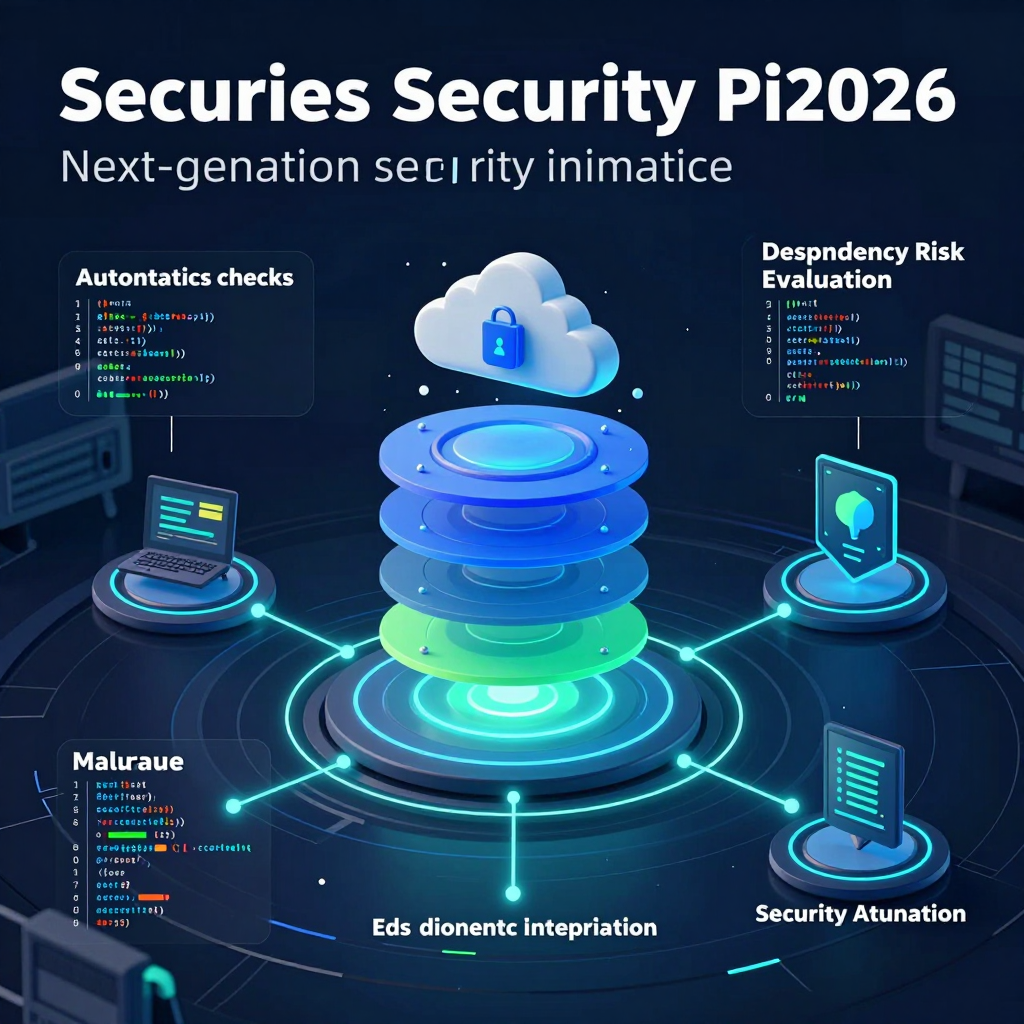
Advanced Security revolves around three main pillars:
Dependency Risk Analysis
It analyzes vulnerabilities and license risks within the libraries and packages a project uses. The key is not relying on humans to remember “which packages are risky," but enabling the pipeline to automatically identify them.SCA (Software Composition Analysis)
It identifies software components, tracks vulnerable versions, and license issues. For DevOps teams, this means moving beyond just “does it build?” to objectively answering “Is this a deployable composition?”Malware Detection
It detects hidden malicious code signs within code and dependencies. Especially in the face of rising supply chain attacks like package registry compromises and typosquatting (maliciously similar package names), this adds a crucial last line of defense before deployment.
In summary, Advanced Security does not only find issues inside the code but raises the entire application dependency ecosystem to the level of integrated security scanning.
Changing the DevOps Pipeline: From Security as an ‘Option’ to a ‘Standard Step’
In DevOps, the workflow is more important than the tool itself. What makes Advanced Security significant is that it doesn’t isolate security into a separate process but fixes it as a standard stage in the CI/CD pipeline.
Simultaneous SAST + SCA at PR/commit time
The moment a developer submits code, vulnerabilities in both the code and its dependencies—including license risks—are evaluated. This ensures security issues are caught and fixed during the review stage, before they ever reach production.Combining Security Gates with Quality Gates
The traditional flow of “passing tests + meeting code quality standards” for deployment is enhanced by adding security criteria such as “presence of critical vulnerabilities or prohibited licenses.” In other words, the pipeline automatically determines deployability based on security verdicts.Re-scanning just before release to capture ‘newly disclosed CVEs’
At release time, the entire dependency tree is reassessed, catching new vulnerabilities (CVEs) that weren’t known during development. This practical feature addresses the common DevOps challenge where “the code hasn’t changed, but the risk status suddenly has.”
Once this workflow is established, security ceases to be a “last-minute checklist” and becomes an automated quality gate seamlessly integrated with development velocity.
Practical Changes for DevOps Teams: Compensating for Security Talent Shortages with ‘Process’
Many organizations' DevOps teams drive rapid deployment, yet lack dedicated security experts or face review bottlenecks. This is where Advanced Security shines.
- Developers receive immediate, actionable feedback on specific fixes at the PR stage,
- Organizations enforce consistent security standards directly within the pipeline,
- And security levels are maintained not by “someone’s experience or memory” but through automated, objective criteria.
In essence, Advanced Security extends the automation philosophy that DevOps pursues into the realm of security, making DevSecOps a practical, operational reality.
Key Features of SonarQube Advanced Security Evolved into an Integrated DevOps Security Layer
Curious about the secret weapon that goes beyond a simple code quality tool to detect not only code issues but also vulnerabilities in libraries and malware all at once? SonarQube Cloud Team Plan's Advanced Security expands the traditional static analysis (SAST)-focused SonarQube into an “integrated security layer enveloping the entire application.” From a DevOps perspective, it’s not about “adding more security tools,” but rather about embedding security as a default part of the CI/CD pipeline.
What’s Changed from a DevOps Perspective: From Inspecting “Code Only” to Examining the Entire “Supply Chain”
Traditional code quality and analysis tools mainly focus on catching bugs, vulnerabilities, and rule violations in our own code (first-party code). However, real incidents often stem from supply chain issues like third-party libraries, dependency chains, and package contamination.
Advanced Security directly targets this by tackling the following three areas simultaneously.
Three Core Features That Seamlessly Integrate Into Your DevOps Pipeline
Dependency Risk Analysis for DevOps: Simultaneously Catch Dependency Vulnerabilities and License Risks
Libraries used by projects are both a convenience and an attack surface. Dependency Risk Analysis automatically identifies:
- Presence of Vulnerable Packages/Versions (e.g., CVEs): This covers not only direct dependencies but also transitive (indirect) ones, automating an area that is nearly impossible to track manually.
- License Risks: It detects license types that could cause problems during distribution or commercialization, reducing the risk of last-minute surprises before release.
- Policy-Based Blocking (Gating): You can design security gates similar to DevOps quality gates, such as “No critical vulnerabilities allowed to merge/deploy.”
The key here is shifting from a model where developers manually read and respond to all security advisories to one where the pipeline automatically filters risks at standard stages.
DevOps-Optimized Software Composition Analysis (SCA): Identifying and Tracking Components
SCA clearly reveals “what our service is built from.” Beyond simple vulnerability alerts, it provides essential traceability and evidence for DevOps operations.
- Component Inventory: Systematically understand what packages/modules are included, enabling rapid narrowing of impact scope when an outage or security incident occurs.
- Risk Comparison Based on Changes: When packages are added or updated in a PR, instantly assess their impact on security and licensing.
- Strengthened Audit/Compliance Capabilities: Especially valuable for organizations needing to explain “which open-source components are used, their versions, and licenses.”
In short, SCA isn’t just a security necessity; it also provides foundational data that enhances service composition visibility from a DevOps operational standpoint.
The Last Puzzle of DevOps Supply Chain Defense: Malware Detection
Recent software supply chain attacks don’t only exploit vulnerabilities but also embed malicious behavior directly into packages to sneak through distribution pipelines. Malware Detection discovers signs of malicious code in both code and dependencies, enabling:
- Early Blocking of Contaminated Packages: Detect risk signals during the scanning phase from registries or third-party dependencies before they enter your pipeline.
- Strengthened Last Line of Defense Before Deployment: As deployments accelerate, verification processes often weaken; automated detection compensates for this.
- One Step Closer to a “Trusted Build”: The pipeline evolves beyond simple build automation to guarantee the safety of deployment artifacts.
Conclusion for DevOps Practice: Security Becomes Not an Option but a “Default Pipeline Stage”
The essence of Advanced Security is not just adding features but integrating code (SAST), composition (SCA/Dependency), and supply chain (malware) into a single workflow. This lets DevOps teams standardize security scans within the familiar SonarQube flow instead of building complex, separate toolchains—controlling deployment risks through security gates just like quality gates.
Practical Strategies for Applying Advanced Security in DevOps Pipelines
The key is making security checks in the CI/CD workflow feel less like “extra work” and more like a “natural part” of the process. SonarQube Cloud Team Plan’s Advanced Security covers not only code (SAST) but also dependencies (SCA/Dependency Risk) and malware detection all at once. By assigning precise roles at each stage of the DevOps pipeline, you can significantly elevate your security quality.
DevOps Principle: Embedding Security as a “Standard Stage” in the Pipeline Design
Teams that excel with Advanced Security start by defining “where and what to block.” The recommended design follows these three principles:
- Shift-left with the lightest checks for fast feedback: Allow developers to fix issues immediately during the PR stage.
- Broader and deeper revalidation just before deployment: Recheck all dependencies and newly disclosed CVEs at release time.
- Gradually strengthen blocking criteria: Imposing strict blocks too early causes frequent pipeline failures and drastically slows down DevOps velocity.
DevOps PR Stage: Run SAST + SCA Simultaneously to Make It Part of “Code Review”
The highest-impact point is at code push/PR creation. Triggering an Advanced Security scan here gives developers instant, comprehensive feedback as soon as the PR is submitted:
- SAST (Code Vulnerabilities/Bugs) Detection: Missing input validation, unsafe API usage, risky patterns, etc.
- Dependency Risk/SCA (Vulnerabilities and License Issues): Vulnerable package versions, presence of forbidden licenses, and more.
- (If needed) Malware Detection: Suspicious package or code signatures.
Strategy Tips
- Make “why it’s an issue” and “where to fix” transparent in PR comments or check results to reduce review overhead.
- At the PR stage, blocking should prioritize Critical issues while treating others as warnings rather than enforcing strict full-block policies, ensuring stability.
DevOps Gate Stage: Overlay Security Gate on Quality Gate to Formalize Deployment Criteria
The value of automation in DevOps is replacing “human judgment” with clear standards. With Advanced Security integrated, declare deployment pass conditions as gates.
- Quality Gate: Code quality metrics (bugs, code smells, coverage, etc.)
- Security Gate (Advanced Security):
- Zero Critical vulnerabilities
- Allow N High vulnerabilities (initially adjustable)
- Block if forbidden licenses are detected
- (According to organizational policies) Enforce blocking on specific issue categories
Strategy Tips
- Gates should not be uniform across all branches; rather, adjust strength by branch type:
- PR: Fast feedback focus (block mainly Critical)
- Main merge: Medium strength (block some High severity)
- Release: Strictest (full policy and license compliance enforcement)
DevOps Pre-Release: Final “Rescan” to Catch New CVEs and Dependency Changes
Open-source vulnerabilities can emerge even if your code hasn’t changed. So performing these before release is crucial:
- Full scan covering all modules and subprojects
- Verify inclusion of the latest CVEs as of release time
- Revalidate actual used versions based on dependency lockfiles
Strategy Tips
- Passing the PR stage doesn’t guarantee a clean slate at release time due to newly disclosed vulnerabilities.
- This rescan is especially critical for long-term supported (LTS) services to reduce operational risk.
DevOps Supply Chain Defense: Position Malware Detection as a “Package Ingress Barrier”
Recent attacks target the supply chain (packages/registries/dependencies) more than application code directly. Advanced Security’s malware detection is effective at:
- New dependency additions/updates: Blocking suspicious packages from entering
- Pre-release: Checking all components included in deployment artifacts
- (For internal platforms/templates) Embedding in common pipelines so all teams share the defense line
Strategy Tips
- Malware detection isn’t a “set and forget” feature—it requires clear blocking criteria and exception workflows to function operationally. Define who approves or dismisses false positives.
DevOps Operational View: Convert Security Reports into Metrics Linked with Observability
Treating security results as one-off reports slows improvement. DevOps teams benefit by managing Advanced Security results like operational metrics:
- Track trend of vulnerabilities (increase/decrease) with each release
- Monitor correlations between “deployment frequency” and “security incident occurrence”
- Track average time to resolve issues (MTTR-like metric) to manage security debt
Strategy Tips
- The goal is not “perfect zero defects” but establishing a flow of quick detection and rapid reduction—boosting both DevOps speed and security together.
DevOps Adoption Checklist: Fail-proof Implementation Order
- Start with PR scanning (SAST+SCA) → Establish developer feedback loops
- Block Critical issues first at Security Gate → Minimize noise
- Add pre-release rescan → Strengthen response to new CVEs
- Gradually enhance malware detection and license policies → Avoid degrading developer experience (DevX)
- Metricize and build continuous improvement loops → Ensure sustainable DevSecOps adoption
Applied in this order, Advanced Security ceases to be a “security tool shoehorned into the pipeline” and instead becomes a “fundamental safeguard” that fortifies the DevOps workflow itself.
Why SonarQube Advanced Security Is Essential for Each DevOps Organization Type
From startups to large enterprises, and even heavily regulated industries—the environments may differ, but the common challenge remains the same: how to speed up deployments (DevOps) while making security the default. SonarQube Cloud Team Plan’s Advanced Security tackles not just code (SAST), but also dependency risks (SCA/Dependency Risk) and malware detection all at once, clearly distinguishing which organizations gain the greatest advantage.
DevOps Startups/SaaS: Teams That Must Manage Exploding Open Source and Speed Simultaneously
Startups and SaaS organizations typically have high deployment frequency, small team sizes, and heavy reliance on open source. Security can quickly become a bottleneck, and here’s why Advanced Security shines:
- Dependency vulnerabilities grow as fast as new features are developed
npm/Maven/PyPI packages keep generating new CVEs within months, and including transitive dependencies makes manual tracking practically impossible. Advanced Security’s SCA/Dependency Risk Analysis automatically reveals vulnerable versions and license issues during the PR phase, shifting the mindset from “fix it later” to “block before merging.” - Easily integrates as a standard checkpoint in DevOps pipelines
Even without dedicated security staff, linking scans to gates that block deployment in CI/CD moves the team’s security from human-dependent to process-driven. - Realistic defense against supply chain attacks (malicious packages)
Including malware detection goes beyond simple vulnerability tracking, reducing scenarios where “just one obscure package” causes a major incident at an early stage.
The key is making security not an afterthought forced onto “fast DevOps,” but a built-in fundamental behavior within the pipeline itself.
DevOps Enterprises/Large Corporations: Where Standardization, Scalability, and Internal Platforms Shine
Large enterprises juggle many systems and teams, where the ability to apply consistent standards organization-wide matters more than tooling itself.
- More teams/services mean security standard discrepancies lead directly to incidents
When some teams scan and others don’t, or standards wildly differ, the weakest link causes the problem. Embedding Advanced Security into a shared pipeline with Quality Gate + Security Gate enforces consistent blocking rules across the entire DevOps operating model. - Re-evaluation just before release catches “CVE’s newly disclosed on release day” issues
Long release cycles and multiple approvals often mean “safe during development but risky at deployment.” Re-scanning during the release branch phase minimizes this timing gap risk. - Massive impact when integrated into Platform Engineering/Internal Developer Platforms (IDP)
Organizations running internal dev platforms can embed Advanced Security into core pipelines, enabling all teams to automatically receive the same security checks with zero extra setup. This embodies the DevOps philosophy of “self-service + guardrails” at its finest.
For large enterprises, Advanced Security’s true value isn’t in “project-by-project optimization” but in company-wide standardization and scalability.
DevOps in Regulated Industries (Finance, Healthcare, Government): Proving Security in Compliance Language
In regulated sectors, the bigger challenge is less “Did we secure properly?” and more “Can we prove we did?” Features that directly support audits, certification, and internal controls include:
- License risk and vulnerability management double as compliance requirements
Violations of open source licenses or ignoring critical vulnerabilities are common flags in audits. SCA-driven component identification plus license/vulnerability tracking provide solid evidence for compliance. - Automated pipeline blocking strengthens internal control credibility
Regulations exist, but proving adherence is tough. Automatically failing builds if vulnerabilities exceed a certain level reduces human judgment errors and overused exceptions, enhancing the rigor of controls. - Shifting left prevents costly operational fixes later
Slow patch and deployment cycles mean vulnerabilities found in production lead to steep expenses. Blocking at the PR stage is more than just “shift-left”—it’s a pragmatic approach to offset slow change rhythms in regulated environments.
For these organizations, the goal isn’t merely “tool adoption” but building an auditable DevOps security process, and Advanced Security directly fulfills that mission.
Regardless of organizational size or industry, the conclusion is clear. Advanced Security anchors security as a standard stage within DevOps pipelines, managing code, dependencies, and malware simultaneously, placing “speed” and “safety” firmly on the same track.
From DevOps Practical Implementation to Operation: A Success Guide and Precautions for Advanced Security
From initial adoption to practical application and solving common issues, if you want to know how Korean DevOps teams “realistically” succeed, there is only one key.
It’s not about adding more security tools but redesigning the fundamental quality gates of the pipeline. SonarQube Cloud Team Plan’s Advanced Security bundles not only code scanning (SAST) but also dependency risk (SCA/Dependency Risk) and malware detection, so if implemented properly, it can change the perception that “security is slow.”
Designing a DevOps Pilot: The “Start Small, Succeed Surely” Adoption Sequence
Trying to apply it company-wide from the beginning often leads to rule conflicts and warning floods, resulting in lost trust. Following the sequence below greatly reduces failure risk.
1) Select 1~2 pilot services
- Services with heavy open-source dependency and frequent deployments are ideal (e.g., B2C API/backend).
- The goal is not to “eliminate every vulnerability” but to standardize security steps in the pipeline.
2) Establish a current-state baseline (1~2 weeks of ‘measurement’)
- Don’t immediately use the initial scan results to block deployments, but record:
- Number of Critical/High vulnerabilities
- License violation candidates
- Malware detection events
- Alert accuracy (false positive rate)
- This helps set a realistic baseline.
3) Start gates (deployment block rules) with minimum conditions
- Example starting point (recommended):
- Pass if zero Critical vulnerabilities; fail if one or more
- For High vulnerabilities, do not fail deployment, but operate as “comment on PR + automatic ticket creation”
- This approach is important from a DevOps perspective as it blocks only the most severe risks without drastically slowing development speed.
DevOps CI/CD Integration: Apply at PR and Release Stages
When you run Advanced Security affects developer experience (DevX) and detection quality. Usually, the two-tier structure below is most stable.
1) PR (or Merge Request) stage: Focus on fast feedback
- Run SAST + SCA (dependency/license risk) on every PR so developers catch issues when it’s easy to fix.
- Expose results as PR comments/failing checks as much as possible to prevent security from feeling like a separate system.
Operational Tips
- If scanning takes too long and creates PR bottlenecks, split by:
- Change-based analysis (within feasible scope)
- Parallel execution
- Full reevaluation at the release stage
- This reduces perceived wait times.
2) Release branch/just before production: Focus on full reevaluation
- At release, rescan all modules and all dependencies is crucial.
- Reason: Packages safe at PR time can become risky due to new CVE disclosures at release.
- Using Quality Gate + Security Gate as the final approval criteria here becomes the “last defense line before deployment.”
DevOps Operation Standardization: Define the Handling Flow After Vulnerabilities Are ‘Discovered’
Tools only detect. The real gap happens in the “handling process.” Documenting the following three items stabilizes operations.
1) Triage Policy
- Critical/High: Whether to fix immediately or halt deployment
- Medium/Low: Register in backlog and reflect in sprints
- License issues: Whether legal/compliance check is required
2) Assign Responsibility/Deadline (SLA)
- Example: Critical handled within 24~72 hours, High within 1~2 weeks
- Without clear ownership, “no one ends up doing it,” causing backlog buildup.
3) Exception Handling (Approval) Procedure
- Sometimes immediate fixes aren’t feasible.
- Instead of “just ignoring,” record:
- Exception reason
- Impact scope
- Temporary mitigation (version pinning, feature flags, WAF rules, etc.)
- Expiration date (review date)
- This prepares for audit and follow-up.
Three Common Problems DevOps Teams Face and Their Solutions
In the first 1~2 months after adoption, the following patterns repeat most frequently.
1) Pipeline loses trust due to false positives
- Solution: Don’t treat all alerts as failure conditions from the start, but:
- Fail only on Critical
- Start the rest as “review required”
- Tune rules and register exceptions for false positives
- Systematically reduce noise with this approach.
2) Rules are too strict, slowing down development speed
- Solution: Adjust security standards not as the “ideal level” but together with DORA metrics.
- If deployment frequency or lead time worsens sharply, strengthen rules gradually.
- The key is that DevOps aims not at “speed vs. safety” but automating to maintain speed while raising safety.
3) Overlapping roles with existing SAST/SCA tools overwhelm notifications
- Solution: Separate roles by tools. For example:
- SonarQube Advanced Security: Focus on PR gates (development stage blocking)
- Other tools: Focus on operational stages such as runtime/container/cloud configuration checks
- Eliminating “double notifications for the same issue” helps teams regain trust.
DevOps Perspective Checklist: Minimum Conditions for Successful Adoption
- Have you fixed SAST+SCA as a standard step at the PR stage?
- Is there a clear first gate like blocking on Critical vulnerabilities?
- Do you perform a full dependency reevaluation just before release?
- Are responsibility, deadlines, and exception expiration dates defined after discovery?
- Are false positive handling and rule tightening designed progressively?
If you meet this checklist, Advanced Security will not just be an added tool but a powerful foundation embedding security as the default way of operating in the DevOps pipeline.
Comments
Post a Comment