 \n
\n
Why Real-Time Multimodal AI Assistants Are Transforming Our Lives
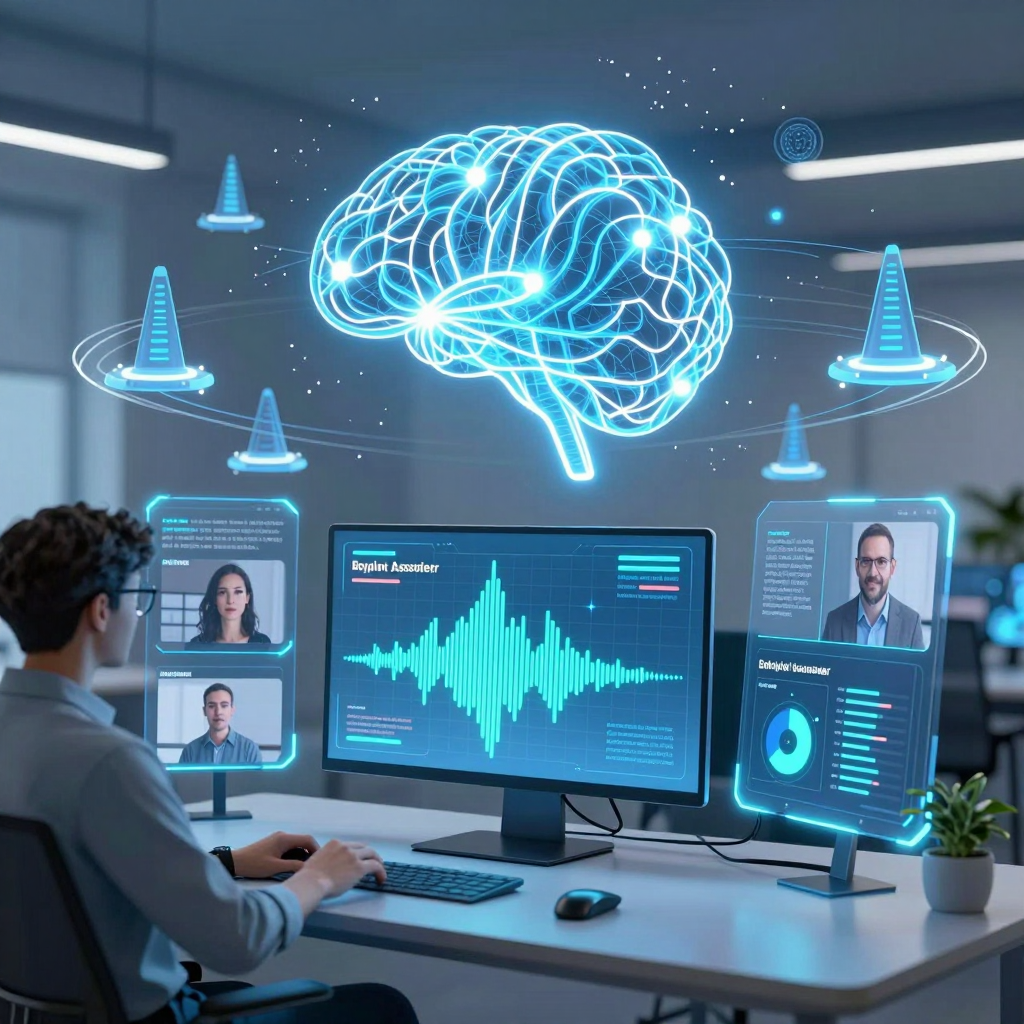
We are entering an era where a single model understands and interacts with text, voice, images, and videos in real-time. So, how will our daily lives and software UX evolve? To put it simply, the core shift is from “manipulating apps” to “speaking your intent and having it executed.” The engine driving this transformation is none other than the real-time multimodal AI assistant.
Changing UX from a Tech Perspective: From App-Centric to Agent-Centric
Until now, software revolved around the question: “Where do I tap to get this done?” To send an email, you open the mail app; for scheduling, the calendar; for documents, Word… The more tasks we had, the more complex apps and UIs became.
But real-time multimodal AI assistants redefine the core of UX.
- Users ‘describe’ the task: “Tell me why the payment failed on this screen.”
- The AI ‘perceives’ the context: It understands a unified context combining the screen (image/video), voice, logs, and past conversations.
- The AI ‘executes’ the action: It calls upon the necessary tools (APIs, browser control, document creation, code execution) to deliver results.
Now, the UI is no longer a ‘control panel’ but more like a dashboard where the user reviews and approves as the AI handles the work. This encapsulates the essence of the shift from “app-centric → AI-agent-centric.”
Core Tech Structure: Why Are ‘Real-Time’ and ‘Multimodal’ Equally Crucial?
Technically, this trend is powerful because it combines two key factors.
1) Multimodal: Merging Input Channels into One
Traditionally, voice recognition (ASR), image analysis (Vision), language models (LLM), and speech synthesis (TTS) operated separately and were only loosely connected. In contrast, the latest “omni” models process not just text tokens but also image patches and audio features within a shared token/embedding space, performing end-to-end inference.
This results in seamless interactions:
- Point your camera at a document and say, “Summarize the key points here,”
and the AI holistically understands both the document content (vision) and your request intent (audio/text) at once. - During meetings, AI receives screen-sharing and conversation simultaneously,
then organizes decisions, issues, and action items within one unified context.
2) Real-Time: Interaction Becomes Collaboration, Not Just Q&A
Real-time systems strive for latency nearing that of phone calls (roughly 100–300 ms round-trip). They stream audio in chunks and naturally handle interruptions (barging-in) and overlapped speech (turn-taking).
At this point, UX transforms from “question → answer” into a “joint workflow.”
- When users revise their statements, the AI instantly adjusts direction,
- The AI asks clarifying questions along the way,
- And at critical steps, it requests approval (human-in-the-loop).
How Tech Is Changing Daily Life: A ‘Screen-Understanding Assistant’ Becomes the Norm
The real power of real-time multimodal AI assistants in everyday life is that most of what we do cannot be conveyed by text alone. People look at screens, explain things verbally, reference images or documents, and share situational context collectively.
Key scenarios that will change include:
- Learning/Troubleshooting: Showing a math problem written on paper to the camera and asking questions → AI vocally explains which steps are wrong and why.
- Work Productivity: Simultaneously understanding meeting recordings, screen shares, and chat logs → automatically generating summaries and action items.
- Customer Support: Customers share a frozen screen and describe the issue verbally → AI reads the screen state and guides step-by-step resolution.
In short, real-time multimodal AI is not “just smarter search”; it is computing that embraces inputs exactly as reality presents them. As this change accumulates, users won’t need to learn how to use apps—they’ll learn how to delegate tasks to AI.
The Heart of Tech Multimodal AI: The Evolution of Transformer and Streaming Inference Technologies
What secrets lie within the revolutionary Transformer architecture that processes text, images, and sounds all at once, and the streaming inference technology that enables seamless conversations? The key boils down to two factors: (1) extending the Transformer to unify different inputs into a single “token language,” and (2) managing latency by splitting it to preserve the rhythm of dialogue through streaming processing. Together, these dual pillars elevate multimodal AI beyond “smart chatbots” into a real-time interaction engine.
Tech Multimodal Transformer: How to Bind Text, Vision, and Audio into One Context
Traditional LLMs take text tokens as input to predict the next token. When expanded to multimodal, the question changes:
“What does it take to handle images and sound as if they were tokens too?”
1) Modality-specific Encoders: Preprocessing Reality into a “Token Stream”
Multimodal models typically compress each modality’s input into standardized representations.
- Vision (Images/Video frames): Split images into patches, then convert them into embeddings → vision tokens
- Since video is a “sequence of frames,” tokens per frame are combined with temporal encoding.
- Audio (Speech): Instead of raw waveforms, convert into spectrograms or feature vectors for tokenization → audio tokens
- Beyond classical “audio → text” paths like ASR, cutting-edge models directly feed audio tokens into inference.
- Text: Tokenized with standard BPE-style tokenizers as before.
What matters here is not just “splitting finely,” but translating fundamentally different worlds (pixels/waveforms/characters) into a common unit that the Transformer can handle.
2) Joint Embedding Space: Placing “Seeing” and “Speaking” in the Same Semantic Coordinates
The true power of multimodal lies in training different modalities to share the same semantic meaning.
For example, if a user says, “Why is that button disabled?” the model must simultaneously reference:
- Extracting text/intent from audio (the question)
- Grounding “that button” from the screen (vision)
- Inferring UI state (disabled) and related rules
To achieve this, the model places text, vision, and audio tokens under a single attention mechanism. Text tokens “refer” to vision tokens, which interact with audio tokens, collectively forming a unified context. This is the very heart of the multimodal Transformer.
3) Real-World Constraints of Multimodal Attention: Token Explosion and Cost
Images, audio, and video easily generate far more tokens than text alone. Since self-attention cost grows steeply with token count, practical deployments rely heavily on optimizations like:
- Input compression (larger patches, downsampling feature vectors)
- Selective attention focusing only on critical regions (e.g., UI elements, faces, text areas)
- Memory strategies caching and summarizing long contexts (reuse of prior frames or utterances)
These optimizations become, alongside model accuracy, key real-world factors determining latency and operational cost in tech industries.
Tech Streaming Inference: Designing Latency for Uninterrupted Conversations
The user experience in real-time multimodal AI hinges not merely on “accuracy” but on the rhythm of conversation. To feel natural, the entire pipeline must be split and streamed.
1) Chunk-based Processing: Starting Understanding Before Sentences End
Streaming avoids buffering full speech utterances. Instead, it chops input into short periods (tens to hundreds of milliseconds) and performs partial inference immediately as data arrives.
- Benefit: The model starts understanding while the user is still speaking, reducing response wait time.
- Challenge: Incomplete sentences risk misinterpretation, requiring a hypothesis generation and updating structure.
The model thus predicts based on “what it has heard so far,” revises with each new chunk, creating a natural flow.
2) Turn-taking and Barge-in: Managing Overlapping Speech in Dialogue Control
Human conversations often overlap, interrupt, and include backchannels. To mimic this, real-time AI requires:
- VAD (Voice Activity Detection): Detect whether the user is speaking or silent
- Interrupt handling: Instantly stop and switch to new input if the user interrupts mid-model response
- Partial response strategy: Speak confidently on certain parts first, completing or correcting the rest later (balanced carefully to avoid amplification of errors)
Without these, AI feels like a call center IVR — waiting silently until the user stops, then responding all at once — squandering real-time assistant benefits.
3) Combining LLM and TTS: Moving From ‘Text Generation’ to ‘Utterance Generation’
Traditional pipelines usually flow as:
- Speech input → ASR converts to text → LLM outputs text → TTS synthesizes audio
Modern real-time architectures go beyond, tightly integrating control over utterance prosody (intonation, speed, emotional tone) within the model. This yields:
- Responses that don’t wait for sentence ends but catch natural speech breaths
- Tone adjustment matching user emotions or situations (urgency, frustration, confusion)
- An experience shifting from “AI that speaks the right answer” to “AI that truly converses”
4) Harder Challenges in Real-Time Multimodal: Synchronization Issues
Streaming audio alone is simpler than streaming audio paired with video (camera/screenshots/video). Challenges include:
- Determining exactly which screen frame corresponds to the user’s “this” moment
- Network delays that desynchronize audio and vision streams
- Necessitating timestamp-based buffering, frame selection policies, and context window management
Poor sync quality can make the model reference the wrong target and severely shake multimodal trust.
Tech Takeaway: The Competitive Edge Lies in the “Real-Time System,” Not Just the “Model”
While multimodal AI’s core lies in extending Transformer architectures, the user’s perceived quality depends on streaming inference design.
Ultimately, success in this space is not merely a “better model” race but a competition of real-time systems engineering holistically integrating tokenization, attention optimization, streaming pipelines, synchronization, and TTS fusion.
From Apps to AI Agents: The Great Revolution in Industry and Business Workplaces from a Tech Perspective
"The era of running apps is over." Instead of searching for menus and clicking, users now tell AI their objectives, and the AI automatically combines various tools to get the job done. The essence of real-time multimodal AI assistants is not just a “conversational UI,” but the emergence of an agent layer that permeates the entire work system. Let’s explore how this shift is radically transforming productivity and ways of working from an on-the-ground business perspective.
Tech Trend: Why App UX is Collapsing and ‘Agent Workflows’ Are Becoming the Standard
Traditional software was structured as “features (buttons) → screens (pages) → app.” In contrast, real-time multimodal agents operate around “goal → plan → execute → verify.”
- Goal-based Interfaces: When you say a result like “Tell me why customers are churning this week,” AI autonomously structures the necessary steps.
- Fusion of Multimodal Inputs: Text commands + meeting audio + screen sharing + document files merge into a single context, drastically reducing the “cost” of humans having to explain situations.
- Normalization of Tool Calling: Calendars, CRM, ERP, emails, BI dashboards, code executors, search/RAG—these diverse systems are bound and operated at the API level.
- Critical Threshold of Real-time Streaming: Low latency enables not just simple automation but the ability to jump into flow-heavy tasks like consultations, meetings, and development as a teammate.
In essence, apps don’t disappear; rather, users spend far less time directly manipulating apps, and apps become “backend tools” accessed by agents.
Tech-Driven Productivity Innovation: Changing the ‘Unit of Work’ by Role
Development & Engineering: Beyond IDEs to ‘Real-time Multimodal Debugging’
The bottleneck in development productivity often lies in reproducing issues, tracing causes, and switching contexts rather than coding itself. Multimodal assistants reduce these pain points by:
- When you ask, “Why am I getting a timeout here?” while looking at code/logs/dashboards, the model:
- Reads log patterns,
- Queries recent changes/configuration/infrastructure via tool calls,
- Forms hypotheses and proposes reproduction scripts, test cases, and fixes all in one seamless flow.
- Streaming conversations enable not just “Q&A” but interactions closer to pair programming, where users can naturally interrupt and change direction mid-conversation (barge-in).
The key isn’t just advanced autocomplete; it’s that the agent spans the entire Software Development Life Cycle (SDLC).
Documentation & Reporting: From ‘Writing’ to ‘Audit-Ready Auto-generation’
Most knowledge work wastes time “repackaging” scattered information into documents. Agents transform this process as follows:
- Real-time intake of meeting audio + screen shares + chat logs:
- Structures decisions, risks, and action items,
- Extracts owners and deadlines, registering them into calendars and issue trackers.
- To prepare for questions like “What’s the source for this report?” the design shifts to include source links, evidence sentences, and logs alongside the generated output.
- Thus, document quality is judged not only by clarity but also by how it was created (auditability).
This change speeds up not just document creation but transforms decision velocity and accountability structures.
Customer Experience (CX): Agents Shift Representatives from ‘Answerers’ to ‘Supervisors’
Contact centers are especially impacted by multimodal real-time capabilities.
- The moment customers share app screens, read error messages aloud, or explain payment flows,
- Agents understand screens, voice, and text simultaneously to instantly pinpoint issues,
- Provide live coaching to reps on “where the customer is stuck and what to guide next.”
- Even when agents directly handle interactions, high-risk steps like refunds, cancellations, or sensitive data handling are commonly designed with human approval (human-in-the-loop).
As a result, reps are freed from repetitive answering but must take on heavier roles in handling exceptions and final accountability.
Tech Stack Evolution: Enterprises Must Redesign for ‘Agent-Friendly Workflows’
Agent success requires more than just model performance. On the business front, “automation that actually works” depends on these conditions:
- Built-in Permission and Security Layers in Tools: APIs callable by agents must support role-based access control (RBAC), secret management, and data masking by default.
- Audit Logs and Execution Tracing: To enable operational management and compliance, there must be records of who (which agent) accessed what data and performed which actions, and when.
- Verification Loops: Attaching evidence via RAG and cross-checking results with calculations, code execution, and policy checks reduce the risk of catastrophic ‘hallucinations.’
- Low-latency Infrastructure: Real-time voice interaction hinges on latency; end-to-end optimizations spanning network, streaming pipelines, and caching strategies are required.
In summary, the revolutionary point on the industrial floor is not merely “adopting AI” but the complete realignment of work systems around agents. Going forward, tech competitiveness will likely hinge less on the number of app features and more on how well organizations design and operate safer, faster agent workflows.
The Imperfect Future of Tech: Addressing Trust Issues and Privacy Risks
No matter how advanced AI becomes, risks of errors and misuse remain. Real-time multimodal AI assistants evolve into systems that “see (camera/screen),” “hear (microphone),” “speak (TTS),” and “act (tool invocation).” This means hallucinations don’t just end as simple mistakes—they can escalate into wrong executions. As tech shifts UX from ‘apps → agents,’ our safety measures must move from ‘goodwill → system.’
Tech Trust Issue 1: Hallucinations Are Not “Content Errors” but “Action Errors”
Traditional chatbot hallucinations usually ended with wrong information at the sentence level. But in real-time multimodal + agent environments, the risks escalate:
- Seeing wrong (vision errors): Misinterpreting on-screen numbers/buttons/warnings → clicking the wrong menu or entering incorrect values
- Hearing wrong (ASR errors): Voice recognition mishears a word and acts on it → “don’t delete” might be heard as “delete”
- Speaking too naturally (the trap of persuasiveness): Low latency and natural voice boost trust—but trust does not guarantee accuracy
- Executing extensively (chained agent actions): A single misunderstanding propagates through multiple steps, producing a convincingly finished but fundamentally flawed ‘sophisticated failure’
The core principle is simple:
Assuming “it may not be accurate,” incorporate verifiable structures into products and workflows.
- Human-in-the-loop as default: For irreversible/high-risk actions like payments, deletions, transmissions, or permission changes, a final human confirmation step is mandatory
- Tool-based verification: Number calculations rely on calculators/code execution; fact checks utilize RAG (internal docs/DB search); schedules consult the calendar—forcing evidence generation within the process
- Evidence exposure: Show summary explanations like "which screen element was the basis" or "which document was referenced" so users can immediately challenge results
Tech Privacy Risk 2: Data Exposure Surface Created by the “Always-On Senses”
Real-time multimodal assistants are essentially always-collecting interfaces. Screens, voices, and camera footage contain the densest concentration of work and personal data. Thus, risks extend beyond mere leaks into corporate governance concerns.
- Over-collection: Excessive screen/voice logs stored beyond what is needed for goals
- Sensitive information mix-in: Customer info, resident registration numbers, or confidential company documents accidentally exposed during screen sharing
- Secondary use concerns: Use beyond original purpose during model improvement, external outsourcing, or log analysis
- Prompt injection/data theft: Attacks that trick agents via hidden instructions in web pages/documents to exfiltrate secrets externally
Practically, you must fix in design “where, how, how much, and why data is used.”
- Data minimization: Transmit and store only feature vectors/summaries instead of raw voice; only necessary screen areas instead of the full screen
- On-device/edge-first: Perform preprocessing like OCR, brief summaries, or sensitive info masking locally to reduce cloud transmission
- Policy-based masking/blocking: Automatically blur/de-identify detected patterns such as resident IDs, bank accounts, and medical info
- Clear retention and deletion policies: Document and enforce retention periods, access rights, and deletion requests (including audit logs)
Tech Safety Mechanism 3: “Permissions, Auditing, Control” Become the Agent’s Core OS
As agents execute real tasks by invoking tools, security focus shifts from model performance to operational control. In corporate environments, these three form the essential baseline:
Least Privilege Permission
- Don’t grant agents “all permissions”—segment tokens and scopes by task unit.
- Ex: separate read and write permissions, allow only masked views of customer data
Audit Logs and Reproducibility
- Record which input (voice/screen/document) triggered which tool with what parameters
- Essential for root cause analysis after incidents and mandatory in regulated industries
Execution Preview and Safety Check
- Before execution, agents provide a brief summary: “what, why, and what impact”—users confirm before proceeding
- For high-risk operations, implement two-step confirmation (e.g., ‘Review’ → ‘Execute’) as standard UI
These three have clear technical implementation points.
A realistic approach is to place a policy engine within the agent runtime (orchestration) to gatekeep tool calls by “allow/deny/request more authentication.”
Tech Ethics Standard 4: Minimum Principles Product Teams Must Agree Upon
Finally, trust and privacy aren’t solved by “good intentions” alone. Product teams must agree on minimum ethical standards.
- Transparency: Users must instantly know when recording/audio/video/screen access is active and what data is stored
- Control: Easy to turn off, pause, or block access to specific apps/sites
- Responsibility boundaries: Clearly distinguish model inference from facts, and define accountability for automated actions at the organizational level
- Protection of vulnerable groups: Strengthen safeguards to prevent misuse through excessive persuasiveness on children, the elderly, and non-experts
Real-time multimodal AI is undoubtedly a giant leap for tech. But for that leap to be sustainable, it requires not only “smarter models” but also solid foundations in verification, permission, privacy, and auditing.
The Coming AI World from a Tech Perspective: Technologies and Social Changes Unfolding Over the Next Three Years
Imagine a future where AI is deeply embedded within the OS, reshaping jobs and regulations. How can we survive and lead at the heart of this transformation? In the next three years, the pace of changing how we work and the responsibility structures will likely outstrip the pace of functionalities increasing. Especially, real-time multimodal AI assistants are moving beyond text input boxes to making the user’s entire context the fundamental computing unit through microphones, cameras, and screens.
Tech Trend 1: A ‘Always-On Multimodal’ AI Layer Built into the OS
The biggest change is that AI will no longer be just an app but a core interface at the operating system level. This is not a simple shortcut or sidebar addition. Structurally, the following come bundled together:
- Real-time Streaming Inference: Voice is processed in chunks of hundreds of milliseconds, handling natural interruptions (barge-in) and turn-taking during conversations seamlessly.
- Integrated Context Management: Conversation logs (text) + screen (vision) + voice (audio) + files are combined into a single context to continuously infer “what the user is trying to do right now.”
- Agent Execution Layer: Instead of users toggling between calendar, mail, browsers, or IDEs, AI handles these tools in the background via function/tool calling.
From a technical standpoint, the OS is evolving into an “agent host” that provides permission management + event streams (camera/mic/screen) + tool execution runtimes. Users no longer wonder “which app should I open?” but instead “what is my intent for the request?”
Tech Trend 2: Shifting from an App Economy to an ‘Ability Economy’
As AI-agent-centric UX solidifies, apps become less independent destinations and more bundles of abilities that agents call upon. We can expect standardization races around:
- Tool Specification Standardization: How APIs should be described so that agents can safely invoke them (input schema, failure handling, retry policies, approval steps for side-effect operations, etc.)
- Agent Orchestration: Instead of one giant model doing everything, stacks combining:
- Multimodal models (for situational understanding)
- Smaller specialized models (for structured documents/domains)
- Rule-based guardrails (policies/security)
will become corporate standards.
This shift moves the focus from “installing apps” to “adding abilities to agents.” Competition will center less on UI design and more on tool reliability, permission architecture, audit logging, and cost-performance infrastructure capabilities.
Tech Trend 3: Jobs Reshaped from ‘Execution’ to ‘Definition, Verification, and Accountability’
Automation won’t make human roles vanish; it will shift them to a different layer. Roles poised for rapid growth within the next three years include:
- Problem Framer: The skill of documenting “What constitutes success and what constraints must be respected” rather than just “What to build.”
- Agent Workflow Designer: Designing a plan→execute→verify loop tailored to tasks, not just one-off answers. For example, incorporating human-in-the-loop approval steps for high-risk actions like payments, deletions, or transmissions.
- Verifier and Audit Specialist: Hallucinations are even riskier in multimodal environments. Misinterpretations of images or audio can cause entire AI-generated chains to be flawed. Thus, roles focused on:
- RAG (retrieval-augmented generation using internal documents/databases)
- Code execution-based verification
- Source and provenance logging
will be critical.
Ultimately, those who restructure work into systems will lead over those who merely craft good prompts. This is the core of what the tech industry calls AI-native capabilities.
Tech Trend 4: Regulation and Governance Evolve into Competitive Product Advantages
Real-time multimodal assistants are inherently close to systems that are always listening, watching, and ready to act. Therefore, regulations become foundational product features, not add-ons:
- Privacy and Security: On-device inference, data minimization, sensitive information masking, and storage/deletion policies are embedded at the feature level.
- Permissions and Accountability: Since “AI did it” is no longer a valid excuse, audit logs tracking who accessed which data and invoked what tools become essential.
- High-Risk Domain Compliance: In areas like healthcare, finance, children’s services, or hiring, demands for explainability, fairness/bias audits, and model change histories will be mandatory.
In short, the next three years won’t be won by model performance alone. Organizations with strong governance will scale faster, and products that effectively absorb regulations will conquer broader markets.
Survival and Leadership Checklist in the Tech Era
- Individual/Team Level: Stop leaving repeated tasks as “request texts”; instead, convert them into procedures that can call tools (specifying input/output formats, exception handling, approval steps).
- Organizational Level: Segment data and permissions agents can access by roles, and design audit/log replay-capable structures.
- Product Level: Prioritize designing “capabilities (tools) AI can execute” and safety mechanisms (guardrails) before building UIs.
The moment AI enters the OS, change ceases to be a choice and becomes the environment. The crucial question won’t be “Are you using AI?” but rather, Can you redesign work to fit how AI operates? Over the next three years, that redesign ability will determine the survival of individuals and organizations alike.
Comments
Post a Comment