 \n
\n
Low-code: The App Is Finished Before You Write the Code
“Build me an employee leave request app. When the team leader approves a request, notify HR, and make it easy to use on mobile devices.”
In the past, this single sentence would have been broken down into a lengthy requirements document, screen design specifications, a database model, and a development schedule. Now, in an AI-native Low-code environment, that sentence becomes the starting point for the app itself.
AI interprets the user’s intent, creates a leave request screen, and builds a data model containing employees, leave types, and approval statuses. It then proposes an initial workflow for team leader approval, HR notifications, responsive mobile screens, and basic permission settings. Instead of starting with a blank screen, users can review an already functioning prototype and describe what needs to be changed.
How Low-code Is Changing Where Development Begins
Traditional development generally starts with code and design documents. Low-code, by contrast, assembles apps by combining visual components, reusable workflows, and API integration features. With a natural-language AI interface added to the mix, the first step in development is no longer, “What should we build, and how should we implement it?”
Instead, it begins with questions like these:
- Who will use this app?
- Which parts of the workflow should be streamlined?
- Under what conditions should approvals and notifications be triggered?
- What data should be stored, and who should be able to view it?
When users answer in natural language, AI transforms their responses into screens, logic, and data structures. They can then adjust screens through drag-and-drop tools in a Low-code studio, modify approval rules, and connect external HR systems or messaging APIs.
In other words, natural language becomes the front end for capturing requirements, while the Low-code platform serves as the execution engine that assembles, validates, and deploys them as a real service.
Developers Are Not Disappearing—they Are Taking on More Important Work
This shift does not replace developers so much as redefine their roles. As AI becomes capable of creating draft apps faster, developers create more value through validation and refinement than through implementation alone.
Developers will review the results generated by AI and take on responsibilities such as:
- Verifying the accuracy of approval conditions and exception handling
- Designing access permissions for personal information and HR data
- Ensuring stable integration with existing ERP, HR, email, and messaging systems
- Designing for performance and incident response in large-scale user environments
- Checking automatically generated logic for security vulnerabilities and compliance issues
- Extending the code to handle complex business rules that cannot be addressed by the platform’s built-in features
For example, even the simple sentence “Notify HR after the team leader approves” conceals numerous exceptions in a real corporate environment. Who becomes the substitute approver if the team leader is on leave? Where should the remaining leave balance be retrieved from? How should public holidays in specific countries be reflected? How many years should approval records be retained?
AI can quickly propose a first answer to these questions. But determining whether that answer aligns with the organization’s policies and security standards remains the responsibility of people—especially developers and IT operations teams.
An Era When ‘Intent’ Becomes a Prototype
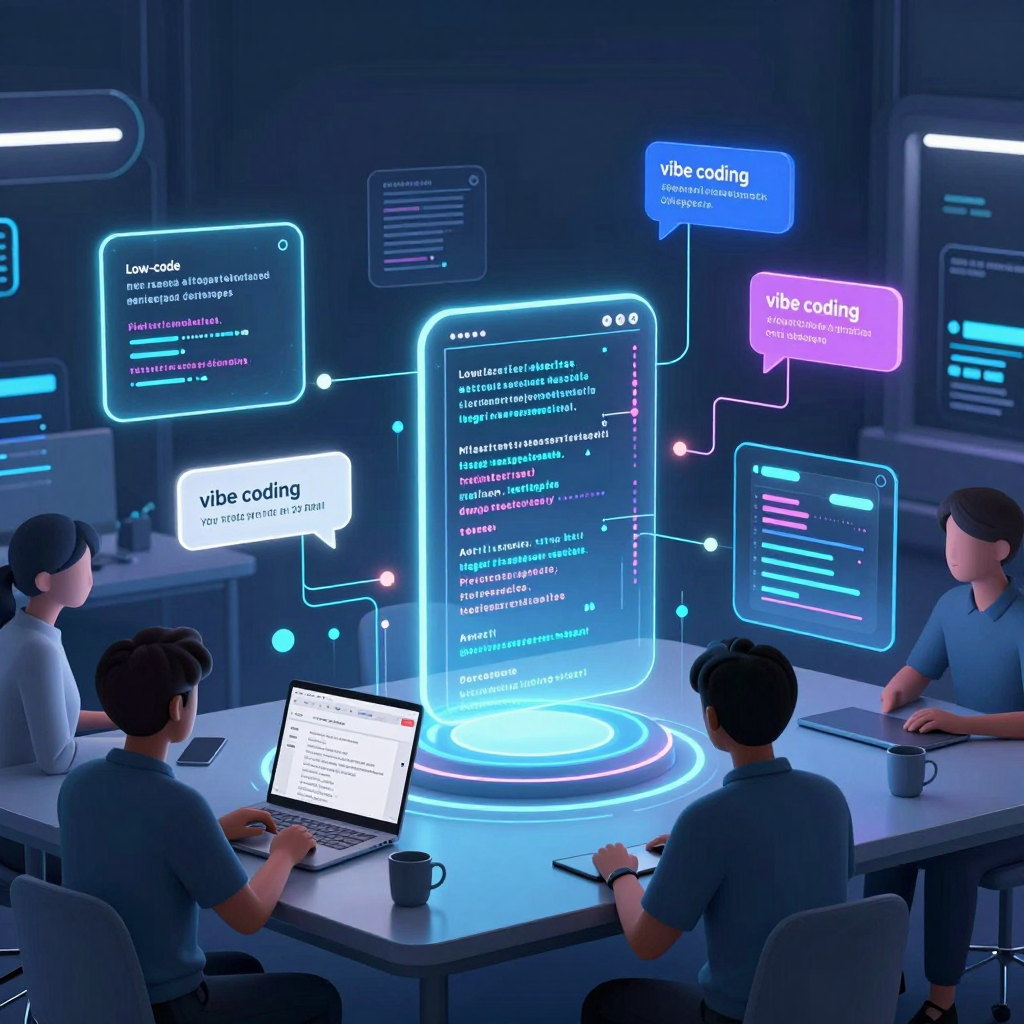
The core of Vibe Coding is that users no longer need to write detailed functional specifications. Instead of relying on perfect technical terminology, they describe the product’s purpose and the experience they want. AI interprets that intent and creates a draft, while people review the result and add more specific requirements.
This approach is particularly powerful for internal business systems. Repetitive processes such as leave management, expense reimbursement, customer inquiries, field inspections, and approval requests already share a common structure of screens, data, and workflows.
Ultimately, the next competitive advantage of Low-code will not depend solely on how easily users can drag and drop screens. It will depend on how reliably a single sentence from a user can be transformed into the structure of a trustworthy app.
The experience of having an app take shape before writing the code. This shift is making development lighter while making the ability to define what should be built precisely—and operate it safely—even more important.
The Core of Low-code Has Not Disappeared Yet
We have entered an era where a single line of natural language can create an app prototype. Say, “Build me a leave request app,” and you can receive suggestions for everything from screens and approval flows to notification features. But one important question remains:
Can we really leave everything—from the position of a single button to data access permissions, deployment approvals, and incident response—to AI?
The answer is still closer to “no.” Vibe Coding is changing the starting point of development, but for a real-world service to operate reliably, it still needs a Low-code engine working behind the scenes.
Natural Language Is the Starting Point of Design; Low-code Is the Foundation for Execution
Vibe Coding takes a user’s intent in natural language and turns it into an app prototype. For example, AI might interpret the request for “a mobile leave app that automatically notifies HR once a manager approves” into the following components:
- A leave request form and mobile screens
- Role-based permissions for employees, managers, and HR
- Approval and rejection workflows
- Email and messenger notifications
- A data model for storing leave balances and approval history
However, this prototype does not automatically mean the application is ready for production. In real-world environments, detailed requirements inevitably follow, including exception handling at each approval stage, permission changes resulting from organizational restructuring, API integration with existing HR systems, and policies governing the retention of personal data.
This is where a Low-code platform becomes more than a simple screen-building tool. It becomes an execution environment that validates, adjusts, and turns AI-generated results into operational services.
The Core Engine Working Behind the Scenes
Even when AI can generate screens at remarkable speed, the structure behind those screens matters more in enterprise applications. Low-code platforms generally integrate and manage the following areas:
- Visual development environment: Configuring screens, forms, components, and user flows
- Logic engine: Managing approval rules, conditional branches, exception handling, and business rules
- Integration layer: Connecting ERP, CRM, and HR systems, external APIs, and databases
- Security and governance: Enforcing role-based access control, audit logs, and organizational policies
- Deployment and DevOps: Separating development, testing, and production environments, managing versions, and approving deployments
In other words, if the natural-language interface makes it possible to quickly express “what to build,” Low-code takes responsibility for “how to execute it safely and consistently.”
Human Adjustment Is Still Necessary—even for AI-Generated Results
AI excels at quickly generating repetitive structures. Enterprise environments, however, are filled with rules and exceptions that are not clearly documented. Even a simple leave request process raises questions such as:
Which leave policy should apply to employees of overseas subsidiaries?
Who takes over approval authority when a manager is on extended leave?
How should request data be handled if the HR system experiences an outage?
These issues are difficult to solve simply by writing a longer prompt. Developers and business stakeholders need to review the generated workflows in a Low-code studio, add conditions, and examine integration errors and security risks.
The realistic model is one in which AI generates the prototype, people refine it, and the platform executes it according to established policies.
Low-code Is Not Shrinking—Its Role Is Being Redefined
Going forward, Low-code is unlikely to remain limited to a drag-and-drop development approach. Users will describe their requirements in natural language, AI will suggest the app structure, and the Low-code platform will become the central hub for visually editing, validating, and deploying the result.
Vibe Coding, therefore, is not a competitor replacing Low-code. It is closer to a conversational front end that connects user intent with complex development platforms.
Saying, “Build me an app,” is becoming easier. But securely connecting that app, operating it according to established rules, and continuously improving it as organizational needs evolve still belong to the domain of Low-code.
How AI and Low-Code Transform Prompts into Executable Systems
“I want to build a simple mobile app that receives employee leave requests, automatically notifies HR once a team leader approves them.”
To a person, this is a perfectly clear sentence. But to a computer, “a simple approval app” still means almost nothing. It does not know how many screens are needed, who submits the request, how approval statuses should change, or how HR should be notified.
The core of an AI-native Low-code platform is to break down this ambiguous natural-language requirement into an executable system blueprint, then assemble it into screens, data, business workflows, and integration settings.
Interpreting Intent as Structured Requirements
AI does not simply read a user’s prompt as text. It infers the entities and relationships required for the business process hidden within the sentence.
For the leave approval app described above, AI would generally structure the requirements as follows.
| Natural-language expression | System element inferred by AI | |---|---| | Employee | User role, permission policy | | Leave request | Request data model, input form | | Team leader approval | Approver role, approval workflow | | Automatically notify HR | Notification event, email·messenger integration | | Mobile app | Responsive UI or mobile screen template |
The core technologies used at this stage include the large language model’s (LLM’s) intent recognition, entity extraction, and contextual reasoning capabilities. AI does not process the word “leave” as a simple string. Instead, it interprets it as a business object containing dates, a reason, the requester, the approver, and a status value.
However, AI cannot determine everything perfectly. That is why a good platform does not immediately finalize its inferences. Instead, it asks questions such as:
- Should leave types be divided into annual leave, half-day leave, and sick leave?
- Is there one approver, or does the request require multiple approvals?
- Should the approval also be recorded in the HR system?
- Should the requester be required to enter a reason when the request is rejected?
This conversational process is not merely a chatbot feature. It is an interactive requirements analysis stage that transforms incomplete requirements into actual business rules.
Generating the Data Model
Once the requirements have been organized, AI converts the information the system needs to store into a data model. A leave request app would generally require the following tables or entities.
Employee
- employee_id
- name
- department
- manager_id
- email

LeaveRequest
- request_id
- employee_id
- leave_type
- start_date
- end_date
- reason
- status
- approver_id
- submitted_at

ApprovalHistory
- history_id
- request_id
- approver_id
- action
- comment
- processed_at
The important point is that AI does not create only fields. It also defines relationships and constraints.
For example, LeaveRequest.employee_id must be linked to employee information, while status should not accept arbitrary values. It is generally designed to use a set of permitted statuses such as Draft, Submitted, Approved, Rejected, and Cancelled.
Based on this model, a Low-code platform can automatically generate the database schema, CRUD APIs, list-view functionality, and basic permission rules. Developers then review the generated structure and add fields or modify relationships to align it with the organization’s actual policies.
Assembling Screens Around the Business Workflow
After creating the data model, AI configures the screens required for each user role. This goes beyond simply “generating attractive screens.” It requires designing what data each screen displays, what actions it allows, and what should be executed at the next stage.
A leave approval system would typically include the following screen structure:
Employee Leave Request Screen
- Select leave type
- Enter start and end dates
- Enter a reason
- Submit request button
Employee Request Status Screen
- List of the employee’s requests
- Approval or rejection status
- View rejection reasons
- Cancel request function
Team Leader Approval Queue
- List of new requests from team members
- View leave dates and reasons
- Approve or reject buttons
- Comment field
HR Administrator Screen
- Overall leave status
- Department-level statistics
- View completed approvals
- Check the transmission status to the HR system when necessary
When generating these screens, AI uses the Low-code component library. It combines verified UI elements such as input forms, date pickers, data tables, status badges, buttons, and modal windows.
In other words, AI does not write every piece of front-end code from scratch. Instead, it places and configures reusable components already available on the platform according to the business context. This approach increases both development speed and consistency.
Converting Business Rules into Workflows
The core of an approval app is not its screens but its status changes and business rules. The system must define who reviews a request after it is submitted, under what conditions it is approved, and who should be notified afterward.
AI converts a flow expressed in natural language into a state-based workflow.
Draft
→ Request submitted
→ Awaiting team leader approval
→ Approved or rejected
→ Notify requester
→ Notify HR and record the result
The logic actually generated in this process includes:
- Change the status to
Submittedwhen the submit button is clicked - Look up the requester’s team leader and assign them as the approver
- Send a notification to the approver
- Change the status to
Approvedupon approval - Require a rejection reason when the request is rejected
- Deliver the approval or rejection result to the requester
- Send completed approvals to the HR system or via email
- Record every approval action in the audit log
A Low-code workflow engine represents these rules through visual nodes and connecting lines. AI creates an initial draft based on the prompt, and users can then adjust approval conditions, notification timing, exception handling, and other details on the screen.
For example, if a new policy states, “Leave of five days or more must also be approved by the department head,” developers can add a conditional branch node to create a multi-level approval flow rather than writing a large amount of new code.
Connecting External Systems and Applying Permissions
Real-world enterprise apps do not end with a single screen and database. Employee information may reside in an HR system, notifications may be sent through email, messengers, or collaboration tools, and access permissions must be connected to the company’s authentication system.
At this stage, AI-native Low-code platforms use existing connectors, API templates, and authentication modules. When asked to “notify HR,” AI may suggest implementation options such as:
- Call the HR system’s REST API
- Send the approval result to a designated email address
- Post a notification in a Slack or Microsoft Teams channel
- Export the data as a CSV file or spreadsheet
- Send the approved data to an ERP integration queue
But more important than the connection itself are permissions and governance. Even if the app was created by AI, employees should be able to view only their own requests, team leaders should be able to approve only requests from their team members, and HR administrators should be able to view all records within the scope they require.
Therefore, the final stage of converting a prompt into an executable system generally includes:
- Role-based access control (RBAC)
- Row-level data permissions
- SSO and enterprise account integration
- Change history and audit logging
- Secure management of API keys and connection information
- Testing and approval procedures before deployment
AI-Generated Drafts Are a Starting Point; Validation Remains a Human Responsibility
The true value of Vibe Coding does not lie solely in obtaining a finished app from a single line of prompt. The more important change is that it dramatically reduces the time required to turn requirements into an executable draft.
However, people must still verify whether the data model, approval rules, and permission policies generated by AI accurately reflect the organization’s actual operations. In particular, humans need to review the following:
- Do the approval stages match the actual organizational structure?
- Are personal and sensitive data exposed more broadly than necessary?
- Have exception scenarios and rejection or cancellation rules been defined?
- Is there a retry or reprocessing method if an external system integration fails?
- Does the generated logic meet security, audit, and compliance standards?
Ultimately, AI is closer to a design engine that translates natural language into data, screens, workflows, and integration settings. Low-code provides the execution foundation for assembling that blueprint into a real application and operating it. Even if natural language becomes the starting point for development, completing a trustworthy system still requires verification, control, and refinement.
The Corporate Risks Hidden Behind the Speed Revolution of Low-Code
If you could build a prototype in a matter of hours instead of months, everyone would welcome it. Simply enter a natural-language request such as, “Create a vacation request app,” and the screens, approval workflow, data model, and notification features are generated as a draft. This speed is the most powerful value promised by AI-native low-code platforms.
However, in an enterprise environment, the fact that a service was “built quickly” does not automatically make it safe. If even one AI-generated permission setting is incorrect, HR data intended for a specific department could be exposed across the entire company. An automatically generated API integration might request excessive access privileges, or a development database could end up connected to the production environment—both entirely plausible incidents.
Fast Generation Does Not Mean Fast Validation
Vibe Coding interprets a user’s intent in natural language and builds the interface and logic accordingly. The problem is that natural-language requirements are inherently ambiguous.
For example, suppose a user makes the following request:
“Create an app that allows team leaders to check and approve their team members’ vacation status.”
Based on this request, AI might generate a vacation request form, an approval button, and a list of approval statuses. However, real-world enterprise policies involve far more complex conditions.
- Can team leaders view only employees within their own organizations?
- If a leader belongs to multiple organizations, which organizations’ data can they access?
- How should records belonging to employees scheduled to leave the company or employees on leave be handled?
- Can HR personnel view company-wide data, and should they also have permission to modify it?
- Who is allowed to view potentially sensitive information, such as the reason for taking leave?
If these detailed rules are not clearly included in the prompt, the AI in a low-code platform is likely to apply a general-purpose permission model. As a result, the app may function quickly while being deployed in a state that does not align with the company’s actual security policies.
Key Risks in Permissions, Data, and Integrations
The risks associated with enterprise low-code apps primarily intensify in three areas.
1. Incorrect Permission Settings
The most serious problem arises when role-based access control (RBAC) is designed incompletely. If AI creates only simple roles such as Administrator, User, and Approver, it may fail to reflect the complex permission structures found in real organizations.
The following items must be verified separately:
- Whether screen access permissions are separated from data access permissions
- Whether changing a user ID in a URL or request parameter could allow someone to view another person’s data
- Whether approvers are prevented from directly approving requests they submitted themselves
- Whether permissions for departing employees and external contractors are automatically revoked
- Whether administrator privileges have been granted more broadly than necessary
The fact that a button is hidden on the screen does not mean access control has been fully implemented. The same permission policies must also be applied to APIs, data queries, and backend workflow steps.
2. Unrestricted Connections to Sensitive Data
Low-code platforms can quickly integrate with ERPs, CRMs, HR systems, databases, and SaaS tools. While this increases productivity, it also expands the scope of potential data exposure.
When interpreting a request such as “Bring in employee information,” AI might configure the system to retrieve a broad range of data—including names, email addresses, job titles, salaries, and resident registration-related information—instead of calling only the minimum fields required. Such a design violates the principle of data minimization.
Accordingly, the following must be checked during the integration process:
- Whether only the necessary data fields are being selectively retrieved
- Whether production data is separated from development and test data
- Whether API keys, access tokens, and database passwords are exposed in app settings or logs
- Whether sensitive prompts, documents, or customer data are being sent to external AI models
- Whether data retention periods and deletion policies comply with company policies
Rapid integration is convenient, but it is crucial not to overlook the fact that the attack surface expands as the number of integrated systems increases.
3. Lack of Exception Handling in Automatically Generated Logic
Workflows created by AI may operate smoothly along standard business paths. In enterprise systems, however, exceptions are often more important than the normal flow.
For example, even if an AI automatically generates an approval path based on purchase amount in a procurement approval app, it may omit exceptions such as urgent purchases, purchases by overseas subsidiaries, purchases of specific items, or purchases that exceed the budget. In such cases, the system may appear to function normally while effectively bypassing internal control procedures.
AI-generated logic should be reviewed from the following perspectives:
- Whether exception flows such as rejection, cancellation, resubmission, and proxy approval have been defined
- Whether errors could result in duplicated or missing data
- Whether retry and notification policies exist when integrations with external systems fail
- Whether change histories and approval logs are retained in an auditable manner
- Whether the automation conflicts with existing internal controls
The Risks of Low-Code Are Not a Technical Problem but a Governance Problem
Low-code platforms themselves are not inherently dangerous. In fact, because they provide standardized deployment, access control, audit logs, and reusable components, they can often be easier to manage than individually developed applications.
The problem is that AI lowers the barrier to development, allowing business systems that previously would have undergone review by development and security teams to be created without sufficient controls. An app rapidly built by a business unit could, at some point, grow into a mission-critical system handling actual customer information, financial data, or personnel records.
To prevent this, companies should not focus on “restricting development.” Instead, they need to establish a framework that enables rapid development to be operated safely.
- Establish policies requiring the use of only approved templates and connectors
- Require approval from the security team or data owner when accessing sensitive data
- Separate development, validation, and production environments
- Operate code and workflow review procedures for AI-generated logic
- Retain audit logs for permission changes, deployments, and data access
- Strengthen security training for citizen developers and business users
Speed Is a Competitive Advantage; Validation Is a Prerequisite
AI-native low-code can dramatically reduce the time required to transform a business idea into a real service. However, if an app built in a matter of hours ends up handling corporate data accumulated over several years, the depth of validation becomes just as important as speed.
The most competitive companies of the future will not stop at asking AI to create an app draft. The true beneficiaries of the speed revolution will be those that establish an operating model in which people systematically validate and control the screens, logic, permissions, and integration architecture created by AI.
The Next Battleground for Low-Code: It’s Not About “Who Codes”
Low-code may not be reaching the end of its shelf life. Instead, we may be entering an era in which the name “low-code” itself no longer takes center stage. Users will not think, “I’m building an app on a low-code platform.” They will simply describe their business needs in natural language and create the services they need.
When that happens, the core of competition will no longer be whether “developers code directly” or “business users build the applications.” The real question will become:
Who validates the applications created by AI, according to what standards are they governed, and how far can they be developed into systems that are reliable enough for real-world operations?
Developers Move from Feature Builders to System Architects
In an AI-native low-code environment, initial versions of screens, data models, approval flows, notifications, and API connections can be generated rapidly. For example, if a business user enters, “Automate the entire process from submitting a business-trip request and obtaining manager approval to cost-center review and entry into the accounting system,” AI can create a basic structure for the forms, workflow, and permission model.
But a draft is not a finished product. In a real enterprise environment, critical questions still remain:
- Do approval rules differ by cost center?
- How should policies distinguish between international and domestic business trips?
- If the accounting API fails, will retries and audit logs be properly handled?
- Will existing workflows continue to operate safely when approval authority changes?
- Will personal or sensitive information be transmitted to an AI model or external service?
Going forward, a developer’s central role will be less about building a single button and more about designing structures that ensure AI-generated results satisfy real operational requirements. Coding skills will not disappear. However, those skills will be increasingly focused on areas that are difficult to automate, such as exception handling, performance optimization, complex integrations, and security controls.
What Needs to Be Built Is More Than Just Apps
Next-generation low-code teams will not stop at building business applications. They must also create the boundaries of development that allow AI to generate and modify applications safely.
The most important deliverables include:
- Domain models: Structures that consistently define an organization’s core concepts, such as customers, contracts, orders, expenses, and approvals
- Reusable policy components: Rules for permissions, approvals, audit logs, data retention, and personal-data masking
- Approved integration catalogs: Standards that allow connections only to validated APIs, data sources, and authentication methods
- Prompt and template guidelines: Standards that help business users enter implementable requirements instead of vague requests
- Testing and deployment pipelines: Systems that connect AI-generated changes with automated testing, code reviews, and approval procedures
In other words, development organizations will expand from being “factories that build apps” into platform operators that ensure apps are created and run safely.
The Focus of Oversight Should Be the “Generated Changes,” Not AI Itself
The mere fact that AI generates logic does not automatically create risk. The greater danger lies in deploying generated changes to production without sufficient validation.
Therefore, enterprises must go beyond simply monitoring whether AI was used. They need to track the following:
What was generated?
Organizations must record which elements were automatically generated, including screens, data tables, workflows, API calls, and permission rules.Who approved it?
It must be clear who reviewed and approved each change for deployment—whether a business user, developer, or security professional.What data does it access?
If a generated feature accesses customer information, financial data, or personnel records, the principle of least privilege and access logs are essential.How can it be recovered if it fails?
AI-generated automation must handle not only the normal flow, but also API errors, duplicate requests, data inconsistencies, and approval delays.Can the change be explained?
“That’s how the AI built it” is not an adequate answer in a production environment. Organizations must be able to explain why a particular permission was granted and why specific data was connected.
Through this process, developers will no longer be people who blindly approve AI output. They will become curators who validate generated artifacts from the perspectives of policy, quality, and security.
The Boundary Between “Citizen Developers” and Professional Developers Is Being Redrawn
Natural-language-based development will allow more people to participate in software creation. Planners, operators, and marketing professionals will be able to build prototypes quickly and begin automating their work. This will clearly improve productivity.
However, that does not mean everyone should be allowed to build every kind of system. Development permissions must be differentiated according to the potential impact of each system.
| Area | Suitable Development Approach | Required Controls | |---|---|---| | Individual or team-level workflow automation | Business-user-led AI and low-code development | Templates, restricted data access | | Applications shared across departments | Collaborative development by business users and development teams | Reviews, testing, version control | | Customer services and mission-critical systems | Expansion led by professional development teams | Security reviews, performance validation, incident response | | Systems handling regulated, financial, or personal data | Strict enterprise development procedures | Audits, approvals, change history, compliance |
The key is to give everyone the opportunity to create, while applying stronger governance to systems with greater impact.
Ultimately, Competitiveness Lies Less in “Building Faster” Than in “Changing Safely”
As AI and low-code converge, creating an initial app draft will become increasingly easy. As a result, the capabilities that become scarce will not be simple implementation speed. They will be the ability to refine rapidly generated results so that they align with an organization’s data structures, security policies, operational rules, and customer experience—and to take responsibility for those results.
The term “low-code” may disappear. But the capabilities that operate beneath it—visual development, reusable components, integration engines, deployment automation, and governance features—will become even more important.
The developer of the next era will not simply be someone who writes less code. They will be someone who selects and governs the operationally viable answer from among the countless possibilities generated by AI.
Comments
Post a Comment