 \n
\n
Galaxy Fold 8: The Moment a Passport in Your Pocket Unfolds into a Tablet
When you pull out the smartphone, the sensation in your hand feels closer to holding a passport than the familiar bar-shaped phone. When folded, the Galaxy Fold 8 measures approximately 81.9 mm × 123.9 mm, giving it an exterior shape that closely resembles an actual passport. Its size minimizes the burden of carrying it in a pocket or small bag while still allowing you to grip it securely with one hand.
But the product’s real transformation begins the moment you unfold the screen.
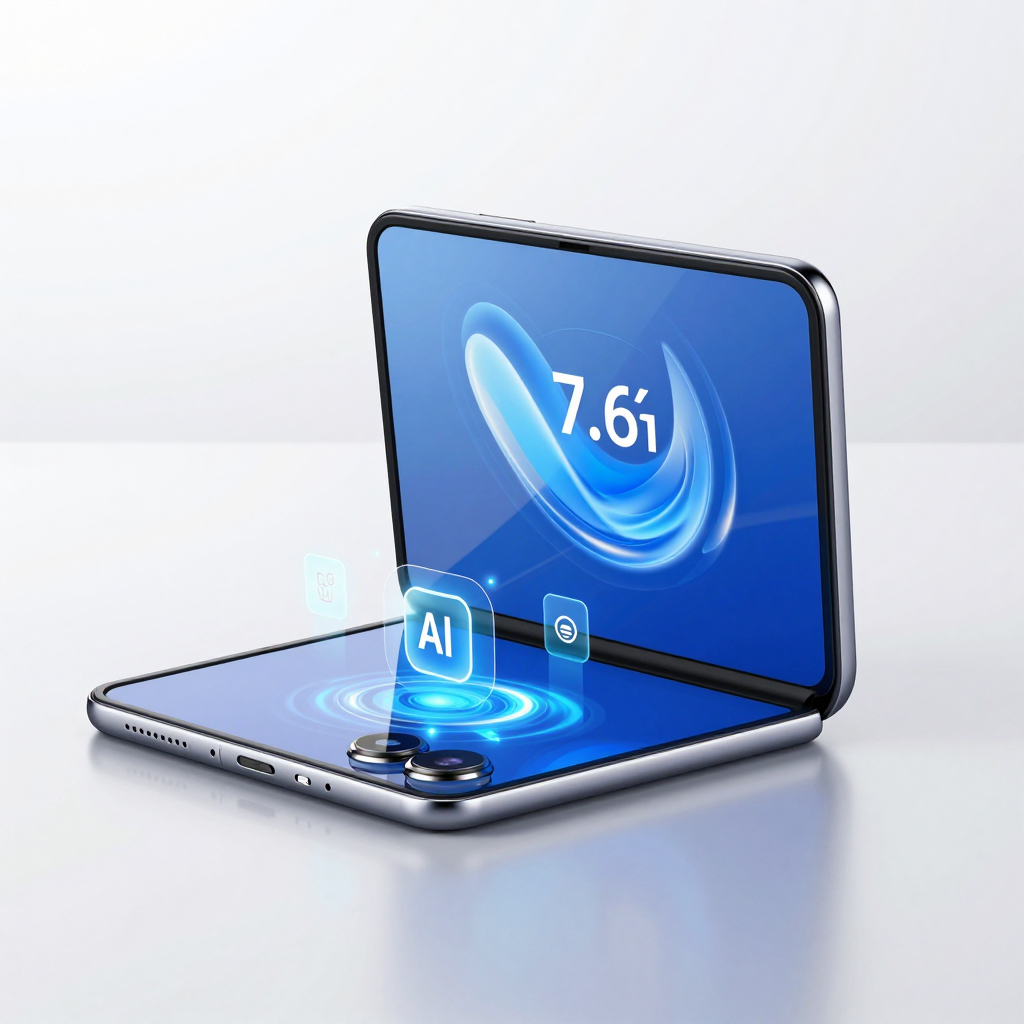
Open the folded device, and a 7.6-inch main display appears. Unlike the long, narrow screens of conventional foldables, the Galaxy Fold 8 adopts a 4:3 wide aspect ratio. This is not simply a choice to make the screen larger—it is an attempt to create a more natural bridge between the smartphone and tablet experiences.
Carry it like a passport in your pocket, then use it like a small tablet when unfolded.
The essence of the Galaxy Fold 8 lies in this very transition.
The cover screen features a 5.5-inch display with a 10:16 aspect ratio, making it well suited to everyday tasks that need to be handled quickly, such as checking messages, browsing social media, viewing maps, and watching short videos. The main screen, on the other hand, comes into its own when you need a larger workspace for documents, web pages, e-books, and multitasking.
In particular, the 4:3 aspect ratio displays PDF documents, articles, and web pages far more steadily than a vertically elongated mobile screen. With ample width from left to right when unfolded, it feels much more natural to open two apps side by side or reply to messages while reviewing meeting materials.
Its weight of around 201 grams is also significant. Foldables have traditionally been seen as devices that require users to accept extra weight and thickness in exchange for a larger screen. The Galaxy Fold 8, however, brings portability as close as possible to that of a bar-shaped flagship smartphone. In addition, the crease in the folding display has been improved to the point where it is barely noticeable, greatly reducing the sense of unfamiliarity that comes from using a “specialized device” when the screen is unfolded.
Ultimately, the Galaxy Fold 8 is more than just a smartphone that folds. When needed, it becomes a phone that fits comfortably in one hand; when focus is required, it transforms into a mini tablet. If screen size alone was once the reason to choose a foldable, now the very idea of gaining portability and workspace at the same time can become the reason to make the switch.
Galaxy Fold 8: How 201g and a Vanishing Crease Are Changing the Foldable Experience
The complaints most commonly associated with foldable phones have always been clear: they are heavy, and the crease in the center of the display is distracting. No matter how convenient the larger screen and multitasking capabilities may be, these are two areas that are difficult to compromise on in a smartphone used every day.
The Galaxy Fold 8 takes direct aim at this long-standing formula. Its key strengths are its 201g weight and the dramatically reduced crease, which is far less noticeable during use.
201g: Light Enough to Make You Forget It’s a Foldable
The Galaxy Fold 8 weighs 201g. Considering its large-screen foldable design, that is an impressively aggressive figure. Previous-generation foldables often felt heavier than conventional slab-style smartphones because of their expansive inner displays and hinge mechanisms.
The Fold 8, however, delivers a form factor roughly the size of a passport when folded while keeping its weight just above 200g. It is designed to reduce the distinctive burden of a foldable when slipping it into a pocket or checking messages with one hand.
Portability is about more than just a number.
- The amount of time you spend holding it with one hand during your commute
- The fatigue you feel in your wrist while watching content in bed or on the sofa
- How noticeable it feels in a coat or trouser pocket
- The experience of reading documents or web pages for extended periods with the phone unfolded
As these everyday moments add up, even a small difference in weight becomes highly noticeable. The Galaxy Fold 8 is a product that seeks to weaken the foldable industry’s old assumption that users must “put up with extra weight to enjoy a larger screen.”
An Almost Invisible Crease Brings Back Full Immersion
The crease in a foldable display has traditionally been difficult to avoid from a technological standpoint. With a structure that folds and unfolds, some trace at the center of the screen has been almost inevitable. The problem is that this trace is more than a minor visual imperfection.
When viewing a web page with a white background, reading an e-book, or swiping across the center of the display, the crease repeatedly drew the user’s attention. It constantly reminded them that they were looking at a “folding screen.”
The Fold 8 significantly reduces the crease by improving its hinge and display structure. Reviews from hands-on media experiences have consistently noted that the curvature at the center of the screen is barely visible, while the unusual sensation felt under the fingertip has also been greatly reduced.
This change is especially important on the 7.6-inch, 4:3 main display. The Fold 8 is designed to handle documents, PDFs, e-books, and web pages much like a small tablet. The less disruptive the center of the screen becomes, the more clearly the advantages of its expansive display come through.
The true refinement of a foldable is determined by whether it still looks like a “folding device” once the screen is unfolded.
Improving Both Portability and Immersion at Once
The 201g weight and reduced crease may appear to be separate specifications, but in practice, they come together as a single user experience. A lighter device encourages you to unfold it more often, while a more natural-looking screen makes you want to use that larger display for longer.
The Galaxy Fold 8 is not simply a product with a wider 4:3 aspect ratio. It is a model that refines the fundamental character of foldables so that it feels closer to a conventional smartphone when carried and more natural to use like a mini tablet when unfolded.
Ultimately, the core of this evolution is simple: the weight and crease once considered unavoidable compromises of using a foldable are no longer conditions users have to accept as a given.
Inside the Small Tablet Created by the Galaxy Fold 8’s 3,000-Nit Display and Snapdragon 8 Elite
The weaknesses of foldable phones have always been clear. Under direct sunlight, the advantage of a large display becomes less noticeable, while using multitasking and AI features together on a bigger screen puts additional strain on the battery. The Galaxy Fold 8 takes on all three challenges head-on through a combination of display, processor, and battery technology.
A Display with up to 3,000 Nits for Clear Visibility Outdoors
The Galaxy Fold 8’s main display is a 7.6-inch foldable OLED panel with a 4:3 aspect ratio. Its peak brightness is reportedly in the 3,000-nit range. This is not simply about achieving a high number on paper—the display is designed to provide enough visibility to easily check maps, messages, documents, and photos even outdoors under strong sunlight.
The advantage of a 4:3 aspect ratio lies in its spacious workspace. Compared with existing foldables that are taller and narrower, it is more comfortable for viewing document-focused content such as webpages, PDFs, e-books, emails, and spreadsheets. This is why, when unfolded, the device feels more like a small tablet than a smartphone.
- Cover display: 5.5 inches, 10:16 aspect ratio
- Main display: 7.6 inches, 4:3 aspect ratio
- Peak brightness: Around 3,000 nits
- Key uses: Document viewing, web browsing, e-books, multitasking, and content consumption
When watching videos, black bars may appear at the top and bottom because of the nature of 16:9 content. However, thanks to the expansive display area, the experience is not expected to feel particularly cramped. On the other hand, the 4:3 screen is far more practical for workflows such as placing two apps side by side, viewing reference material on one side, and taking notes on the other.
Snapdragon 8 Elite 5th Gen at the Heart of Large-Screen Multitasking
The Galaxy Fold 8 is equipped with the Snapdragon 8 Elite 5th Gen for Galaxy. This is the latest flagship chipset, featuring not only high-performance CPU and GPU capabilities but also enhanced NPU performance for AI processing.
The processor plays an even more important role in a foldable than in a conventional smartphone. Because the screen is larger, users are more likely to run multiple apps at once, while tasks such as high-resolution image editing, gaming, and split-screen work require the device to process larger amounts of data. Once Galaxy AI-powered features are added to the mix, chipset performance and power efficiency directly shape the real-world user experience.
The Galaxy Fold 8 can particularly showcase the strengths of its latest processor in situations such as:
- Split-screen multitasking with multiple apps running at the same time
- AI-powered tasks that quickly organize lengthy documents, meeting notes, and memos
- Computationally demanding image processing, including photo editing and generative editing
- High-end gaming and high-quality content enjoyed on a large screen
- Everyday Galaxy AI applications, including interpretation, translation, and summarization
Samsung is positioning the Fold8 as an “AI foldable.” In other words, the large display is not merely a space for watching videos on a bigger screen. It expands into a workspace where users can review and edit AI-organized information while handling multiple tasks simultaneously.
A 4,800mAh Battery and 45W Charging Designed for Extended Performance
A large display, high brightness, and a powerful processor are all closely tied to power consumption. To handle these demands, the Galaxy Fold 8 supports a 4,800mAh battery and up to 45W wired charging.
For a foldable equipped with a 7.6-inch display, battery capacity is more than just a number. Users who frequently operate the screen at high brightness outdoors or make regular use of multitasking and AI features may notice a significant difference in everyday battery life. The 4,800mAh configuration can be seen as a choice aimed at balancing portability and usage time within a thinner, lighter form factor.
45W wired charging is another practical advantage. Whether charging briefly before heading out or quickly topping up the battery during work, it helps reduce the burden of using a large-screen foldable. However, actual charging speeds and battery life may vary depending on screen brightness, network conditions, and how often gaming, camera, and AI features are used.
The core of the Galaxy Fold 8 is not simply that it “fits in a larger screen.” Its significance lies in the way it is designed to use that bright display outdoors, handle AI and multitasking with the latest chipset, and sustain the experience with a 4,800mAh battery.
Ultimately, the Galaxy Fold 8 does not present itself as a compromise between a smartphone and a tablet. Instead, it points toward something closer to a compact AI tablet that unfolds whenever you need to get work done.
Galaxy Fold 8: The Moment Galaxy AI Unfolds, the Foldable Becomes a Tool
What if the reason for unfolding the screen wasn’t simply to watch videos on a larger display? The Galaxy Fold 8 combines a 7.6-inch 4:3 main screen with the latest Galaxy AI, positioning itself as an “AI workspace” that bridges the gap between a smartphone and a tablet.
When folded, it can be used like a regular smartphone for checking messages and answering calls. But when it’s time to organize call logs or review meeting materials, you can unfold the screen. The large display is transformed from a space that merely enlarges content into a workspace for viewing, understanding, and organizing information.
A More Natural AI Workflow on a Wider Screen
The Galaxy Fold 8’s 4:3 aspect ratio is well suited to handling content with long vertical scrolling, such as documents, webpages, PDFs, and notes. It feels natural to display the original text or meeting materials on one side while checking summarized notes or translated results on the other.
Galaxy AI is particularly well matched to the foldable’s expansive screen in situations such as:
- Call and message translation: Quickly checking translations when communicating with overseas business partners or acquaintances
- Meeting transcript and note summaries: Organizing lengthy meetings around key points
- Document summarization and organization: Quickly grasping the essential content of long articles, reports, and emails
- Photo generation and editing: Removing unwanted subjects or adjusting the composition while viewing the results at a larger size
- Multitasking: Displaying a browser, messenger, and notes simultaneously to research information and take notes at the same time
On a small screen, AI can easily be limited to simply showing users the results. On the Fold 8, however, the original content and AI-generated results can be viewed together, making it much easier to review and revise the content as well.
An “AI Tablet” Experience Powered by a High-Performance AP and a Large Display
The Galaxy Fold 8 is equipped with the Snapdragon 8 Elite 5th Gen for Galaxy. This platform features not only high-performance CPU and GPU capabilities, but also an enhanced NPU for AI processing, supporting Galaxy AI functions that require substantial computing power, such as real-time translation, image editing, and text summarization.
Combined with a 4,800mAh battery and up to 45W wired charging, the device is designed with usage scenarios in mind where the large screen and AI features are used frequently. It is configured to help reduce battery strain even during tasks that require the screen to remain unfolded for extended periods, such as reviewing documents, attending video conferences, and editing photos.
Not a “Large Smartphone,” but a Portable Workspace
The value of a foldable cannot be explained by screen size alone. The Galaxy Fold 8 is meaningful because it is a passport-style device that fits in your pocket, yet can unfold into a small tablet whenever needed to perform AI-powered tasks.
Organizing key points after a meeting, understanding messages in a foreign language, and immediately refining photos you have taken—when these everyday tasks accumulate, the Fold 8 becomes something closer to a practical tool than simply a premium smartphone. The moment the screen unfolds, the foldable transforms from a content-consumption device into your own personal AI workspace.
Who Is the Galaxy Fold 8, Starting at Around ₩2.28 Million, Really For?
The official price of the base Galaxy Fold 8 with 256GB of storage is ₩2,278,100. The fact that it is ₩101,200 cheaper than its predecessor is certainly welcome news. However, this is not a product to approach casually just because it is being described as a “price cut.” The 512GB model rises to around ₩2.53 million, while the 1TB version reaches approximately ₩3.15 million. The Fold 8 Ultra starts at around ₩2.57 million, with the high-capacity Ultra model climbing to roughly ₩3.45 million.
Ultimately, the key question with this lineup is not simply, “Should I buy a more expensive foldable?” It is deciding first which value matters most to me in a foldable: portability, screen size, camera performance, or storage capacity.
Who Should Choose the Base Galaxy Fold 8?
The base model is the most well-balanced option. It weighs 201g, has a folded size close to that of a passport, and features a 7.6-inch 4:3 main display. If your goal is to carry it around like a regular smartphone and unfold it into a small tablet whenever needed, the base model alone is enough to deliver the core Fold 8 experience.
It is particularly well suited to users who:
- Frequently browse the web, read e-books, or check documents during their commute
- Want to use the cover screen for KakaoTalk, social media, and email while reserving the main screen for work documents and multitasking
- Want the large display unique to a foldable but find heavy, bulky devices burdensome
- Prioritize portability, screen proportions, and Galaxy AI features over camera performance
- Are considering using a foldable as their primary smartphone for the first time
The base model’s 4:3 display is less a screen designed purely for watching videos and more a screen for reading, writing, and organizing. If you often open a PDF while keeping a messenger app on-screen, or view a webpage and take notes simultaneously, the difference compared with a conventional bar-type smartphone is substantial.
Is 256GB of Storage Enough?
The most reasonably priced model comes with 12GB of RAM and 256GB of storage. If you make active use of cloud storage, do not take a large number of photos and videos, and do not install many games, 256GB may be sufficient for everyday use.
However, foldables are easy to expand into devices for video editing, document work, high-capacity games, and multimedia consumption by taking advantage of their large screens. If you expect to use the phone this way, there is a good reason to consider the 512GB model.
| Usage Pattern | Recommended Storage | |---|---:| | Primarily messaging, social media, web browsing, and everyday photography | 256GB | | Heavy use of photo and video capture, gaming, and work-file storage | 512GB | | 4K video, large games, content creation, and plans for long-term use | 1TB |
The 1TB model does offer the advantage of 16GB of RAM, but its price exceeds ₩3.15 million. Unless having the “highest specifications” is the goal in itself, the base 256GB or 512GB model may be a far more realistic choice.
What You Gain—and Give Up—by Moving Up to the Ultra
The Fold 8 Ultra is not simply a higher-end model with a slightly larger screen. With an 8-inch 4:3 main display, a 5,000mAh battery, and a 200MP primary camera, it is closer to a tablet-style foldable. Starting at around ₩2.57 million—approximately ₩300,000 more than the base model—it is structured around gaining a larger screen, a bigger battery, and a more capable camera in exchange for the price difference.
The users who are best suited to the Ultra are clear:
- Those who actively use their smartphone camera for work or content creation
- Those who do not want to compromise on photo and video quality
- Those who spend long periods working on documents, editing videos, or playing games on a large screen
- Those who want a 5,000mAh battery to reduce the burden of frequent charging
- Those who prioritize top-tier specifications and expandability over price
On the other hand, if you rarely use the camera, find the 7.6-inch display sufficient, and value portability more highly despite the added cost over the base model, the Ultra’s value diminishes. The Ultra is not a model for everyone; it is designed for users who want to use a foldable as more than a smartphone—as a full-fledged work device.
Conclusion: Choose the Galaxy Fold 8 Based on How You Use It, Not Just Its Price
The Galaxy Fold 8’s starting price of around ₩2.28 million is undeniably a high barrier to entry. However, by lowering the price compared with its predecessor while still offering a wide 4:3 display, a 201g body, an improved crease, and Galaxy AI, the base model’s overall appeal has become more distinct than before.
The simplest way to decide is as follows:
- If your goal is portability, balance, and an introduction to foldables → Fold 8 256GB
- If you want ample room for photos, videos, games, and work files → Fold 8 512GB
- If you place the camera, battery, and large display above everything else → Fold 8 Ultra
The Fold 8 is no longer merely a “novel secondary device.” It is a product for people who want to combine the roles of a smartphone and a tablet into a single device. Before buying, then, it is better to think first about what you will actually unfold it to do every day, rather than simply comparing official prices.
Comments
Post a Comment