How NPU-Powered AI PCs Are Shaping the Future of Edge AI: 7 Reasons On-Device LLMs Are Gaining Attention
 \n
\n
Edge AI: AI Keeps Going Even When the Cloud Stops
What if a meeting recording could be summarized instantly—even after the internet cuts out on a plane—and source code could be autocompleted without ever being sent to an external server?
This is no longer a story from the distant future. The most exciting shift in Edge AI began when AI moved beyond the traditional model of passing through cloud data centers to generate an answer and started operating directly inside the user’s PC.
The Place Where AI Runs Is Changing
Traditional cloud AI works by sending a user’s question or file to a server, having the server process it, and then receiving the result. This approach offers access to powerful large-scale models, but it also depends heavily on network connectivity and server response times.
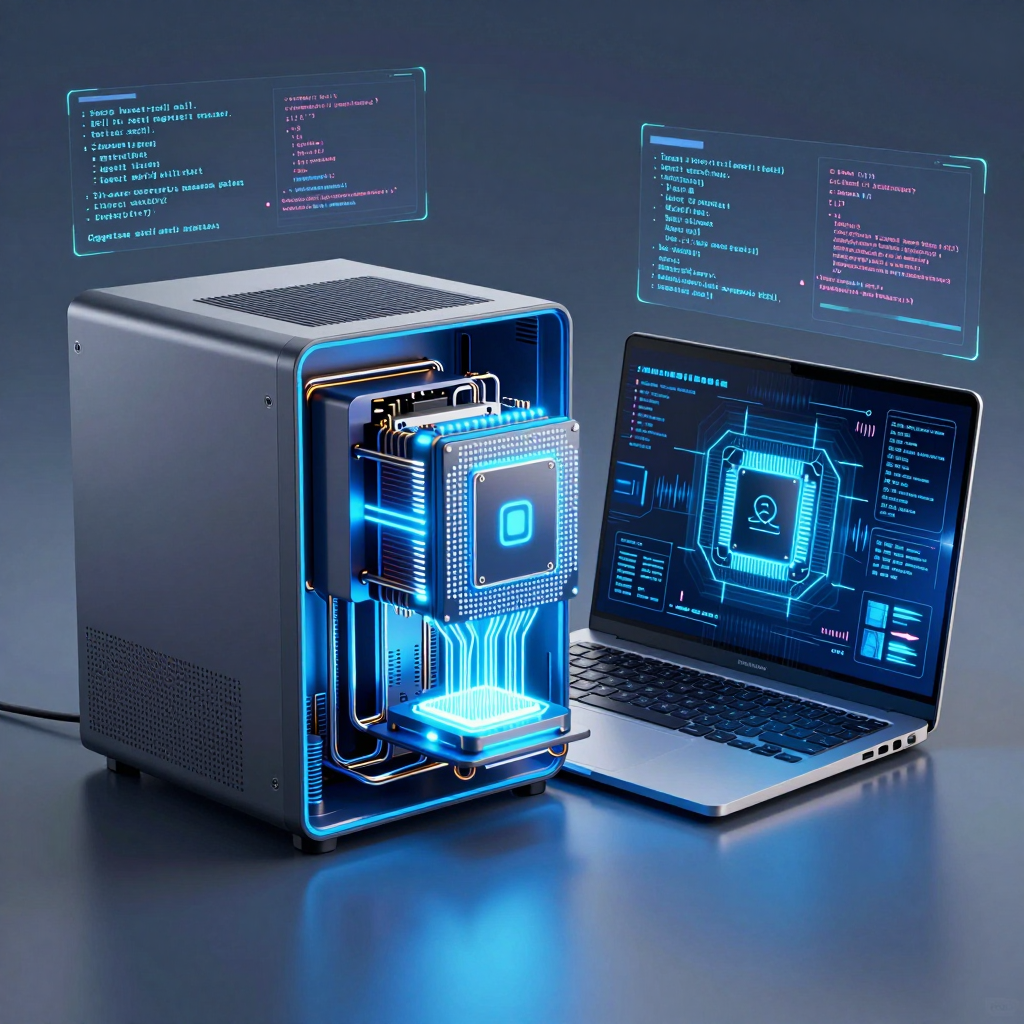
Edge AI, by contrast, performs AI inference close to where data is generated—whether that data takes the form of documents, voice, images, or code. On an AI PC, the CPU and GPU work alongside an NPU (Neural Processing Unit), which is specialized for AI workloads. In other words, a user’s laptop becomes more than a simple productivity tool: it becomes a compact AI environment.
This architecture makes experiences like the following possible:
- Convert meeting audio into text and summarize key points without an internet connection
- Analyze sensitive internal documents and source code without sending them to external servers
- Run real-time translation, noise cancellation, and caption generation instantly
- Deliver consistent AI capabilities even while traveling or working in areas with unstable network conditions
Reduce Latency, Protect Privacy
Cloud-based AI must send a request, wait for the server to process it, and then receive the result. When tasks are complex or network conditions are unstable, response times can stretch from hundreds of milliseconds to several seconds.
Edge AI shortens this round trip. Because the model runs inside the PC, network latency disappears—giving Edge AI a particular advantage in tasks that demand immediate responses, such as voice and video processing. That is why features like background-noise removal and real-time captions feel so natural during video conferences.
The impact on privacy is equally significant. Data that is difficult or risky to send externally—such as contracts, customer information, medical records, and source code under development—can be processed without ever leaving the device. This is why businesses evaluating AI adoption care about data sovereignty and regulatory compliance just as much as performance.
The core value of Edge AI is not simply that it “works offline.”
Its real strength lies in responding faster, sending less data outside the device, and safely understanding the user’s working context right where it happens.
AI PCs Become Personal AI Infrastructure
An AI PC’s NPU is not designed to replace large server GPUs outright. Instead, it is a specialized engine built to handle repetitive, always-on AI workloads while using minimal power.
For example, summarizing context while writing a document, identifying speakers during a meeting, enhancing camera footage, and organizing email drafts are tasks that occur continuously throughout the day. Sending every one of these tasks to the cloud can increase costs, latency, and battery consumption. The NPU takes on the role of running these everyday AI features in a battery-friendly way.
Of course, not every model will move entirely onto local devices. Cloud computing will remain advantageous for extremely large-model inference, searches for the latest external information, and large-scale data analysis. The standard of the future is unlikely to be a choice between cloud and on-device AI. Instead, it will most likely be hybrid AI, which determines where a task should run based on its sensitivity, speed requirements, and complexity.
But one thing is already clear: a major shift has begun. An internet connection is no longer a prerequisite for using AI, and personal PCs are steadily evolving into increasingly powerful local AI companions.
How Edge AI Is Redefining Speed, Cost, and Security
Even sending a single question to cloud AI involves a long chain of invisible steps. The user’s input travels across the network to a server, which processes the request and sends the result back. If the network is unstable or the server is congested, even a short question can receive a delayed response.
By contrast, Edge AI processes data generated on the user’s device—such as keyboard input, voice, and camera footage—directly on that device. Instead of running on a distant server, the AI operates on the NPU, GPU, or CPU inside a laptop. This difference goes beyond being simply “a little faster”; it changes the way AI features are used altogether.
Eliminating Network Round Trips Changes Responsiveness
The most intuitive advantage of on-device AI is reduced latency. Cloud-based inference can typically involve response times ranging from several hundred milliseconds to a few seconds. By contrast, vision and voice tasks running directly on a device can be processed in the single-digit to tens-of-milliseconds range, while optimized small LLMs are also designed to deliver an extremely fast initial response.
This difference is especially noticeable in situations such as:
- Real-time noise cancellation and caption generation during video conferences
- Translation that works simultaneously with voice input
- Instant summaries and sentence suggestions while writing documents
- Immediate recognition of faces, backgrounds, and gestures in camera footage
- AI-assisted features in mobile environments with unstable internet connections
Instead of making a request to AI and waiting, users receive assistance naturally within their workflow. In other words, AI becomes a foundational capability woven into the operating system and applications, rather than a separate service.
AI Operating Costs Shift from “Per-Call Billing” to “Investment in Devices”
From a corporate perspective, the larger shift lies in the cost structure. Cloud AI generally incurs costs based on the number of API calls, the number of tokens processed, and server usage. As the number of users grows and AI features are used more frequently, operating costs rise accordingly.
Edge AI partially changes this equation. On devices equipped with AI PCs and NPUs, local inference is possible, reducing external API calls for repetitive tasks such as summarization, classification, translation, and voice processing.
| Category | Cloud AI | On-Device Edge AI | |---|---|---| | Processing location | Remote data center | Inside the user’s PC or laptop | | Primary sources of latency | Network, server wait time, inference time | Device performance, model size | | Cost structure | Continues to increase with calls and token usage | Centered on device purchase and power consumption | | Network dependency | High | Low or none | | Handling of sensitive data | Potential for external transmission | Can be processed entirely on the device |
Of course, on-device AI does not eliminate all cloud costs. The cloud may still be better suited to tasks that require substantial computing power, such as running large-scale models, searching for the latest external information, or performing complex long-form reasoning. The realistic path forward is hybrid AI, which divides tasks between those that should be handled quickly on the device and those that should be delegated to the cloud.
The Security Value of “Never Leaving the Device”
Documents, source code, meeting recordings, and customer information are among the most sensitive forms of corporate data. When using cloud AI, organizations must continually review the scope of data transmission, storage policies, access permissions, and regulatory compliance.
On-device processing can reduce this burden. When a local LLM analyzes documents and code on a PC, it can provide summarization, search, and writing assistance without transmitting the original data to an external server. This is why Edge AI is attracting attention in industries where data transfer is particularly sensitive, including healthcare, finance, the public sector, law, and research and development.
However, “local execution” does not automatically mean perfect security. Device encryption, user permission management, verification of model updates, and protection against malware must be implemented separately. The key point is that instead of extending the security boundary all the way into the cloud, it can be narrowed further—inside the user’s device.
Ultimately, the competitiveness of an AI PC cannot be explained by NPU performance figures alone. The core question is whether it can deliver three things at once: fast responsiveness, predictable costs, and control over data. Edge AI is transforming AI from a service located somewhere far away into a personal computing resource that works right beside you.
In the Age of Edge AI, Why Is the NPU the Heart of the AI PC?
If the CPU is a general-purpose brain capable of handling every kind of task, the GPU is a high-performance worker built for massive parallel computation. The NPU (Neural Processing Unit), by contrast, is a low-power specialized engine designed specifically for AI inference. It handles AI tasks that run repeatedly throughout the day—such as document summarization, real-time translation, background noise removal, and camera effects—while minimizing the burden on the battery.
The real-world performance users experience on an AI PC is not determined solely by “how many TOPS of AI performance” it delivers. What matters more is how the CPU, GPU, and NPU divide up tasks, and how efficiently they manage power consumption and heat during the process.
Dividing Roles Among the CPU, GPU, and NPU
An AI PC is not built around a single processor handling every AI task. Instead, it uses a heterogeneous computing architecture that assigns each task to the processing unit best suited for it.
| Processor | Core role | Strength in AI workloads | |---|---|---| | CPU | Operating system, app execution, control logic | Complex sequential processing and general-purpose tasks | | GPU | Graphics and massive parallel computation | Image generation, large-model processing, high-performance inference | | NPU | Low-power AI inference | Always-on voice, vision, and language AI features |
The CPU controls the overall flow of applications and handles user input, file processing, and operating system tasks. However, when AI model inference—filled with repeated matrix multiplications and tensor operations—is handled solely by the CPU, power consumption and heat can rise rapidly.
A GPU can process thousands of operations simultaneously, making it ideal for workloads that require high throughput, such as image generation, video editing, and running large language models. But a GPU consumes significant power precisely because it is so powerful, which can make it impractical to keep running continuously on a battery-powered laptop.
This is where the NPU comes in. The NPU is designed to perform neural network operations—particularly large volumes of multiply-accumulate calculations—efficiently. Its processing scope is narrower than the GPU’s, but for designated AI inference workloads, it can deliver stable performance while consuming far less power.
Why “Always-On AI” Needs an NPU
The core principle of Edge AI is to process data instantly on the device instead of sending it to the cloud. On an AI PC, this principle becomes woven into the user’s everyday workflow.
For example, during a video conference, the following features can run continuously:
- Removing background noise from microphone input
- Tracking people and blurring the background in webcam footage
- Generating and translating captions in real time
- Correcting eye gaze, automatically framing the shot, and recognizing facial expressions
- Summarizing the meeting and generating notes locally
These are not one-time tasks. They continue running for the entire duration of the meeting. If the CPU or GPU handles all of them, battery drain and heat generation increase, potentially affecting the performance of other programs as well. The NPU, by contrast, processes always-on AI workloads with low power consumption, helping users keep AI features enabled without significantly reducing their laptop’s runtime.
In other words, the NPU is not merely a chip that makes AI faster. It is the key component that transforms AI into a feature that is available at all times.
What the NPU Does Best: Repetitive, Inference-Centered Tasks
Today’s AI PC NPUs are less like devices that train massive models from scratch and more like inference engines that run already-optimized models. They are particularly well suited to tasks such as:
- Summarizing short documents and emails
- Searching and answering questions based on local documents
- Real-time speech recognition and translation
- Recognizing objects, faces, and gestures in camera footage
- Suggesting sentences based on keyboard input
- Image upscaling and background separation
- Repetitive code autocompletion and simple refactoring suggestions
These functions benefit from models that are small and fast. That is why models designed for AI PCs typically undergo optimization processes such as quantization, pruning, and knowledge distillation. For example, reducing a model from FP32 precision to INT8 or INT4 can lower memory usage and computational demands. As a result, the model can run faster and more efficiently on an NPU.
Power Efficiency Matters More Than Raw Performance
When evaluating an AI PC, it is important to look beyond the NPU’s raw processing performance and consider both performance per watt and real-world usage scenarios. Even a high TOPS figure may be difficult for users to appreciate if model support and software integration are lacking.
Conversely, when the NPU, operating system, and applications are tightly integrated, users can enjoy experiences such as the following without complicated setup:
Translation and speech recognition continue even when the internet connection is unstable,
sensitive documents are not sent to external servers, and
battery life does not drop dramatically even with AI features enabled.
That is why the NPU is called the heart of the AI PC. If the CPU and GPU are responsible for momentary performance and versatility, the NPU is the low-power engine that keeps AI features running seamlessly in everyday life. The future of the Edge AI competition will not be determined solely by who can run the largest models, but by who can make AI features feel more natural, last longer, and operate more securely.
Edge AI: The Compression Engineering Behind Fitting Giant Models into Small PCs
For an LLM with billions of parameters to run on a laptop, the model must become smaller and lighter. The challenge is not simply reducing its size. The success of on-device AI depends on how well it preserves the quality users actually experience while reducing the model’s size, power consumption, and response time.
Cloud servers can leverage massive GPUs and enormous amounts of memory, but AI PCs must operate within the real-world constraints of battery life, heat, and memory bandwidth. Edge AI, therefore, is less about “moving a large model as-is” and more about compression engineering: redesigning and optimizing the model to fit the device’s resource budget.
Quantization: Making Models Lighter by Lowering Precision
The most fundamental technology is quantization. In general, an AI model’s weights are stored in FP32, or 32-bit floating-point format. In on-device environments, however, they can be represented using fewer bits, such as INT8 or INT4, dramatically reducing the model’s size and computational workload.
For example, if the same model is stored in INT4 instead of FP32, the memory used by its weight data can theoretically be reduced to roughly one-eighth. This goes far beyond simply saving storage space, leading to effects such as:
- Reduced overhead when reading data from memory
- Fewer computations for the NPU to process
- Lower battery consumption and less heat
- Faster model loading and response times
- Greater potential to run larger models within a PC’s limited memory
However, lowering the bit count also reduces the range and precision with which numbers can be represented. If compression is applied indiscriminately, quality may decline in tasks such as context understanding, reasoning, translation, and code generation. That is why modern Edge AI development increasingly emphasizes mixed-precision methods: keeping performance-sensitive layers at higher precision while aggressively compressing less influential parts, rather than converting the entire model to the same low precision.
Pruning: Cutting Away Unnecessary Connections
Pruning is a technique for removing low-impact neurons, connections, or parameters from a model. Large language models contain enormous numbers of parameters, but not all of them are equally important during the actual inference process.
The goal of pruning is simple: identify and remove elements that contribute little to the quality of the model’s answers, leaving only the computations that matter. This can reduce the model’s size and improve computational efficiency.
However, the results of pruning can vary significantly depending on the structure involved.
- Unstructured pruning: Individual weights are removed with great precision, potentially achieving higher compression rates. However, the benefits of hardware acceleration in practice may be limited.
- Structured pruning: Structured units such as specific channels, heads, or layers are removed. Although the compression rate may be somewhat lower, the resulting model is easier for NPUs and GPUs to process, making it more favorable for real-world speed improvements.
In resource-constrained environments such as AI PCs, what matters more than how much has been deleted is whether the model has been simplified into a form that the NPU can execute efficiently.
Knowledge Distillation: Transferring the Knowledge of Large Models to Small Ones
A particularly notable approach for on-device LLMs is Knowledge Distillation. In this method, a high-performing large model serves as the Teacher, while a smaller and faster model—the Student—learns the teacher’s outputs and decision-making patterns.
The student model has far fewer parameters than the teacher, but with a well-designed training process, it can deliver quality close to that of a large model in specific tasks. For example, in clearly defined tasks such as document summarization, email writing, meeting-note organization, and code autocompletion, a small model can still provide substantial practical value.
The key is not trying to pack every piece of knowledge into the smaller model. Instead, the goal is to focus on the tasks users perform most often and the capabilities the device actually needs, creating the greatest perceived performance with limited computational resources.
Model Compression Is User Experience Design
Making a model smaller does not automatically make it better. Overly aggressive compression can reduce the accuracy and consistency of its answers, while also weakening its ability to understand long contexts. In particular, local LLMs may be limited in the length of documents they can process and the range of conversational context they can handle because of memory constraints.
For this reason, Edge AI products generally divide responsibilities by task rather than relying on a single model.
| Task Type | Suitable Local Model Strategy | |---|---| | Real-time translation and captioning | Small, fast speech and language models | | Camera effects and noise reduction | NPU-optimized vision and audio models | | Document summarization and email writing | Quantized compact LLMs | | Complex analysis and searches for up-to-date information | Hybrid AI connected to the cloud |
In other words, an AI PC’s competitive edge does not simply lie in “running a larger model.” It lies in quickly classifying a user’s request and appropriately deciding which tasks should be handled by the local NPU and which should be delegated to the cloud.
Ultimately, compression engineering is an invisible foundational technology, but it is central to the on-device AI experience. A model must be light enough for AI to operate without draining the battery excessively, respond instantly even without an internet connection, and work without sending personal data outside the PC. How intelligently a smaller model can remain—that is the real technological competition in the age of Edge AI.
From Personal PCs to a Massive Edge AI Fleet
A single AI PC may look like a personal assistant that summarizes documents, organizes meeting notes, and helps complete code. But when you look at hundreds of thousands of AI PCs across an enterprise, the story changes. Each PC becomes more than a simple workplace tool—it becomes an Edge AI node that generates data and performs AI inference.
Instead of directing every request to a single central server, enterprises can operate a massive AI execution environment distributed across their employees’ PCs.
Distributed AI Infrastructure Built by Hundreds of Thousands of PCs
For organizations that handle sensitive data—such as financial institutions, healthcare providers, manufacturers, and public agencies—sending documents, source code, or customer support records to an external cloud can be a significant burden. By processing this data on the device itself, AI PCs expand an organization’s options for security and regulatory compliance.
Each employee’s PC can handle tasks such as the following locally:
- Summarizing and searching internal documents and emails
- Code completion, refactoring, and test-draft generation
- Real-time captioning of meeting recordings and meeting-minutes creation
- Background-noise removal, speaker identification, and real-time translation in video conferences
- Suggestions for automating schedules, documents, and tasks based on individual work patterns
The key point is that these tasks do not need to send requests to a central cloud. This can reduce network latency and API call costs while ensuring that data is designed to remain within the PC.
One AI PC is a device that boosts individual productivity. But when hundreds of thousands are brought together, they become the foundation of a distributed computing architecture that can reshape how an entire enterprise processes AI.
Platform Capabilities Required to Operate an Edge AI Fleet
However, as the number of AI PCs grows, enterprises face new operational challenges. Each device may have different CPU, GPU, and NPU capabilities, while operating-system versions and security policies may also vary. In a large-scale Edge AI environment, simply installing models is not enough.
What is needed is an Edge AI platform that integrates model deployment, updates, and observability.
Hardware-specific model compilation
Even the same model must be converted and optimized for NPUs, GPUs, and CPUs. Techniques such as INT8 and INT4 quantization are especially important for reducing memory usage and power consumption.OTA updates and rollback
New models and features must be deployed safely across thousands of PCs, with the ability to revert to a previous version if problems arise.Performance monitoring
Organizations must analyze model response times, error rates, NPU utilization, and memory usage to ensure that quality is maintained in real-world work environments.Security and governance
Enterprises must manage what data local AI can access, which model versions it uses, and whether its outputs comply with business rules.
This structure combines traditional PC management with AI service operations. IT departments will now be responsible not only for patching devices, but also for managing the performance and safety of local models.
The Cloud Is Not Disappearing—Its Role Is Changing
The expansion of on-device AI does not make the cloud unnecessary. The more realistic direction is hybrid AI.
Tasks that require an immediate response or involve sensitive data can be handled by the PC’s NPU. In contrast, large-scale data analysis, inference requiring extremely long contexts, and complex generative tasks can be assigned to large cloud-based models.
By dividing responsibilities in this way, organizations can combine the strengths of each environment.
| Task Type | Best Processing Location | Reason | |---|---|---| | Real-time translation, noise removal, and screen recognition | AI PC · Edge AI | Low latency and offline operation | | Personal document summarization and local coding assistance | AI PC · Edge AI | Reduced risk of data leakage | | Large-scale report analysis and complex long-form generation | Cloud | Larger models and scalable computing resources | | Enterprise-wide knowledge search | Hybrid | Sensitive information handled locally; shared information accessed through servers |
Ultimately, competitiveness will depend not on whether everything is processed locally, but on whether organizations can intelligently determine which tasks should be processed where.
The Next Step: Local AI That Differs for Every User
The long-term potential of AI PCs extends far beyond simple local inference. Tomorrow’s Edge AI is likely to become increasingly personalized based on a user’s documents, coding habits, work methods, and preferred language.
For example, one user’s local model may learn the report formats and phrasing they frequently use, while another user’s model may become more familiar with a particular programming language and project structure. Crucially, this personalization process can take place inside the device as much as possible.
This raises two forms of value at the same time:
- Personalization performance: Instead of providing generic answers, AI delivers results that fit the user’s actual work context.
- Privacy protection: Personal work data and learning signals do not need to be transferred in bulk to external servers.
AI PCs are beginning as devices for on-device inference. But over time, they are likely to evolve into personalized Edge AI environments that understand each user, adapt locally, and collaborate with the cloud only when necessary.
When that transformation gathers momentum, the PC will no longer be merely a machine for running applications. It will become a personal AI agent that understands the user’s context—and core infrastructure for distributing and executing intelligence across the entire enterprise.
Comments
Post a Comment