 \n
\n
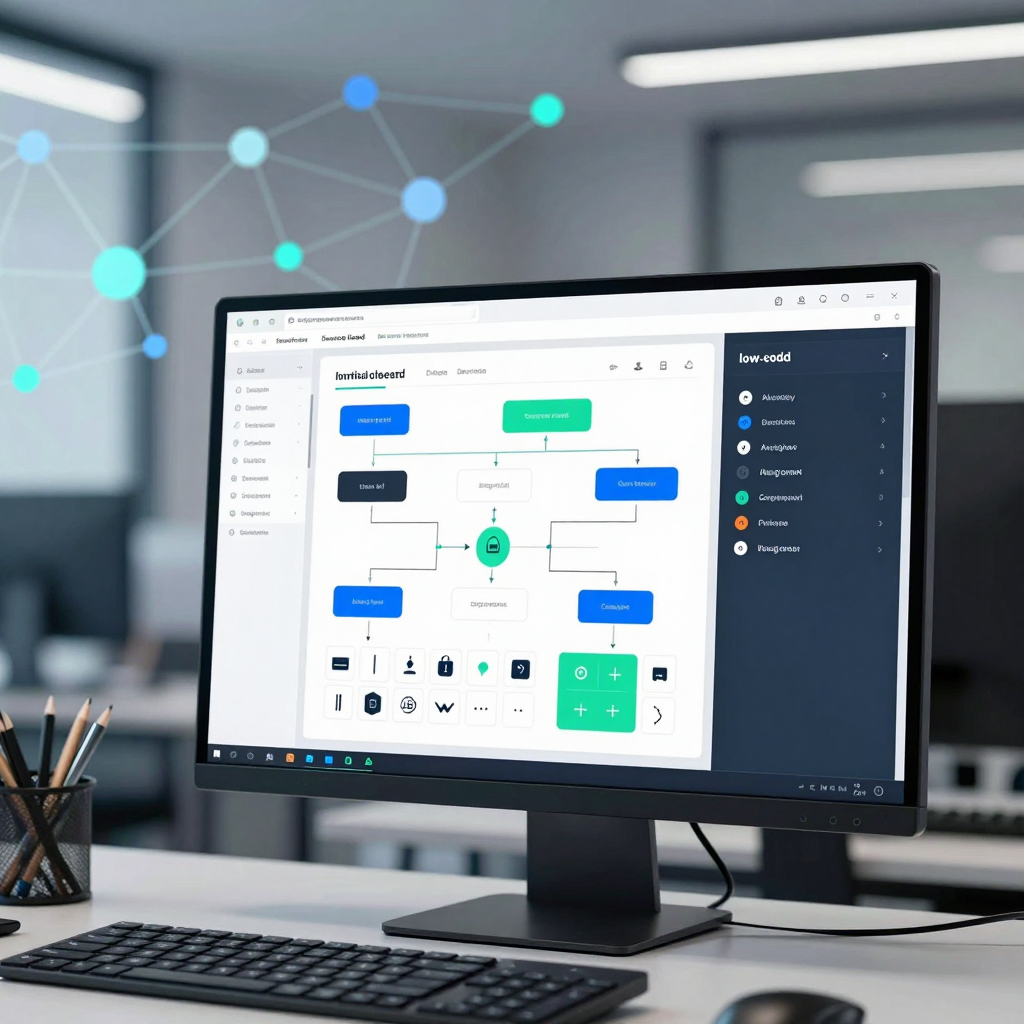
The Rise of Open-Source Low-Code: Breaking Through Development Team Bottlenecks
What if approval screens, operations dashboards, and back-office tools that once required a request to the development team every time could be built in hours—not days?
In the enterprise IT landscape of 2026, this is no longer a hypothetical question. Open-source low-code platforms are emerging as more than tools for building screens quickly—they are becoming a practical standard stack for developing internal business systems.
How Low-Code Is Changing the Way Internal Business Systems Are Built
In the past, even small internal requests were likely to pile up in the development backlog. Building a vacation or expense approval page, an inventory dashboard, a customer inquiry management screen, or a data-editing tool for the operations team required planning, design, frontend and backend development, and deployment.
However, many internal business applications share a similar structure:
- CRUD screens for viewing and editing data
- Portals that provide different menus and permissions based on user roles
- Workflows that route requests to approvers
- Automation rules that send notifications when specific conditions are met
- Tables and chart-based dashboards that display operational metrics
These repetitive tasks are a natural fit for Low-code’s visual development approach. Business users can arrange components such as forms, tables, and charts, connect databases or APIs, and configure conditional branches and approval steps. Any exceptional logic not supported by the platform can be supplemented with JavaScript, Python, SQL, or other languages.
In other words, organizations are moving away from having development teams build every screen from scratch and toward a model in which business users and developers assemble and extend internal systems together.
Why Open-Source Low-Code Is Receiving Particular Attention
Commercial, SaaS-based Low-code platforms also offer a fast development experience, but enterprises still face practical concerns. What happens if the pricing model changes? Is it acceptable to entrust sensitive data to external infrastructure? How deeply can the platform integrate with existing authentication systems and internal applications? These are just some of the key questions.
Open-source Low-code stands out in these areas:
- Self-hosting: It can be deployed directly on internal servers or in a private cloud.
- Data sovereignty: Customer information, financial data, and operational logs do not have to be moved to an external platform.
- Reduced vendor lock-in: Access to the source code means organizations are not dependent solely on the policies of a particular provider.
- Greater extensibility: Organizations can add internal authentication standards, proprietary APIs, custom UI components, and specialized approval rules themselves.
- Development workflow integration: It is easier to connect with Git, code reviews, CI/CD, and container-based deployment systems.
The key is not “building without code.” The value of open-source Low-code lies in visualizing and developing the repetitive 80–90% quickly, while controlling the remaining 10–20%—the part that differs from one organization to another—through code and source access.
Development Teams Are Not Disappearing—They Are Focusing on More Important Work
Some people worry that adopting Low-code means “replacing developers.” In the realm of internal tools, however, the opposite effect is often more significant.
Freed from repetitive administrative screens and simple request handling, development teams can focus on higher-value work such as:
- Designing core products and customer experiences
- Developing complex domain logic
- Designing security architectures and access controls
- Standardizing data models and APIs
- Strengthening performance, scalability, and incident response capabilities
- Establishing shared components and guidelines for the Low-code platform
Meanwhile, operations, HR, finance, and customer support teams can build the business screens they need more quickly using the data access permissions and standardized components prepared by the development team. Developers become not the executors of every request, but the architects of a safe, reusable internal development environment.
Why You Should Start with Internal Tools
Open-source Low-code is not a universal solution that can replace every type of service. Customer-facing services handling massive traffic, distinctive UX that serves as a core competitive advantage, and complex real-time processing systems may still be better suited to traditional high-code development.
Internal tools, by contrast, are an excellent starting point for demonstrating quick results. Consider beginning with tasks such as:
- Approval processes managed through spreadsheets and email
- Operations status screens that require checking multiple systems
- Administrative pages waiting in the development queue
- Repetitive, manual data entry and editing tasks
- Request intake and status management scattered across different teams
Start small by building a single approval portal or operations dashboard, and you will be able to see not only how much faster development becomes, but also how dramatically the workflows themselves can be simplified. In 2026, open-source Low-code is establishing itself not merely as a productivity tool, but as an operational strategy for reducing development bottlenecks and accelerating internal digital transformation.
In the Low-Code Era, Why Are Companies Turning to Open Source Instead of Commercial SaaS?
At first, a commercial SaaS-based low-code platform seems like the most rational choice. You can start building screens, connect databases, and deploy approval workflows as soon as you sign up. Since the vendor also takes care of infrastructure operations, both upfront costs and development time are reduced.
But as internal business systems multiply and become more critical, the questions begin to change:
“What happens if the pricing model changes?”
“Can we continue entrusting customer, financial, and operational data to external infrastructure?”
“How far can we go in implementing features the platform does not support?”
Convenience makes rapid adoption possible, but it does not guarantee control. This is where open-source low-code is emerging as a realistic alternative for enterprises.
SaaS Offers Speed—but It Can Also Be the Beginning of Lock-In
Commercial SaaS low-code platforms provide visual UI builders, data connectors, permission management, and automated deployment right out of the box. The ability for a small team to build a dashboard or approval portal in just a few days is clearly a major advantage.
However, as usage expands, several issues can arise:
- Unexpected cost increases as the number of users, apps, and executions grows
- Forced upgrades to higher-tier plans for advanced features, SSO, audit logs, or private network connectivity
- Functional limitations caused by dependence on the vendor’s components and integration methods
- Roadmap uncertainty resulting from changes in service policies, discontinued features, or mergers and acquisitions
- Rising migration costs as data and workflow definitions accumulate within the vendor’s infrastructure
Internal tools, in particular, rarely disappear once they are built. A system that began as a simple inventory lookup screen can expand to support approvals, settlement, customer response, and operational monitoring—eventually becoming the backbone of critical business processes. At that point, a SaaS platform is no longer just a productivity tool. It becomes foundational infrastructure that can shape how the organization operates.
Open-Source Low-Code Delivers “Controllable Speed”
The core value of open-source low-code does not lie simply in being free. Its real advantage is that companies can take greater control over the platform’s source code, deployment environment, and data flows.
With self-hosting or private-cloud deployment, internal tools and data can be operated within the corporate network. Development teams can build apps quickly through a visual development environment while still retaining the ability to extend the code and infrastructure directly when necessary.
| Perspective | Commercial SaaS Low-Code | Open-Source Low-Code | |---|---|---| | Initial adoption | Available immediately after signup | Requires installation and deployment setup | | Operational burden | Mostly handled by the vendor | The organization manages upgrades and security operations | | Data location | May depend on the vendor’s cloud | Can be deployed on-premises or in a private cloud | | Customization | Limited to what the platform allows | Extensible down to the code, plugin, and connector level | | Cost structure | May rise as usage increases | More predictable, centered on infrastructure and operations | | Vendor lock-in | Relatively high | Provides options such as forking and migration |
In other words, open source does not reproduce every operational convenience of SaaS. Instead, it offers a balance between development speed and technological sovereignty.
The More Important Data Sovereignty Is, the More the Selection Criteria Change
Internal business tools handle more sensitive information than many people realize. Customer information, contract documents, sales data, personnel records, operational logs, and inventory levels are all highly vulnerable to external leaks and access-control errors.
Deploying an open-source low-code platform on internal infrastructure makes it possible to design systems that support:
- Connecting to internal databases without exposing them to the public internet
- Authentication integrated with corporate SSO, LDAP, or OAuth2
- Department- and role-specific permission separation through role-based access control (RBAC)
- Storing audit logs and deployment histories in accordance with internal security policies
- Operation in network-segmented environments or regulated industries
Of course, open source is not automatically secure. The organization itself must take responsibility for applying patches, checking for vulnerabilities, managing secrets, and establishing backup and recovery processes. What matters, however, is that along with responsibility for security, the organization also gains the authority to make security-design decisions.
Build Standard Work Visually and Extend Exceptional Work with Code
Many internal tools consist of repeatable patterns such as viewing lists, editing data, changing statuses, requesting approvals, and sending notifications. These areas can often be implemented quickly using low-code’s visual development approach alone.
Other requirements, however, may call for code extensions:
- Non-standard integrations with internal legacy systems
- Complex settlement and validation rules
- Specialized permission-calculation logic
- UI components based on a proprietary design system
- Event-driven processing and message-queue integration
Open-source low-code is particularly strong at this boundary. Business teams can rapidly configure forms and workflows, while development teams can supplement exceptional logic with JavaScript, Python, SQL, or custom plugins. This creates a structure that preserves the advantages of visual development without trapping the organization within the platform’s limitations.
The Goal Is Not to “Abandon SaaS,” but to Preserve Your Options
Not every company needs to self-host an open-source low-code platform from day one. For small projects where rapid validation is the priority, SaaS may be more efficient. If operational resources are limited and data sensitivity is low, the convenience of a managed service may be well worth it.
However, companies seeking to standardize internal business systems over the long term should examine the following:
- Is this tool likely to manage critical business workflows three years from now?
- Can we decide where data is stored and who can access it?
- How will costs change as the number of users, apps, and automation executions increases?
- Can the platform be extended with code when its built-in capabilities fall short?
- If necessary, can we migrate to another environment?
Open-source low-code is not merely a cost-cutting tool. It is a strategy for retaining organizational control over data, code, and deployment environments while preserving the advantage of rapid internal-tool development. Before convenience turns into dependency, companies must now design not only for speed, but for control as well.
The Open-Source Low-Code Architecture Working Behind the Screen
You may have done nothing more than drag and drop a single button onto a page, but in reality, far more is happening behind the scenes. When a user clicks the button, the system may retrieve information from a database, verify the current user’s permissions, call an external API, update a business status, and even notify the person in charge.
This is why Low-code’s real competitive advantage is not its ability to build screens quickly, but its ability to visually assemble and operate the complex execution structure behind those screens. Open-source Low-code platforms are particularly well suited to internal business systems because they can be extended as needed and controlled according to an organization’s own infrastructure.
Low-Code Visual Development Studio: A Space for Designing Business Workflows Beyond the Screen
The first area users encounter is the visual development studio. UI components such as forms, tables, charts, tabs, and buttons can be placed using drag and drop, with data and actions connected to each element.
Suppose, for example, that we are building a Leave Approval screen.
- Employees enter the leave period and reason.
- Managers review requests in a table.
- When the Approve button is clicked, the status changes from
Pending ApprovaltoApproved. - The approval result is automatically delivered to the applicant and the relevant department.
In traditional development, the screen, API, data model, permission handling, and notification logic must each be implemented separately. In Low-code, however, much of this can be assembled through configuration and component composition. This does not mean that “code disappears.” Instead, the platform handles repetitive implementation, allowing developers to focus on exception logic and requirements unique to the organization.
Data and Integration Layer: The Core of Low-Code for Connecting Internal Systems
Internal tools do not exist in isolation. They typically need to connect to existing databases, ERP systems, CRMs, groupware, data warehouses, and internal authentication systems. As a result, the practical performance of an open-source Low-code platform is determined less by its UI than by its data and integration capabilities.
Platforms generally provide the following connection methods:
- Connections to relational databases such as PostgreSQL and MySQL
- Calls to REST APIs and GraphQL APIs
- Receiving and sending events through webhooks
- Integration with external SaaS products and internal business systems
- Authentication integration based on OAuth2, SSO, and LDAP
This layer involves more than simply retrieving data. It also includes mapping input values from the screen into API request formats, displaying response data in tables or charts, and showing users appropriate messages when errors occur.
The advantages of open-source Low-code become especially clear in environments that cannot be handled with standard connectors alone. If an organization relies on legacy systems, internal APIs, or specialized authentication methods, the development team can add its own connectors or plugins. In other words, rather than adapting business operations to the platform, the platform can be adapted to the organization’s technical environment.
Logic and Workflow Engine: The Structure That Turns a Button Click into Business Processing
A button is not merely an interface element. In an internal business system, a single button can serve as the starting point for executing multiple business rules.
For example, an Approve button could trigger the following flow:
- Verify that the current user has approval authority.
- Confirm that the request is actually in the
Pending Approvalstatus. - Record the change history, including the approver.
- Change the request status to
Approved. - Send the result to the HR or attendance management system.
- Send notifications to the applicant and the next person in charge.
- If processing fails, record an error log and register a retry task.
Low-code platforms represent these processes through conditional branches, triggers, actions, and state transitions. In an interface resembling a flowchart, users can define “when to execute what, and under which conditions.”
However, attempting to handle every complex business rule through visual configuration alone can make systems more difficult to manage. That is why mature Low-code platforms also support scripting languages such as JavaScript, Python, and SQL. The most practical approach is to manage standard approval flows visually while handling only complex calculations, specialized validation, and non-standard data transformations through code.
Permissions and Governance: A Critical Line of Defense for Internal Tools
Internal tools often handle sensitive information such as customer data, sales figures, personnel records, and operational metrics. As important as building screens quickly is controlling who can view and modify which data.
In an open-source Low-code architecture, the following capabilities are generally essential:
- Role-based access control (RBAC)
- Separation of permissions by user, department, and organizational unit
- Access control at the screen, menu, button, and data-row levels
- Audit logs for logins, permission changes, and data modifications
- Separation of development, testing, and production environments
- Deployment approvals and version control
For example, the finance team may be allowed to modify expense approval records, while general employees should only be able to view their own requests. Likewise, an administrator may be allowed to modify data but not change system settings. Rather than scattering these rules throughout application code, managing them consistently at the platform policy layer is a key value of Low-code architecture.
Deployment and Scalability: Where Open-Source Low-Code Stands Apart
SaaS-based Low-code platforms offer the advantage of immediate usability, but data location and platform operations may be governed by the vendor’s policies. Open-source Low-code platforms, on the other hand, can be deployed on internal servers or private clouds using Docker or Kubernetes.
This is particularly meaningful for organizations that:
- Find it difficult to store sensitive data in an external cloud
- Need to maintain existing DevOps, CI/CD, and monitoring systems
- Require deep integration with internal authentication and security policies
- Need to extend platform capabilities or the UI themselves
Being open source does not eliminate the operational burden. The organization remains responsible for updates, security patches, backups, incident response, and performance monitoring. Before adoption, it is therefore essential to verify container support, upgrade procedures, rollback capabilities, and methods for integrating logs and monitoring.
Ultimately, a good open-source Low-code architecture does not end with a “screen built quickly.” Data connections, business rules, permissions, auditing, deployment, and extensibility must all be designed as one connected flow. When the execution structure hidden behind a single button is properly understood, internal tools move beyond being simple dashboards and become operational systems that drive the organization’s real work.
Why Internal Tools Are the First to Be Automated with Low-code
Operations teams query the same data across multiple systems every day to handle customer inquiries. Finance teams review and repeatedly approve expense, procurement, and settlement requests. Development teams sometimes spend more time responding to back-office requests like “Can you just build one more lookup screen?” than developing actual product features.
But what if 80–90% of these repetitive tasks could be handled through visual configuration alone? Development priorities could shift away from building simple screens and maintaining manual processes, allowing teams to focus on customer value and core product competitiveness.
Repetitive Work Is the Perfect Fit for Low-code
Internal tools tend to follow a familiar structure. They retrieve information from databases, filter lists, update specific records, and send approval requests or notifications to the appropriate people.
These workflows are often built from a combination of the following elements:
- Tables for viewing customer, order, inventory, and contract data
- Forms for changing statuses or entering information
- Role-based access controls
- Stage-based workflows such as approval, rejection, and re-review
- Email-, messaging-, and webhook-based notifications
- Integrations with CRMs, ERPs, and internal databases
Unlike products for external customers, which often require inventing an entirely new user experience, internal work screens rely heavily on CRUD (Create, Read, Update, Delete) and standard workflows. This is exactly where Low-code platform component libraries, data connectors, and visual logic engines work most efficiently.
A Practical Way to Reduce Development Bottlenecks
Requests for internal systems may seem small, but they can significantly slow down a development organization when they accumulate. Requests such as “We need an operations status dashboard,” “We want to see approval statuses at a glance,” or “Administrators should be able to edit the data directly” are usually urgent. Yet from a product roadmap perspective, they may still rank below core product features.
This is where Low-code becomes more than a tool for shortening development time. It changes the very way an organization handles business requests.
For example, operations teams can configure data lookup screens and filter conditions themselves, while developers get involved only where technical review is required—such as authentication, permissions, complex API integrations, and exception handling. Finance teams can visually design approval stages and assignee routing, while developers focus on ensuring the reliability of audit logs and ERP integrations.
As a result, development teams can move beyond repetitive screen implementation and devote more time to:
- Developing core product features and improving customer experience
- Solving large-scale traffic and performance issues
- Advancing security architecture and data models
- Integrating complex external systems
- Building shared APIs and platform capabilities
Approval Workflows Show Automation Benefits Quickly
Approval-driven processes are especially easy to measure in terms of automation impact. Traditionally, a requester would send an approval request through a spreadsheet or messenger, the person in charge would check whether anything was missing, and the final result would then have to be recorded manually across multiple systems.
With a Low-code workflow, the entire process can become one connected flow:
- The user submits a request form.
- The approval path is determined automatically based on the amount, department, and request type.
- A notification is sent to the approver.
- The approval or rejection result is recorded in the database.
- Follow-up systems such as the ERP, messenger, or ticketing system are updated automatically based on the result.
- Managers review delayed requests, reasons for rejection, and processing times on a dashboard.
The value of this structure goes beyond simply reducing the number of clicks. Work statuses are captured as data, ownership and processing times become clear, and bottlenecks can be measured. Automation naturally leads to greater operational visibility.
Internal Tools Come with Relatively Low Failure Costs
Services used by external customers require a high level of completeness across brand experience, accessibility, performance, payment reliability, and large-scale traffic handling. Internal tools, by contrast, serve a limited user base and can receive rapid feedback directly from the people who actually perform the work.
That makes them ideal candidates for starting with a small proof of concept. Potential projects include:
- A dashboard consolidating operational metrics scattered across multiple systems
- An order and refund lookup portal for customer support teams
- An approval system for vacation, expense, and procurement requests
- An inventory anomaly alert and assignee management screen
- An administrative back office that records the history of data changes
Because business users interact with these tools every day, the impact of improvements becomes visible quickly. Teams can see whether processing times decrease, manual errors decline, and development request tickets drop noticeably.
The Key Is Not to Build Everything with Low-code
The goal of automating internal tools is not to replace traditional development. More precisely, it is about allowing each development approach to focus on the areas where it performs best.
Repetitive lookup, data entry, approval, and notification tasks can be built quickly with Low-code. In contrast, differentiating features of customer-facing products, complex domain logic, high-performance processing, and sophisticated user experiences should continue to be developed through traditional high-code methods.
The most practical strategy is:
Build standardized internal workflows quickly through visual configuration, and concentrate development capabilities on the core features that create the organization’s competitive advantage.
The reason internal tools become the first target for automation is clear: they involve a high volume of repetition, follow standardized structures, and allow results to be validated quickly. Low-code reduces that repetition and gives developers their time back, while providing business teams with the foundation to improve their own workflows.
The Final Hurdles Before Adopting Low-Code: What Matters More Than Rapid Development
Low-code platforms excel at building the first screen quickly. A dashboard, an approval form, or an inventory lookup screen can be implemented in just a few days. But the success or failure of adoption is determined not by speed on demo day, but by whether the system can still be modified, deployed, and operated reliably one year later.
Internal tools, in particular, connect to multiple departments, databases, permission systems, and existing business processes. Even when the interface looks simple, security, outages, change history, and scalability issues can pile up quickly in a production environment. Therefore, when choosing a platform, you should first determine not “How quickly can we build with it?” but “How safely can we continue operating it?”
Access Control Is a Security Design, Not a Screen Feature
Internal business applications often handle sensitive data such as customer information, HR records, financial figures, and operational logs. In such cases, simply hiding menus is not enough to provide adequate access control.
The key points to verify include:
- Role-Based Access Control (RBAC): Whether viewing, creating, editing, approving, and deleting permissions can be finely separated according to department, job function, and role
- Row- and Column-Level Permissions: Whether users can view only their own data within the same table, or mask specific fields such as salaries and national ID numbers
- Authentication Integration: Whether the platform connects to existing internal authentication systems such as SSO, OAuth 2.0, LDAP, and SAML
- Audit Logs: Whether it is possible to track who viewed, modified, or approved which data and when
- Permission Change Procedures: Whether the process of granting and revoking administrator privileges includes proper approval and record-keeping mechanisms
In a low-code environment, permission settings may appear visually simple. In practice, however, the same security policies must apply to database queries, API calls, file downloads, and administrative functions. A platform that provides only UI-level controls may create significant risks once it reaches the production stage.
Upgradeability Determines a Platform’s Lifespan
The advantages of open-source low-code platforms include access to the source code and self-hosting. The flip side is that the organization also becomes responsible for upgrades and operations.
The more heavily a platform is customized, the more quickly requirements can be addressed in the short term. However, if directly modifying the core code becomes a recurring practice, conflicts must be resolved every time a new version is released. Eventually, the “internal tool built quickly” may become a system that no one can safely touch a few years later.
Before adoption, you should be able to answer the following questions:
- Are the platform’s upgrade cycle and compatibility policies clearly defined?
- Can custom code be separated through plugins or extension points?
- Can data schemas and workflow definitions be exported and restored?
- Can changes be moved safely between development, staging, and production environments?
- Is there a way to roll back to a previous version in the event of a failure?
The ideal structure is to keep the platform’s core code as intact as possible while separating organization-specific functionality into custom components, connectors, scripts, or external APIs. This allows the organization to adopt platform updates while maintaining flexibility for internal requirements.
Visual Development Must Also Fit Within Git and CI/CD
As the number of internal tools grows, changes to screens and workflows become increasingly frequent. If no one knows who changed which condition, even a minor modification can lead to skipped approvals or data errors.
For this reason, low-code development must also be managed within the control framework of conventional software engineering.
- Can application definitions, workflows, and configuration values be placed under version control?
- Is there a diff feature for comparing changes before and after modification?
- Can review and approval procedures be established before deployment to production?
- Can API tests, permission tests, and critical workflow tests be automated?
- Can the platform integrate with Docker, Kubernetes, IaC, and CI/CD tools?
Visual editors accelerate development, but they do not automatically solve change management. In areas where business rules are critical—such as approval processes—“who changed what through drag and drop” matters just as much as a code change.
Incident Response Is the Hidden Cost of Self-Hosting
Choosing an open-source low-code platform gives you data sovereignty and control over deployment. However, it also means taking responsibility for servers, databases, backups, monitoring, security patches, and disaster recovery.
At a minimum, the following operational areas should be validated from the PoC stage onward.
| Area | What to Verify | |---|---| | Backup and Recovery | Whether application settings and databases can be backed up together, and whether actual recovery tests can be performed | | Monitoring | Whether you can monitor not only CPU and memory, but also API error rates, workflow failures, queue backlogs, and failed logins | | Logs | Whether user activity logs and system error logs can be separated and sent to a centralized logging system | | High Availability | Whether the service goes down when a single server fails, and whether multiple instances can be operated | | Secret Management | Whether database passwords, API keys, and tokens can be managed without exposing them in code or screen settings | | Incident Response | Whether failed workflows can be rerun, their causes traced, and manual corrections performed |
For automated workflows in particular, “it ran” matters less than “what happens when it fails?” For example, in a process where ERP registration, email delivery, and payment-status updates are handled in sequence, a failure at an intermediate step requires a retry policy that prevents duplicate execution and data inconsistencies.
Scalability Should Be Judged by Integration Complexity, Not User Count
Internal tools may initially be used by only one team, but a well-built system soon spreads to other departments. At that point, bottlenecks are often caused less by the number of concurrent users than by the growing number of systems and business rules that must be connected.
When evaluating scalability, examine the following:
- Whether existing databases such as PostgreSQL and MySQL can be connected reliably
- Whether REST APIs, GraphQL, webhooks, and message queues are supported
- Whether reusable connectors and shared UI components can be created
- Whether policies for API rate limits, timeouts, retries, and error handling can be configured
- Whether complex logic can be separated into dedicated microservices or serverless functions
The key principle is clear: Use low-code as the layer for rapidly building business interfaces and standard processes, while separating complex core logic into verifiable code and API layers. With this structure in place, you can benefit from the productivity of low-code while reducing long-term technical debt.
Before Adoption, Realistic Operational Validation Matters More Than a Small PoC
It is difficult to determine a platform’s true suitability based solely on comparison screens or a short demo. A PoC should target processes that are likely to encounter problems in real operations—not the simplest possible screens.
For example, it is a good idea to select tasks that include the following elements:
- A business process that connects an internal database and an external SaaS at the same time
- A process with different viewing scopes and approval permissions by role
- A request flow requiring attachments, notifications, exception handling, and audit logs
- A scenario in which deployment must take place from a development environment to a production environment
- A situation requiring failed automation tasks to be reprocessed
A platform that passes this process has a strong chance of growing beyond a simple screen-building tool into the organization’s internal business stack.
Ultimately, choosing the right low-code platform is not about how little code can be used to build something, but about how predictably it can be controlled, changed, and recovered. Rapid development is only the starting point. Only a platform that meets the standards of long-term operations can become the foundation for genuine business innovation.
Comments
Post a Comment