 \n
Low-Code: The Counterattack of Code Ownership
What happens when an application built quickly through drag-and-drop suddenly becomes locked into a specific cloud provider and vendor? At first, the speed of development may feel satisfying. But the moment you try to make even a few changes, you may find yourself constrained by the vendor’s policies, pricing plans, and limited options for extending the platform.
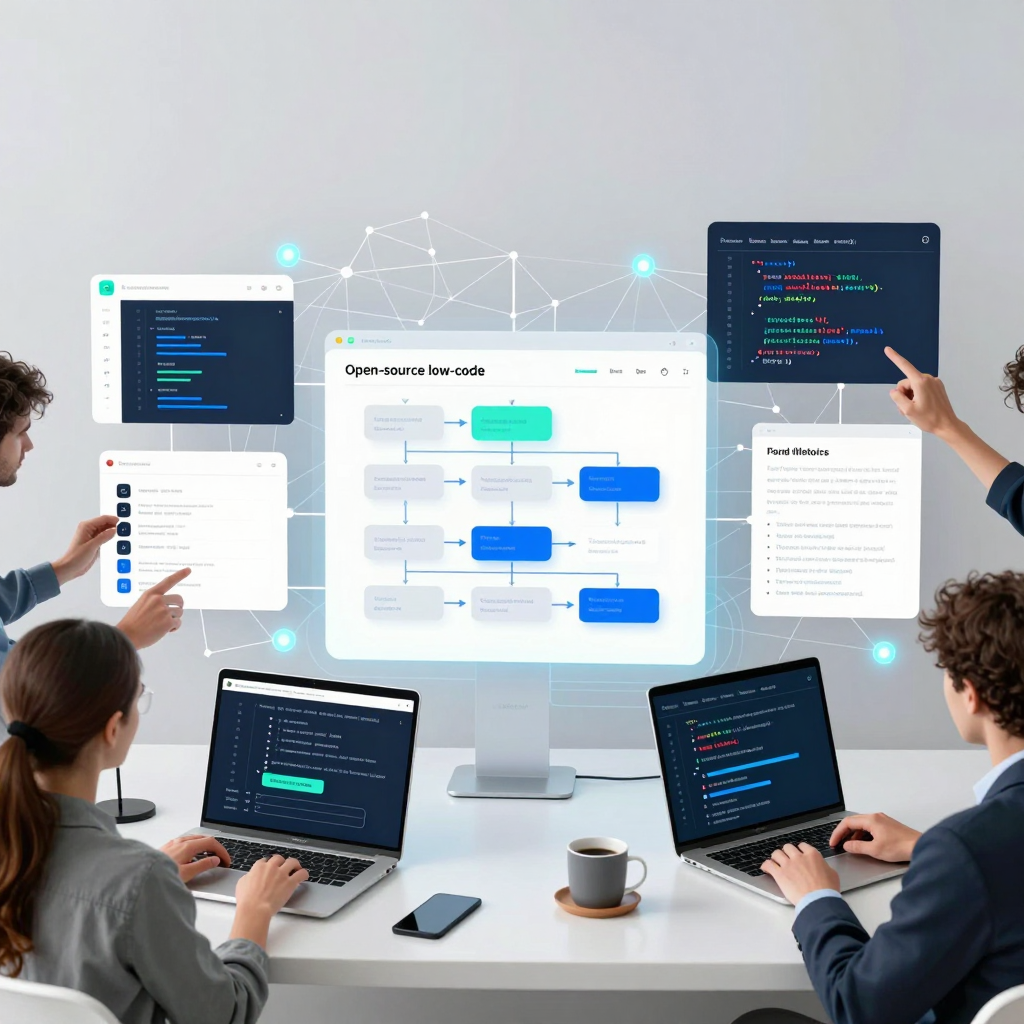
In the 2026 low-code market, the key question is no longer simply, “How quickly can it be built?” Now, who controls the code and the execution environment has become a core competitive advantage. At the center of this shift are open-source low-code platforms.
Traditional commercial low-code services excel at rapidly implementing tasks such as designing screens, connecting data, and setting up approval processes. However, the platform runtime, deployment environment, and core features are often tied to the vendor’s infrastructure. If service policies change, costs rise, or specific security requirements or legacy-system integrations become necessary, the available options can shrink dramatically.
Open-source low-code platforms, by contrast, preserve the visual development experience while making the platform’s source code available. Organizations can modify the features they need, deploy the platform on their own servers or private clouds, and expand security, auditing, and permission systems according to their internal standards.
The ability to build quickly—combined with the ability to change the platform itself when necessary.
That is why open-source low-code is attracting attention.
From a technical perspective, the process is not dramatically different from the typical low-code workflow. Users configure forms, tables, charts, and dashboards in a visual builder, then connect databases or APIs. They go on to design approval rules, notifications, conditional branches, and automated tasks as workflows. Only when complex calculations or specialized integrations are required do they supplement the logic with code such as JavaScript, Python, or SQL.
The difference becomes clear in the next stage. An open-source platform is not merely a tool for building applications. When necessary, it becomes a foundation that can itself be adapted to an organization’s technology environment. A financial institution, for example, can strengthen audit logs and access controls. A public-sector organization can operate its data on-premises without relying on an external cloud. Manufacturing and logistics companies can add dedicated connectors or screen components tailored to aging internal systems.
This trend is spreading particularly quickly across internal business tools. Operational dashboards, customer-support consoles, inventory-management screens, HR onboarding, contract approvals, and IT service requests all require both rapid implementation and continuous change. In these areas, open-source low-code offers a practical way to secure both the speed of business users and the control of development teams.
Of course, this does not mean every service should be built with open-source low-code. For products where customer experience, performance, and a distinctive frontend are central, traditional development may be the better fit. But in areas such as back-office operations, process automation, and system integration—where repeated changes are the norm—the strategy looks different.
Differentiate core products with proprietary code, while rapidly building internal tools and business automation with controllable low-code. The counterattack of low-code in 2026 is beginning with precisely this hybrid strategy.
The Execution Engine Behind Low-Code Drag and Drop
Dragging and dropping a single button onto a screen may look like a simple UI task. But inside an actual low-code platform, multiple layers are moving at once. For a feature to work, the button’s position and design must be connected not only to the data model, but also to API calls, user permissions, click events, error handling, deployment environments, and more.
The core strength of an open-source low-code platform lies not only in hiding this complexity. It also lies in the ability to look inside the underlying structure when necessary and extend it directly to meet an organization’s needs.
Screen Composition: Components Are More Than Simple Design Elements
When you place a table, input form, chart, or button in a low-code builder, the platform does not store it as a mere visual element. Each component typically includes configuration information such as:
- Component type and screen position
- Data sources and fields to display
- Input validation rules
- Whether it should be displayed conditionally
- How events such as clicks, changes, and submissions should be handled
- Read and write permissions by user role
For example, if you place an “Approve Order” button, the button contains far more than the text Approve. Its metadata may define which order status should change when it is clicked, who is authorized to execute it, whom to notify after approval, and what message to display if the operation fails.
Thanks to this metadata-centered structure, users can quickly build the foundation of an application without writing everything from scratch.
Data Models: The Layer That Defines Business Structure Behind the Screen
In low-code development, the starting point is often data rather than the screen itself. If you are building an order management tool, you need to define entities such as orders, customers, products, account managers, and approval histories.
A platform’s data-modeling features generally handle the following visually:
- Creating tables or entities
- Setting field types: text, numbers, dates, status values, files, and more
- Defining relationships between entities: one-to-one, one-to-many, and many-to-many
- Setting validation rules such as required fields, duplicate prevention, and value ranges
- Defining data access permissions and audit log policies
When a Customer Name field is connected to a form, that field is mapped to a specific database column or to data from an external CRM. When a user enters a value and clicks the Save button, the platform generates a data-change request based on this mapping.
In other words, a visual form is not an independent screen. It is an operational interface built on top of a data model.
Integration Engine: The Layer That Connects APIs and Databases
Real-world business systems rarely rely on a single database. CRMs, ERPs, payment services, messaging platforms, data warehouses, and internal legacy systems all work together. This integration layer is precisely why open-source low-code platforms are so effective for internal tools and automation.
A typical execution flow looks like this:
User event
→ Platform workflow execution
→ API or database call
→ Response data transformation and mapping
→ Screen refresh or execution of the next automation step
For example, when a customer support representative submits a “Refund Request” on the screen, the platform can perform the following steps in sequence:
- Validate that the input values are correct.
- Check the payment status in the order database.
- Send a refund request to the payment service API.
- Record the customer inquiry history in the CRM.
- Send a notification to the responsible team’s channel.
- Display the result on the screen and record an audit log.
The user may have clicked a button only once, but behind the scenes, an orchestration process connecting multiple systems is being executed.
Workflow Engine: The Mechanism That Turns Events into Business Processes
A drag-and-drop process designer is a key component of a low-code platform. It allows you to define what should happen, under which conditions, and what actions should be performed when a particular event occurs.
Common building blocks include:
- Triggers: Form submissions, data changes, scheduled times, and incoming webhooks
- Conditions: Whether an amount exceeds a certain threshold or whether manager approval is required
- Actions: Creating or modifying data, calling APIs, and sending email or messaging notifications
- Branches: Approval or rejection, success or error, and domestic or international order processing
- Waiting and retries: Waiting for a specific approval or retrying a failed API call
This structure translates the if, else, loops, asynchronous calls, and exception handling that developers traditionally wrote in code into visual flows. However, not every complex calculation or special exception can be fully visualized. In such cases, scripts written in JavaScript, Python, SQL, or other languages can be inserted to fill the gaps in the workflow.
Permissions and Governance: “Who Can Do What?”
In business applications, permission management is just as important as feature implementation. Even on the same order management screen, operations staff may need to edit orders, the accounting team may need to view only refund records, and administrators may need to audit the entire history.
Open-source low-code platforms generally provide security layers such as:
- Role-based access control (RBAC)
- Permissions at the screen, component, and menu levels
- Access restrictions at the data-row or field level
- API authentication and token management
- Change histories and audit logs
- Separation of development, testing, and production environments
In particular, self-hosted environments allow organizations to directly integrate the platform with their SSO, internal authentication systems, network policies, and security solutions. This makes self-hosting an important consideration for organizations in finance, healthcare, the public sector, and manufacturing that handle sensitive customer data or internal operational information.
The Difference Open Source Makes: Adjusting the Boundaries of Abstraction
Commercial SaaS-based low-code tools also support visual development and automation. However, it is difficult to change how the platform itself works. Open-source platforms, on the other hand, preserve the convenience of abstraction while allowing organizations to descend into the underlying layers whenever necessary.
Based on the source code, organizations can consider extensions such as:
- Adding UI components aligned with the internal design system
- Integrating with legacy authentication methods and permission structures
- Implementing audit and data-retention policies for specific industries
- Developing dedicated connectors that comply with internal API specifications
- Tuning execution engine performance for large-scale usage
- Configuring on-premises or air-gapped deployment environments
Ultimately, an open-source low-code platform is not a “tool that eliminates the need to write code.” It is closer to a development environment where repetitive tasks are handled quickly through visual interfaces, while areas requiring differentiation can be extended through code and infrastructure control.
Drag and drop is not magic that makes complexity disappear. It is a way of separating complexity into manageable layers. And open source gives organizations the freedom to make their own choices all the way down to the deepest layers of that structure.
Low-code: From Internal Tools to Enterprise Operating Systems
What if you could go beyond building a single dashboard to display inventory levels—and connect your CRM, ERP, databases, and message brokers into one seamless workflow?
Open-source Low-code platforms are no longer simple tools for building screens. They are evolving into an operational integration layer that connects systems and data scattered across an organization and automates the repetitive work once handled manually.
The Real Challenge Hidden Behind the Dashboard
Enterprise operations are typically distributed across multiple systems. Sales teams manage customer information in the CRM, logistics teams check inventory and orders in the ERP, and data teams use separate databases and analytics tools. The problem is that as the number of systems grows, so does the amount of manual handoffs and spreadsheet work.
Even a simple order-processing workflow often repeats the following steps:
- The contract or order status changes in the CRM.
- The order information is entered into the ERP.
- Available inventory is checked in the inventory database.
- If inventory is insufficient, the purchasing or logistics team is notified.
- The result is reflected in the customer support tool and the operations dashboard.
When people move between systems to handle these steps manually, delays, omissions, and data inconsistencies are likely to occur. By contrast, a visual workflow built on Low-code can connect these steps into a single automated process.
The Operational Flow Created by Integration and Automation
Open-source Low-code platforms generally provide capabilities for connecting APIs, databases, SaaS tools, and message brokers. Users can configure conditions and actions on screen, while developers can supplement the workflow with code for complex exception handling or specialized integrations.
A typical automation structure looks like this:
Event occurs → Check conditions → Transform data → Execute external system → Notify and record
For example, when an event occurs indicating that the inventory quantity in the ERP has fallen below a defined threshold, the platform can automatically perform the following tasks:
- Recheck the latest quantity in the inventory database
- Verify reorder thresholds and supplier information for each item
- Create a purchase request and send it into the approval workflow
- Send a notification to the person in charge via messenger or email
- Record the result in the operations dashboard and audit log
Using a message broker also makes it possible to design more resilient connections between systems. Even if a particular service is temporarily unavailable, the event can be stored in a queue and processed again later, reducing the risk that an entire business workflow will stop because of a single failure.
Balancing Visual Configuration with Code Extensions
The essence of Low-code is not solving everything without code. Rather, it lies in finding the right balance: build frequently repeated tasks quickly through visual configuration, while allowing developers to extend the platform with code for unique business rules.
Business teams can configure tasks such as:
- Approval stages and assignment of responsible personnel
- Notifications based on specific conditions
- Input forms and operational screens
- Rules for status changes
- Basic data mapping and report configuration
Developers take on more complex areas, including:
- Custom API integrations for legacy systems
- Complex pricing calculations and validation logic
- Performance optimization for large-scale processing
- Strengthening authentication, authorization, and audit log policies
- Developing new UI components and connectors
Open-source platforms take this one step further. Rather than simply using the features provided, organizations can modify the platform’s components, security architecture, and deployment model to meet their specific needs.
Why It Expands into an Enterprise Operating System
Internal tools typically begin by solving a problem for a specific team. But once inventory screens, customer support consoles, approval portals, and order management tools begin connecting with one another, the situation changes. Individual tools gradually become systems that drive operational processes across the organization.
Open-source Low-code environments are particularly well suited to organizations with requirements such as:
- Sensitive data that cannot easily be stored in external SaaS platforms
- On-premises or private-cloud deployment
- Deep integration with legacy ERPs and internal databases
- Precise application of industry-specific security, access-control, and audit standards
- A desire to avoid excessive dependence on a specific vendor’s runtime and pricing policies
Ultimately, the key is not simply to “build quickly.” It is to connect multiple systems, execute repetitive work reliably, and retain organizational control. Open-source Low-code is becoming a practical option for expanding internal business tools into automation engines for enterprise operations.
The Difference in Control Created by Low-Code and Open Source
Some data—such as financial transaction records, medical information, and public records—is difficult to entrust entirely to an external SaaS provider. At the same time, developing every business system from scratch requires excessive time and cost. In this situation, an open-source low-code platform can offer a realistic balance between rapid development and security and regulatory compliance.
The key is not simply that it “offers many features.” The biggest difference is that organizations can directly review and modify the platform’s source code and operate it within their own infrastructure.
Operational Sovereignty Beyond SaaS-Based Low-Code
Commercial SaaS-based low-code tools are quick to get started with. Create an account, choose a template, and you can immediately build forms, dashboards, and approval processes. However, many important decisions—including where data is stored, the runtime environment, the update schedule, and security policies—must follow the service provider’s choices.
Open-source low-code, by contrast, gives organizations control over the following:
Self-hosting
The platform and database can be deployed in the organization’s own data center, private cloud, or isolated network.Control over data location
Personal information, financial data, and public-sector data can be managed within regions and storage systems designated by the organization.Source code auditing
Authentication methods, data-processing flows, and external communications can be reviewed at the code level.Direct feature expansion
Business rules and interface requirements that cannot be handled by the default components can be developed and added directly.Control over updates
Rather than following a vendor’s one-size-fits-all update schedule, organizations can upgrade versions whenever they choose, after completing their internal validation procedures.
This difference becomes even more important in highly regulated industries. Instead of simple adoption convenience, the key criterion for selecting a system is “Who controls the data and the execution environment?”
Security Does Not End with ‘Keeping It Outside’
On-premises deployment does not automatically guarantee security. Operating an open-source platform directly also means taking on the associated security responsibilities. For this reason, operational design must be prepared from the adoption stage onward.
The following areas, in particular, must be reviewed:
Access control and role-based permissions
Permissions for screens, data, and workflows must be separated for administrators, business users, external partners, and auditors.Audit logs and traceability
Organizations must record who viewed, modified, or approved which data and when. In the financial and public sectors, these records are not merely operational logs—they serve as evidence for audit responses.Encryption and secrets management
Data in transit must be protected with TLS, while database encryption and separate management processes for API keys and passwords must also be implemented.Patch and vulnerability management
Open source offers the advantage of code visibility, but the organization is responsible for vulnerability patches and dependency updates. Regular monitoring of security advisories and an environment for validating updates are essential.Network segmentation and control of external integrations
When operating in an isolated or restricted network, the scope of integrations with external systems must be clearly managed through API gateways, proxies, and message brokers.
What It Means to Be Able to Modify the Platform Itself
With conventional low-code tools, business processes are implemented only within the scope of the provided components and settings. The open-source model goes one step further. When necessary, the platform itself can be adapted to the organization’s standards.
For example, a financial institution can add multi-step verification procedures to an approval screen and automatically apply additional approval lines to requests exceeding a certain amount. A public institution can embed document retention periods, access histories, and document-release approval procedures into the platform in accordance with records-management regulations.
Development teams can carry out extensions such as:
- Adding organization-specific UI components and input-validation rules
- Integrating with internal IAM, SSO, and multi-factor authentication systems
- Implementing log formats and retention policies aligned with internal audit standards
- Developing custom connectors for legacy ERP, CRM, and administrative systems
- Optimizing runtime, caching, and query structures in performance bottlenecks
In other words, open-source low-code is not a tool that makes developers disappear. Business users can rapidly create visual interfaces and workflows, while developers take responsibility in code for high-complexity areas such as security, integration, and performance. Together, they form a collaborative operating model.
How to Achieve Rapid Development and Regulatory Compliance Together
A realistic approach is not to convert the entire core business at once. It is more effective to begin with internal processes that have clear rules and are highly repetitive.
The following areas are good candidates:
- Approval and authorization portals for internal employees
- Dashboards for handling customer inquiries or service requests
- Management consoles for customer support and operations teams
- Contract and document review workflows
- Automation for requesting and revoking system access permissions
- Data validation and aggregation screens for regulatory reporting
Through this process, organizations can gain the speed of visual development while maintaining control over data-processing locations and security standards in line with internal policies.
The competitiveness of open-source low-code does not simply mean “less code.” Its real value lies in allowing organizations to retain direct control over critical data and business rules instead of becoming dependent on an external platform. Build quickly, but never surrender control of operations. That is the most practical difference created by open source.
The Next Stage of Low-code, Driven by AI and Governance
The era in which users had to design screens one by one, define database fields, and connect approval procedures is rapidly changing. Going forward, Low-code platforms are likely to evolve toward a model where simply describing “what you want to build” in natural language prompts suggestions for the data model, screen layout, permission structure, and workflow.
For example, if an operations manager enters, “We need an internal portal to manage partner contract reviews and approval status,” AI could propose the following configuration:
- A data model consisting of partners, contracts, review requests, and approval history
- An operations dashboard displaying contract status, owners, and expiration dates
- A workflow that moves from legal review → department head approval → final registration
- Notification rules before contract expiration and escalation rules for pending approvals
- Role-based access control and change-history tracking
The key point is that AI is not completely replacing developers. Rather, it is accelerating initial design and repetitive tasks. Business users can visualize requirements more quickly, while developers review and refine AI-generated drafts and take responsibility for complex integrations and exception handling.
How AI Is Changing the Low-code Development Experience
AI-powered Low-code creates value mainly in three areas.
First, it generates application drafts from natural language.
When users describe their business objectives and the information they need, AI can automatically assemble forms, tables, dashboards, and data relationships. This can significantly reduce the time required to build initial prototypes while also minimizing misunderstandings when requirements are communicated between business teams and development teams.
Second, it recommends workflows and integration logic.
AI can transform a sentence such as, “When an application is submitted, notify the person in charge, and request additional approval if the amount exceeds a certain threshold,” into conditions, branches, notifications, and approval steps. It can also suggest API field mappings and data-transformation rules based on patterns from previous configurations.
Third, it supports code extensions and operations.
When visual configuration alone is not enough, AI can generate supporting code in JavaScript, Python, SQL, and other languages. It may also summarize error logs, identify potential performance bottlenecks, and check for missing elements in permission settings.
However, AI-generated results should never be deployed directly into a production environment without review. Business owners and professional developers must carefully examine data-model relationships, approval permissions, external-system integrations, and exception-handling rules.
Governance Becomes Even More Important in Open-source Low-code
The faster AI makes application development, the stronger governance framework companies will need. The ability for anyone to quickly create screens and automations also means that unverified applications and data flows may proliferate.
In particular, the following elements are essential in enterprise environments:
- Access control: Organizations must control, by role, who can create, modify, and deploy applications.
- Audit logs: They must be able to track data access and modifications, workflow changes, and permission changes.
- Deployment approval processes: Development, testing, and production environments should be separated, with approval required before changes are deployed to production.
- Data-access policies: Access to sensitive data—including personal information, financial data, and customer data—must be clearly managed.
- AI output validation: Organizations must verify that AI-generated queries, automation rules, and permission policies do not violate security or regulatory standards.
The strength of open-source platforms lies in the ability to extend these control mechanisms directly to fit an organization’s environment. If the built-in features are not sufficient, companies can add audit modules, integrate with internal SSO, and implement approval policies tailored to the regulatory requirements of specific industries at the code level.
Evolving into an Enterprise-tailored Application Operations Platform
Ultimately, the open-source Low-code of the future is unlikely to remain merely a “tool for building apps quickly.” AI is helping with design, visual builders are simplifying implementation, and open-source codebases are enabling organizations to maintain control and extend their platforms according to their own needs.
As this structure matures, companies will be able to manage internal tools, approval processes, data integrations, and operations dashboards on a single common platform. A hybrid strategy will also become a practical option: professional development teams can build core product features with custom code, while repetitive back-office tasks and automation can be improved rapidly with AI-assisted Low-code.
In the age of AI, competitiveness does not depend solely on how quickly applications can be built. The more important question is how safely an organization can validate AI-generated applications and operate them reliably within its own data and business rules. Open-source Low-code can provide the foundation to answer that question with both flexibility and control.
Comments
Post a Comment